How Do I Use Google’s AdSense Program?

For those of you who are considering hosting advertisements on your site to generate income, this unit will explain all the ins and outs. Even if you’re not sure you want to go with this option for automating income, knowing about how Google AdSense works will give you the tools to decide what’s right for your site.

Google AdSense is a free program that you can sign up for using your Google account (also free). Once you have it set up, you can choose to display ads on your blog and/or your YouTube channel and videos.

Here’s an example of what Google AdSense TEXT ads on a blog or webpage may look like:

Text ads like this can go either at the end of your blog posts or site pages, or they can be placed about mid-way or three-quarters of the way through your page.

And here’s what Google AdSense DISPLAY ads may look like:

AdSense display ads are usually placed in the sidebar of a site. Or sometimes they are placed at the top of a site – which I don’t like as I think it really takes away from your site branding and look & feel.

So when you’re asked to select the Ad Type can select whether you want Text or Display ads. And then you also get to select the size of ad you want, whether it’s horizontal or vertical, what shape it is, and where you want it to show on your page or post.

Target Ads To Your Audience

The important thing about Google AdSense is that you can select which ads are allowed to appear on your blog or videos. You can also completely block certain ad categories.

So if you wanted your ads to be super specific to your topic, for example, cooking, then you would block all ad categories other than Food & Groceries – you could even sub-category your ads down into (for example) Baking Goods or Baking Ingredients.

But you may realize that even though your site is about cooking, people who like to cook are also likely to enjoy gardening, or perhaps use health supplements. So in that case, you may want to run a wider variety of ads on your site.

You can set up your AdSense ads to be tracked, so when you login to your account, you can see which ads are getting the most clicks and generating you the most revenue – and then you may want to cancel some of your other ad categories and just stick with the one(s) your stats are showing you work best for your site visitor.

AdSense has detailed tutorial videos showing you exactly how to do all of the things I talk about here. Or, if you have the budget, you could go on Elance.com and hire someone to set up your AdSense account for you – this would likely cost you under $100 CAD if you know how to outsource tasks to Elance.

Where Should You Place Your Ads?

You don’t want to junk up your site just to make money. Or maybe you do! Seriously, an ad-heavy strategy may work for period of time, but if you are setting up a long-term business, people won’t come back to your site for the ads – they will come back and refer their friends because of your excellent content. So be discriminating about where ads are displayed and which ads you allow.

My advice would be to always select them to appear somewhere that doesn’t distract from your content, or become annoying, or make your site look cheap and cluttered. Here’s a good video from an experienced AdSense user, Darren Rowse, where he shares some of his testing and experience:

WARNING!!

However, I strongly advise you to NOT put any advertising on your site until you have ALREADY generated decent search engine rankings and you have a good number of visitors coming to your site every day because of your interesting, informative, or entertaining content (contained in your blog posts).

Again, I speak from experience, since I tested this with a new site I set up, ListenToYourHorse.com.
Here’s what happened: I launched listentoyourhorse.com and a few days after it went live, I registered with Google AdWords and ran 1 of their ads down the sidebar of my blog and another along the bottom. I also registered with an equine-specific advertising network and ran 3 of their ads down the blog sidebar. A friend of mine blogged at least once per week, for 3 months on the site. And I blogged whenever I could.

When I checked Google Analytics after 3 months of regular blogging, I had a grand total of 4 visitors to my site!! Seriously, I’m not joking, and I have NEVER in my entire existence on the web seen such truly crappy stats for one of my sites. The ONLY thing I did differently with this site was to have the ads on it.

So then I pulled all the ads off the site, waited one month – only published 1 new blog post during that month! – and when I checked Google Analytics again, I’d had 104 visitors.

4 visitors in 3 months with ads vs. 104 visitors in 1 month without ads. Hmmm… that’s a pretty clear lesson I’d say!

So if your site has already been up for a while, you can go ahead and put some ads on there – but make sure you’re tracking your site visitors in the first few months. Otherwise, if your site is new, or not up yet, then be sure and hold off until you’re generating good traffic to your site FIRST, then you can add some advertisements and see what happens. Just bookmark this unit and come back to it later.

You can get started at: www.google.com/adsense

And get detailed instructions for how to set up and run your account here:

https://support.google.com/adsense/checklist/3044373?rd=1

If you learn better visually, then check out the AdSense tutorial video channel:
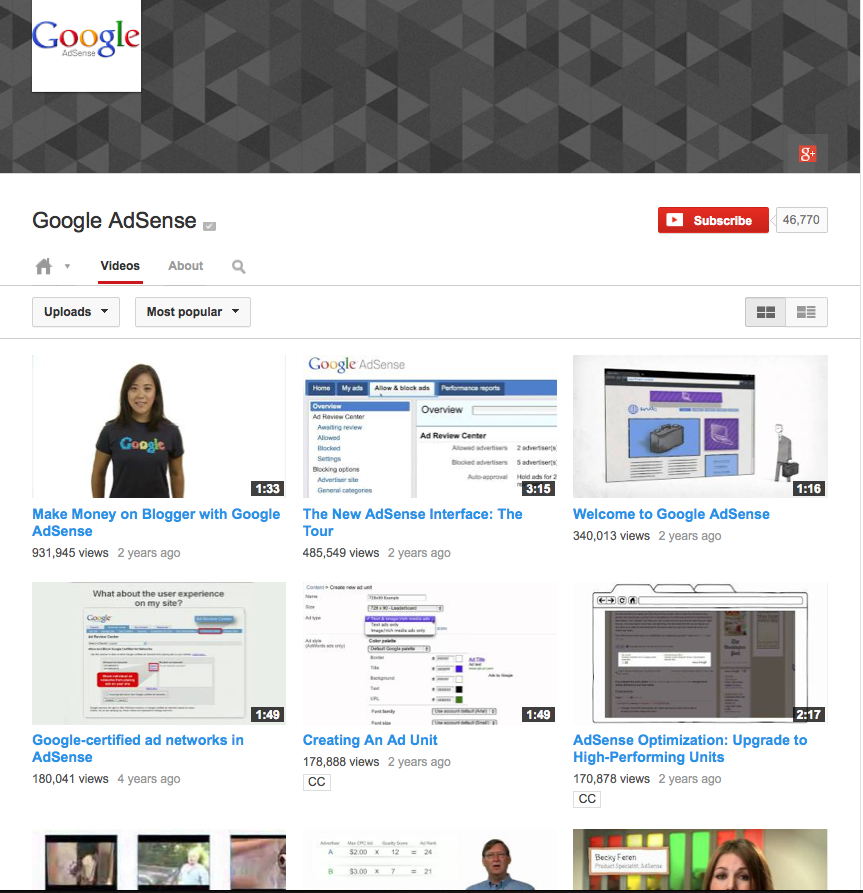
https://www.youtube.com/user/InsideAdSense/videos?view=0&flow=grid&sort=p

Speaking of videos, if you’re interested I can show you how you can monetize your YouTube videos and how and when to use each kind of video ad. More automated revenue, coming right up…!

How Do I Make Money Off Other People’s Products?

In addition to your own products or services you will sell on your site, there are a number of simple ways to generate additional easy, automated cash from your site – by offering affiliate or commissioned sales products.

Or, you can use these methods to start generating revenue right away, before your own products or services are ready. Some of you may choose to generate all or most of your income from advertising and affiliate sales – also known as referral or commission sales.

For example, perhaps you only want to offer personal coaching and you want to have affiliate links (commission links) to other companies for all your product sales. An affiliate, or commission sale is where you are NOT the one who warehouses, sells, or ships the product. You are NOT the author or publisher of the book, or CD or DVD. And that product or service is NOT for sale on your own website.

You are simply the one who recommends that product to your people. And if your people click on the web link that goes to a product (or service) you’ve recommended, and they purchase that product, you will receive a commission on the sale price of that product.

How does that work? Well, there is computer software code embedded into the weblink. So that when someone clicks on that weblink, the affiliate program software automatically knows that person came from you – so you will get the sales commission on anything they buy.

Maybe you love ballet dancing. So you want your site to consist of tutorial videos, interviews, photos and other content you share on your blog. Then at some point in most of your blog posts, you will have an affiliate link to the particular pair of pointe shoes you recommend as the absolute best, or, your favorite tutu supplier. Or you run affiliate links down the right hand side of your site for top ballet DVDs, or ballet schools, or intensive workshops.

My kids Oscar and Zara have an educational site about WiFi Radiation called RadiationEducation.com, and it earns almost all of its money from affiliate links. In fact, the kids have a number of affiliate links right on their webpages, but most of their $200/month comes from a blog post on my site that they link to (they don’t have a blog on their site, that’s why we used mine). In that blog post, we provide instructions on how to measure WiFi radiation and then carry affiliate links for about eight different radiation meters with a description and review of each. Every time someone clicks the link to a meter and then purchases it, the kids receive a commission. Some months, they can earn $500-600 commission – from only 2 weeks of work back in 2010!

That’s why I want to tell you about these automated ways to generate money before you nail down your site design – since you may find you want to really run with one or two of these and that may significantly change your site design. A few weeks after he implemented affiliate links, I received this email from a Freedomite:

This is so much fun (even if it only covers dinner – at the best spot in Ubud).

Now I get a few emails like this per month from my affiliate vendors (8 and counting) – and the amounts are increasing.

Thx for all your help!

Six months after he sent this email, his affiliate commissions were generating $1,000/month and his requests for personal consults had increased significantly. What did he do during that 6 months? He simply kept blogging great quality content – written and video – twice a week, wrote a couple of articles for community-based publications, and gave 3 presentations at community events.

Isn’t that great? Remember, automated means that the work is all in the set-up. But once set up, ongoing revenue is generated (often daily) completely automatically. You can be asleep, or sitting on the beach and your site is generating you money. All you have to do on an ongoing basis is to blog interesting, helpful, entertaining, or useful stuff a few times a week.

The great thing about these four methods I’m going to teach you is that they are all completely free to register, set up, and participate in:

Each of the links above go through each of the four affiliate monetization methods in detail, so choose whatever you’re most curious about and get started!

How Do I Register My Domain & Get Hosting?

Before we get started, I want to make it clear that you need to read the ENTIRE contents of this page about domains and hosting, and this page about email set up, BEFORE actioning (i.e. signing up for or purchasing) anything!

This is because it’s better to purchase your domain, hosting and emails all together at the same time, and to know what you’re looking for before you buy it. When you purchase all three together, you will be able to get a better discount – since many of the discount coupons require a minimum order total. When your order total is higher, you can then use a 20% discount coupon, rather than a 10% one.

In this unit, you’re going to accomplish the following:

  • Register your domain with a top-tier, ICANN-registered seller
  • Make sure the company you choose has 24/7 live customer service (via chat or phone)
  • Choose a basic hosting package

Step 1: Choose Your Domain Name

If you don’t already have your domain name – this is your URL, or the web address of your website – then now is the time to see if the name you want is available and to register it. For those of you who care, URL stands for Uniform Resource Locator.

Note: If you already have a website, but it’s not a WordPress site, or it doesn’t have a WordPress blog, then you should consider switching your content over, or even starting over with WordPress and a new domain name. Click here to find out why you absolutely need to have a WordPress blog to maximize your success.

Examples of domain names are: www.Amazon.com or www.JiniPatelThompson.com or www.MadWire.com  So as you see, your domain name can be your own name, or the name of your product, or the name of your company, or something catchy that relates to the problem you solve.

Whether you choose to go with a descriptive domain (e.g. www.FreshFloorz.com) or a catchy name (e.g. www.swerve.com) make sure you ALSO get the domain for your own name. YOU are your most important brand. So firstly, make sure no one else can use your personal brand and secondly, at some point (mark my words) you will want to use your own name for a website.

Down the road, you may just want use your own name as a portal site, that then has hot links to all the other different sites you run. That’s what I ended up doing with JiniPatelThompson.com:

Or, in 10 years time, you may want to set up a site that’s all about you sharing what you’ve learned. Maybe you’ll be traveling around speaking to groups of people about your methods, or inspiring them. You just never know, and domains are so cheap, you’d be crazy not to grab it.

We have also grabbed the domains for all three of our children – it is never too early! If your name is already taken, see if you can play around with the spelling of your name, or include your middle name, or perhaps your nickname, etc.

BIG TIP: Do NOT search for the domain(s) you want until you are ready to buy them! Domain selling has become a lucrative business and so as soon as you search for a domain, buyers are alerted to that fact and will snap it up – then when you’ve thought about it for a day or two and go back to purchase it, guess what? It’s already gone, but it’s for sale for $2,000 if you still want it!

So best to sit down with a sheet of paper and get planning!


Brainstorm every possible domain name (or variation on the spelling of the name) that you would like. For example: www.MyName.com


Put them in order from your top favorite to your least favorite:


Once you’ve read through the rest of this page, you can get your credit card ready and go see if the domain you want is available. It’s best to get a .com name if you can, so be prepared to have to pick from lower down on your list. And remember, you’ll want to register your domain name and get your website hosting at the same time, so make sure you know what you want!

You can use GoDaddy.com to search for the domain name you want and see whether it’s available or not. Don’t use your Internet browser (like Google) for this, as it will not be accurate enough. GoDaddy is an ICANN registered domain company with direct access to the domain registrar.

This can also be useful because if your domain name is taken, it may also be getting close to expiring with the current registrant and then you can be put on the waitlist, so you can grab it if the domain holder does not renew their registration. But let’s say the .com version of your domain is gone, GoDaddy will also let you know immediately whether .net or .biz or .tv etc are available. If possible, get the .com version of your domain first. BUT if you can afford it, get ALL the versions of your domain together – you will get a bulk discount and you will also protect your brand for future development.

It’s easiest if you buy your domain and host your website with the same ISP (Internet Service Provider). So probably best to go through all this info first (which will also help you choose your hosting company) then come back to this step and search for your domain with the ISP of your choice.

Step 2: Register Your Domain Name

Maybe you already have an active website – either a blog, or a site for your business. Depending on your plans, you can either stick with the domain you have and modify from there, or move your content to a new domain and hosting based on my recommendations, or scrap what you have and start fresh – it’s up to you (just remember that for your LTYF Guarantee to stand, you have to be using WordPress!). Find out why you absolutely need to have a WordPress blog to maximize your success.

If you are hosted on a free server, or template website service, then you may not even own your domain name – if you didn’t have to pay for it, you don’t own it, they do! In those instances, it’s a good idea to get a new domain name to use. Then you can choose to either move your existing content over to your new domain/site, or keep both sites running.

I use GoDaddy.com to register all my domains and for all my site hosting – they are the cheapest and they have stellar customer service. You can always find discount coupons for them as well (just search “godaddy coupons”) so you can get a really cheap deal for your domain and basic hosting package.

I tested using HostGator.com for about a year, but had two major glitches with them, where my site went down. The first time it took forever to even get through to them and the second time I could not even contact them since their help center was down too. Go ahead and research other companies if you like; just know that GoDaddy has worked great for me since 1999, so that’s who I’ll be referring to throughout the program.

Whichever hosting company you choose, just make sure they provide LIVE help, 24/7 – do NOT compromise on this. It doesn’t matter whether the help is via phone or chat, just make sure it’s live and available 24 hours a day, 7 days a week. Seriously, this will change your life and make a huge difference in running your business.

You also want to make sure your domain registrar is a Top Tier domain seller and that they are registered directly with ICANN (Internet Corporation for Assigned Names and Numbers). Whoever you choose, make sure to research where their data centers are, and whether or not they’re reliable – do whatever you can to safeguard against your site or server going down, which will cost you time and money once your business is running!

Next, make sure you register your domain name for at least 2 years. This is very important to be able to get your search engine rankings, as this is one of the metrics Google uses when they spider your site to decide how to rank you. Obviously, they want to give higher ranking for sites that plan to be around for a while.

While it’s best to get the .com version of your domain name, if you have the funds, then also get .net, .org, .info, .tv, .biz etc. If your business is regional or you plan to promote it locally, then also get the country-specific version of your domain e.g. .ca or .uk or .au

You can then set up all these different versions of your domain to URL-Forward into your main site. So getting different versions of your domain does not mean you have to do a website for each one! You can have them all forward into your main site. But it does prevent someone else from getting them, or a customer from typing in the wrong URL and going to your competitor.

What is the domain name system?

The domain name system, or DNS, is a system designed to make the Internet accessible to human beings. The main way computers that make up the Internet find one another is through a series of numbers, with each number (called an “IP address”) correlating to a different device. However it is difficult for the human mind to remember long lists of numbers so the DNS uses letters rather than numbers, and then links a precise series of letters with a precise series of numbers.

The end result is that ICANN’s website can be found at “icann.org” rather than “192.0.34.163” – which is how computers on the network know it. One advantage to this system – apart from making the network much easier to use for people – is that a particular domain name does not have to be tied to one particular computer because the link between a particular domain and a particular IP address can be changed quickly and easily. This change will then be recognised by the entire Internet within 48 hours thanks to the constantly updating DNS infrastructure. The result is an extremely flexible system.

Source: www.icann.org


Step 3: Choose A Basic Hosting Package

Once you have your domain, you need hosting in order to be able to have a website at that web address. Your domain is like a piece of land or property; hosting is the permits, tools and materials you’ll use to build your house, or your site. Your hosting package will determine some of the options you’ll have for your site, including space for your content and the complexity of your operations. For now, though, a basic hosting package will be more than enough to get your business going, and you can always upgrade later as needed.

A re-seller company like the domain onseller we talked about above may also be selling you second-hand hosting. They may be renting space on another company’s servers and they don’t actually own the physical server boxes in their own climate-controlled warehouse. Again, this will not be apparent unless something goes wrong. If your site goes down, or gets hacked into, it can take days or even up to a week to get things fixed and running smoothly again with second-hand hosting. That’s just unacceptable downtime and every day you lose, you’ll be losing money.

With a company like GoDaddy – who own everything themselves  – your downtime is not usually more than a couple of hours. When our site got hacked, GoDaddy immediately assigned their own security team to our site, backed up our site files, fixed the problem and restored everything – without charging us a dime. They own their own servers and they take their server security very seriously.

So whichever hosting company you choose, check with them first and make sure they own their own servers (the actual physical server boxes, not just the ‘space’) and have their own server boxes on-site, on their own premises. Many people recommend BlueHost, however, both BlueHost and HostGator were bought up by EIG and so when EIG goes down, they ALL go down.

Be aware when comparing pricing that many companies will list a monthly charge on their comparison page – but other companies, like GoDaddy, charge by the year. So $3.95/month for your domain and hosting looks very cheap. Until you see that GoDaddy charges $19.98 per year, which works out to only $1.66/month.

Your server is the machine (looks similar to a cable TV box) your website is hosted on – this machine handles all of the hundreds and thousands of site visitors you will get, without crashing, and provides a fast page load time for your visitors, as they come to your site for the first time and then click around your site. You can always upgrade your hosting as you go, with no hassle or time required, so start with the cheapest hosting package (smallest amount of storage space) and then increase as needed.

For example, on GoDaddy, the cheapest hosting package is called Economy Hosting. Unless you are immediately going to have an online store with 100 products, this hosting package will be fine for you. There’s no need to buy a larger package (more file storage space – larger bandwidth) until you need it. Also important to note, is whether your hosting package comes with an email package, or not. For example, GoDaddy’s Economy Hosting automatically comes with 100 email addresses. That means you can have personalized emails like me@mysite.com.

If you plan on having more than one site, you might consider an option that allows for hosting multiple domains at very little extra cost – On GoDaddy this is called Deluxe Hosting. It costs a little more but is worth it – if you think you’ll end up with more domains or websites soon, and trust me, you probably will! Of course, you could always start with Economy and upgrade when needed.

Each company’s hosting and email set-up process is different. So get in touch with whichever hosting company you chose and let them guide you through it. Any good domain/hosting company will also email you some how-to guides when you complete your order, so all the instructions you need should be in there. But if you’re confused, or need additional help, just contact your hosting company’s 24 hour service center.

Many hosting accounts automatically come with WordPress software installed – but you often have to request it or install it yourself. So be sure and check whether this is included (if not, ask them to throw it in anyway at no charge) as it will save you paying a programmer to do it later – or having to learn how to do it yourself.

A good hosting company will also often give you at least one free email with your hosting package – so be sure and read this page about email set-up before you select your hosting provider.

What About Free Template Sites?

In a later module, I suggest that people who are primarily visual, may want to first design their site on a free template web design platform, like iWeb. Then you’ll be able to communicate really clearly with your programmer as to what you want – or you can send him screenshots (photos) of what you’ve designed.

But why wouldn’t you just go ahead and publish your site on one of these templates, like iWeb, Weebly, Wix, or Website Tonight? Why pay for separate hosting and install a WordPress blog-based site? Well, for these two simple reasons:

  1. You will not get the search engine rankings with template sites that you will get with a WordPress blog-based site. For some reason, Google just loves WordPress blogs. And when you install the special plug-in I will tell you about, Google (and other search engines) will love you even more! Believe me, I have tested this with numerous sites. With my current set-up (which I will teach you) I get page one ranking on Google for dozens of specific search terms – and many times I’m on page one twice!
  1. Template-design sites are just not scalable, expandable, or transferable. So while they may be fine for you when you’re just starting out, they don’t provide for the future and you will just have to re-do everything as you grow (which will be a huge hassle and cost you a lot of money). With a WordPress blog site, as you grow, your blog stays exactly the same and simply becomes one of the sections on your site. The rest of your site is then programmed from scratch in PHP if needed – which is infinitely scalable and expandable. Again, I have tried all kinds of site programming languages (html, asp, template) and PHP is definitely the way to go and allows you to do all kinds of cool things as you grow. You don’t want to start with PHP though, unless you have lots of money. So you start with a WordPress blog-based site and then once your business is rolling and you’re making good money, then, if you need to, you can expand your site using PHP. In that case, like I said, your blog doesn’t need to be changed at all, it just becomes one of the sections of your new, expanded site – and your blog continues to drive your search engine rankings.

Time is one of your most precious commodities. This is one of the biggest benefits of using the Listen To Your Freedom system. You get to learn from our decades of mistakes, trial-testing and learning.

The advice I give you here is always the fastest, cheapest way we have discovered for accomplishing something, but ALWAYS with the long-term in mind. The procedure and solutions presented in this Listen To Your Freedom are designed to be able to take you seamlessly from revenues of $1/month to $100,000/month.

SSL Certificates or Other Add-Ons?

There’s no need to buy anything else at this stage. Most hosting companies will try to upsell you into all kinds of options before you checkout. But nothing else is really crucial, or will make a difference to your site’s success (except for dedicated emails). So instead of getting stressed, or feeling pressured, take a deep breath, and a good look at what they’re offering. In most cases, you’re safe to go for the most basic option that includes an email system, and don’t worry about any of the upsell options unless you’re convinced it’ll be really helpful for your business. If you need to call the company to understand what each option gets you, then call away! Just remember that their sales associates are trained to encourage you to buy more, so don’t let them sell you on anything you don’t understand.

If you’re going to start selling products right away, it’s a good idea to get an SSL Certificate – this encrypts your site transactions (customer credit cards) so that they are secure and more protected against hackers. Seeing an SSL Certificate (Secure Socket Layer Certificate) on your site is also reassuring to your customers so they’ll feel safer giving you their credit card AND will lead Google to give you a higher search engine ranking. Yes, this is a relatively new development (2014), but search engines are now giving higher priority to commerce sites that have an SSL certificate.

However, if you’re only going to be using PayPal, then you don’t need an SSL Certificate, since the transaction will actually be processed by PayPal, which has its own security system. Also, some shopping carts have a built-in SSL Certificate. So it’s best to hold off until you have the other components of your infrastructure set up.

You can also get your SSL Certificate later, after your site is set up and ready to go – usually if you are adding products, your set-up is going to take longer, so why pay for the extra month or two that you’re going to be setting up? You can get everything ready to go first and then get the SSL Certificate and install it on your site, just before you go live with your store.

Okay, now before you run out and buy your domain, let’s make sure you know what you want to do with your email package!


How Do I Know What I’m Getting Myself Into??

Hang on – all this planning is super fun, but where is it going? Do you really want an internet business? Do you know what that entails?

I bet some of you have some burning questions about what we’re doing, what it’s going to look like, and how it all works. So let’s telescope out and take a look at the big picture for a moment, so you can get some clarity on where LTYF will take you – because there’s needs to be a solid platform for all this freedom you’re going to generate. Let’s start with this: How exactly does a website or a blog make money??

Where Does “Internet Money” Come From?

You’re here, so I know you’re game, but sometimes new Freedomites admit to being more than a little overwhelmed when faced with moving operations towards being online and automated.  It all depends on what your experience in business has been up until now. If you’re feeling a little uncertain of what you’ve gotten yourself into, let’s break it down to basics and see where you’re at.

Right now were seeing a zeitgeist of people who are making an honest living through online business. The cool thing is, I bet you’ve visited, or followed, some of their sites and not even realized it was their livelihood, because it can be that subtle and non-invasive.

So if you want to know how they do it, look closer. Start looking at websites and blogs with a new awareness. Ask, could this site be making money? Look for clues that might give it away. Do they have a shop? A sign-up box for a newsletter or some kind of freebie? Do they review products or tell their readers about particular workshops, teleseminars, or programs? When you buy something online, think about why you’re buying it. What made you decide on this product, from this site?

As you progress through LTYF, I promise it will all become more clear. You’ll start to see the potential for money in the strangest things – even if you’re already well-versed in online commerce!

So back to “internet money”  – the stuff I’m promising you in this program. Let me set something straight for anyone with lingering doubts: it’s not a scam, it’s not magic, and it’s definitely real money.  Let me explain in detail…

There are basically three streams of “internet money” that we’ll get into in LTYF:

1. There’s advertising, which is obvious from the amount of advertisements you can see all over websites. I mention it first only because most people assume it’s the main thing that generates cash on the internet – which is not true in our case! Ad revenue is great to know about, but it probably isn’t where the bulk of your income will come from, at least not for a long while. But if you’re curious about making money from advertising, check out this page.

2. Then there’s sales from your own products and services, which is what we’ll focus on throughout much of LTYF. I’ll give you tons of ideas and tutorials on how to design and create your own valuable products, both physical and digital, and show you how to produce, market, and deliver them to your customers. Believe me, there is something you can sell on your site, no matter how weird or niche-y it is. In fact, the more specific you get, the more you’ll attract a core group of enthusiastic and loyal customers.

3. Affiliate sales are a less obvious, but really fabulous way to generate income, either on the side or as your main venture. This is accomplished by making a commission when you sell someone else’s product through a link on your site. Whether you’re reviewing a great product, recommending a book that changed your life, or telling people about a workshop you’re really excited about, you can make considerable commissions on anything people take your word for and purchase. The great thing about this revenue-generation method, is that you can do it from an authentic and helpful place without being “selly” at all.

So where does the money come from in an affiliate sale? Think about when the owner of a physical store sells a product – when they mark something up from wholesale to make a profit, they are essentially receiving a commission for each product they sell, sometimes over 50% of the wholesale price. As an affiliate, you get to act as the salesperson and earn that commission on anything that sells through you, but without the hassle and cost of warehousing, shipping, or even touching the product!

We can go over all of this in detail, but for now, keep in mind that entrepreneur Pat Flynn makes over $40,000 a month on affiliate sales alone – with a blog that talks about affiliate and other “passive” income! Pretty darn cool!

And if you still think it sounds fishy, and are still wondering where all this internet money is coming from, think about all the middlemen that can be cut out of a more direct economy. Each of them has to be paid out of the ultimate price of the product – so the fewer hands in the pot, the more money is freed up to flow to you!

Those are just some examples to get you moving around the idea of internet money or automated income. We’ll cover all the juicy details when you’re ready for them, but is this floaty concept of “internet money” getting a little more real now? Like I said, it’s not magic, but it can still feel pretty miraculous, even to me!

What is “Passive Income”?

Both affiliate and advertising income are often referred to as passive or automated income, and even your product sales, especially the digital ones, can fall into this category. I prefer the term automated, as the term passive suggests that you don’t have to do anything to earn the money. But you do – it’s just that once you’ve set up the automation infrastructure and know how to point people in the product’s direction, you can make money without having to trade time for wages, or a physical product for cash, because the system you’ve set up is taking care of all that. As with most of what you’ll be learning in LTYF, the work happens in the set-up. So, in my view, it’s not passive at all, but it’s still a fantastic improvement on the old “time for money” model – and it may be the ticket to your success.

So…Tell Me Again, Why Online?

WorkingYou’re probably starting to understand some of the benefits of selling online from what we’ve just talked about. But I’d just like to say this: everything you learn in LTYF comes from my own personal experience and years of experimentation and testing since 1997.


The details of online business may change as the internet grows and develops, but the core principles I am teaching you will stand up in any arena – and yes, once you get the hang of it, you could easily, with a little creativity, transpose them into “real world” situations. These core principles of LTYF – or of building a thriving business built on your passions – are actually very simple.

They’re about:

  • building an authentic brand that you yourself believe in
  • offering quality products that you’re excited to share with the world
  • creating excellent relationships with your team and your customers
  • having your business be known and easy to find
  • providing great, consistent service that your customers can trust, and
  • creating systems that are not only sustainable, but ultimately regenerative.

Even simpler, it’s about being YOU, expressing that effectively, gathering a tribe of like-minded people, and caring for them so well that they are happy to return all your efforts with the energetic exchange of money. And, maybe most importantly, it’s about doing all this as efficiently as possible so that you have the time, energy, and resources to keeping shining your light.

We are living in a time where virtually anything is possible – for anyone, from anywhere. The Internet makes running a business just incredibly faster, easier, and wider-reaching. Your products and services can be produced and distributed quickly and cheaply. Running your business with as much automation as possible can save you hours of your time. Outsourcing will save you money you’d otherwise have to spend on staffing, and people all around the world can access what you have to give.  Not only that, but you can niche down as far as you like and you’ll still be found by hundreds and thousands of people looking for what you’re selling.  Whereas, once upon a time, your customer base could only be drawn from the handful of people who could physically access you, now you can reach anyone, anywhere, so long as you have what they need or want. And I’m going to show you how to set up your site – using simple procedures – so that search engines will rank you higher and your site will be at or near the top of the list when people search for stuff related to your product or services.

What Will I End Up With?

When you’ve worked your way through this whole site and implemented everything that applies to your business, you will have a fully operational WordPress website (or a WordPress blog added to your existing site) up and running that will:

And, of course, if you don’t know what some of this means, you will know it inside out and backwards by the time we’re done. This site is designed to fill you up with all the info, resources, and know-how you’ll need to build, maintain, and master all of this and more – but all on your own time! You’ll have the tools to make it as small or big as you want, to require as much, or as little of you as suits your lifestyle, and to provide you with whatever your vision of freedom is. With your membership, you can take all the time you want – or speed through it and come back again and again each time you want to launch a new product, or a new business.

Whew. That’s a lot of info to take in, but remember it will all come one step at a time, at your own pace. So that’s the big picture. Now let’s zoom back in to where we’re at – the beginning. What would you most like to learn next?

How Do I Build A Website?

This is a real quick run-down of the steps involved in building your own website. Each step links you to a more in depth explanation, complete with definitions, tutorials, and even some audios or videos to help you through, so don’t let this list intimidate you! It’s all very do-able stuff when you break it down. But wait – this is just an overview, so don’t do any of it until you’ve read this whole page and all the links corresponding to each step! It’s really important to have the whole picture in mind before you dive in.


Step 1: Get your Domain & Hosting

You will first need to purchase a domain name for your new website – this is your website address (e.g. www.Amazon.com). At the same time, you will need to sign up for a web hosting service. This will provide you with space on a server that will host all the programming and traffic (visitors) to your website.

Note: If you already have a website, but it’s not a WordPress site, or it doesn’t have a WordPress blog, then you’re still going to need to go through this process. Click here to find out why you absolutely need to have a WordPress blog to maximize your success. Don’t worry, you do not need to lose the traffic you’ve built up already to your existing site (or your content) – here’s how to import all that stuff from one platform to another.

Step 2: Set Up Your Emails

This may be a step you take at the same time as buying your hosting package – they will offer you a chance to register your business emails. Now that you have your own site, hosted on your own server, you can also get your own, private email addresses (kim@kimsite.com rather than kim@gmail.com for example).

Note: Again, if you already have your site hosted on a free server, or on WordPress.com, that is NOT a good idea and it will negatively affect your search engine rankings. So make sure you work through this entire module to ensure your site is hosted properly.

Step 3: Install WordPress

After you’ve purchased your hosting package, you will then install the free WordPress software on your hosting account. You could either pay a programmer to do this for you, or do it yourself by following the instructions from your hosting company. There are also a lot of good YouTube tutorials that will walk you through the installation process, and I also have a video that will show you how. In some cases, your hosting account automatically comes with WordPress software, you just have to request it.

Step 4: Design your Website

Once the main WordPress software installation is finished, you would either create your whole website, or, add your WordPress blog to your existing website. After installing WordPress through your web hosting account, you will be sent a link that allows you to log in to your site. You would then log in and choose a layout design – this is called your WordPress Theme. There are many good free Themes available (which I will show you), or you can purchase one. Once you have chosen a theme for your website, you can customize it by changing the text or background colors and arranging the layout to your desire.

Step 5: Add Pages and Links

Depending on the type of website you’re creating; you will then decide how many fixed, permanent Pages you need. Along with the fixed Pages of your site, I will show you how to create a blog with a variety of different blog posts for your visitors to read – that will also drive search engine traffic to your site. You can link to your Pages, your blog categories, other sites you like, and more in the top menu and the sidebars of your site.

Step 6: Add an Opt-In or Sign-Up Form

A form where you can capture names and email addresses is the foundation of your business. How can you build a relationship with people if you can’t communicate with them? An automated sign-up form also allows you to easily email your list as a group – rather than having to email people one-by-one.


How Do I Register My Business Legally?

If you haven’t done so already, you will need to choose the name of your company and get it registered – the simplest version of a company is usually called a sole proprietorship, but the term can change depending on your country. You don’t usually need a business license, unless you have a physical location (physical clinic, store, restaurant) as well. And in the early days, you don’t need to incorporate either (which is more expensive), unless you are at risk of being sued.

If you’re unsure which legal business structure will work best for you, depending on your personal tax situation and the country you’re in (Inc, LLC, Pty, proprietorship, etc.). Then either do an Internet search on your options, here’s a good place to start:

http://www.entrepreneur.com/article/77730

or you can get in touch with your local business development center, or government branch that supports small business, for free advice. Or ask your accountant.

For example, the US Small Business Administration has fabulous resources, online training and mentor help (all for free) like this article on registering your business:

http://www.sba.gov/category/navigation-structure/starting-managing-business/starting-business/choose-register-your-busi

STOP right now and read the articles above. Decide which legal entity you will use to set up your business and, if you already have a business, decide whether now is the time to incorporate, or not:

  • a Proprietorship (easiest and cheapest, but you are personally liable for your company if you get sued)
  • an Incorporated company (LLC, C-Corp, Inc. etc., you are not legally liable for lawsuits against your company – unless they can prove personal fraud or negligence)

And while we’re on the topic, here’s a free course on how to write a business plan (if you happen to need one at some point; like when you’re trying to get a bank loan):

http://www.sba.gov/tools/local-assistance?ms=nid3457

But you at least need to get your business name registered as a legal entity and this usually costs less than $100 and can often be done online. This protects your business name from others using it and makes sure you don’t use a name that’s already taken.

Take some time to jot down the answers to these questions:


Are you going to set up your business as a sole proprietorship, or a corporation?


What will be the name of your business (this will appear on people’s credit card statements)?


What do you need to do to register your company – is there a phone number you need to call, or website you need to visit to get the ball rolling? NOTE: Don’t set up your company yet, until you’ve got the domain name for it!

How Do I Plan My Business To Support the Lifestyle That I Want?

As you’re going through the process of defining your business, planning your new website, and thinking about what you want to sell, and how you want to sell it… it really helps to keep in mind your vision of what you’re working towards.

By that, I don’t mean what your finished site will look like. I mean the BIG picture: What do you want your life to look like when your business is up and running?

There’s no point in jumping ahead to decide what you want your homepage to look like, and all the things you’ll be selling on your site, until you’ve defined exactly how you want your business to integrate with your life plan.

There’s no point in setting up a consulting business, where you charge $100/hour, when you can only work 2 hours a day – unless, of course, you’re happy with that amount of money. So before you can decide what you want to sell, how you want to sell it, and how you want to deliver that, you first have to decide what you want your daily life to look like. That way, you can make sure your business services your ideal life and supports you in living an awesome life!

So let’s ensure you’re on the right track and that what you’re planning for yourself really does reflect your goals, values and soul’s purpose.

Kick-start your thinking process on this whole topic by watching this video first:

Sell Your Crap. Pay Your Debt. Do What You Love

Pretty powerful eh? And did you notice how he was very explicit about the importance of defining what kind of life is desirable or meaningful to YOU? Not what other people might value, but YOUR values.

Freedom Is Personal

I think it’s pretty safe to say that all of us want more freedom in our life. The question is: what exactly does that mean to you? Because ‘freedom’ is a personal experience and each of us will define it differently.

For Emma, freedom might mean traveling round the world, studying art and architecture and spending a maximum of 4 hours a day on her business.

For Roger, freedom might mean 3 children, with a wife who loves to stay home and care for him and the kids, while he just focuses on making money.

So it’s really important here to avoid making assumptions or generalizations and really spend some time exploring your soul and connecting in to your deepest desires.


Get your favorite pen ready, or your voice recording device, and let’s begin exploring these concepts.

What does ‘freedom’ mean to you?

Freedom means:

What does ‘balance’ mean to you? When you look at balancing the various joys and demands of your life, what’s the perfect mix of all the elements (work, hobbies, sports, kids, partner, animals, music, art, etc.)…

Balance, to me, means:


Now, defining your broad goals – like freedom and balance – is an important step, but does give you a concrete plan for how to achieve balance and freedom in your daily life?

An important part of being successful is always looking for the way to take large or abstract goals or visions, and break them down into smaller, concrete action steps.

So that’s what we’re going to do next; you’re going to take your important vision of freedom and balance for your life and break it down into a clear action plan for your daily life.

A fun and easy way to do this is to ask yourself:

What does my PERFECT DAY look like?

If we just stick with global, or general questions, we’ll end up with lofty statements and beautiful visions, but our day-to-day reality will not change. And we’ll still be chasing some version of the carrot on the stick.

When you finish reading (or whenever you will have a quiet space), you’re going to write down (or audio record) what your ideal day would consist of.

You’ll start with whatever time you would wake up (I might like to wake up at 10 am, you might like to wake up at 6 am) and then you will plot your ideal day in one-hour increments, labeled with what you would like to be doing in each of those time slots.

YES you need to get that detailed! Because when you get into the nitty-gritty, of each hour of your perfect day, the flaws, or incongruence in your big vision will be revealed.

Then you will have the chance to rectify the inconsistencies and come up with a cohesive vision that is truly authentic and that you can actually begin to implement.

For example, let’s say your vision for your perfect day consists of 2 hours of yoga, 5 hours of cooking and childcare, 2 hours of TV and 1 hour in a soaker tub… but yet you’re setting up your site to generate income from private consulting sessions where you charge $60/hour. So that’s 9 hours total of yoga, cooking and TV, and probably 3 hours of consulting for a gross revenue of $180/day, which means $900 per week, and $3600 per month. Then you will have some admin, accounting etc. work on top of that every week or so.

If you’re a Dad with 2 or 3 kids and your wife has a good paying, steady job, this would probably be decent money for you (after taxes and expenses). However, if you have a toddler and your wife has just given birth (so will not be working anytime soon), setting up your business this way is unlikely to meet your needs, let alone your desires. In a case like that, the incongruence between what you want and what you’re actually doing or planning for is going to result in you feeling unhappy and frustrated – and financially struggling.

Phase 1, 2 & 3 of Your Perfect Day

And of course, life is not fixed. Situations change all the time. So maybe you cannot achieve your ideal day in your first month, or year of your new and/or improved business. In that case, you would write down two or three different examples of your perfect day. You would do one Perfect Day outline for the set-up phase of your new business, or for the transition phase of your business expansion or re-design – for the first 3 months or so, for example. Remember, this may still include your day job – full- or part-time – or whatever you need to do to stay financially stable enough to support the nurturing of your dream projects.

Then do another Perfect Day outline for the growth phase of your business – the next year, for example.

Then do a third Perfect Day outline for years 2 – 5 of your business or new direction, when everything is settled and you’re steadily moving forward.

Breaking down your day into clearly defined one-hour slots will not only help you manage your time, it will help you plan your business effectively – to be able to deliver and support the lifestyle you want. It will also enable you to plan out a road map for staying balanced and healthy while you start or expand your business.

Remember, Listen To Your Freedom is not about working like a dog for 5 – 10 years so you can make tons of money and eventually enjoy your life! It’s about designing a life that supports you emotionally, spiritually, physically (health) and financially in a balanced, enjoyable way.

Jini’s Perfect Day

I re-do the Perfect Day exercise every so often, especially when I feel frustrated, or out of balance. The first time I did this exercise, I did two different versions – just to help me define my desires and my parameters better. I mapped out one Perfect Day pretending I was married, but had no kids. Then I mapped out another Perfect Day for the life I actually had – wife and mother of three children.

Why did I do that?

Because as soon as you have extra beings in your life that require your care – kids, animals, an aging or sick family member – the map of your day changes significantly. So I found it valuable to first map out a Perfect Day with no kids in it. This enabled me to really plug back into my core self, to get out of mom-mode (where I tend to put the kids’ needs first) and plug into my own soul’s desire, my own physical and emotional needs.

Once I had mapped out my perfect kid-free day, I was able to see my core self and my soul needs more clearly. And then after that I did a realistic Perfect Day map; one that included my children and all the demands of my real life. Some of you may need to get rid of your spouse too, in your first perfect day map, if you tend to take care of their needs before your own.

Mapping my perfect day in this manner led me to make some changes to our family’s way of operating. I set up certain systems differently and reassigned some responsibilities. For example, I taught the kids a repertoire of foods they could make for themselves for both breakfast and after school – thereby relieving me of those repetitive, energy-sucking (for me) tasks.

I started weekly menu planning with them (I have a couple of really picky eaters) for suppers and established that 2 meals per week would be crock-pot (slow cooker) meals to cut the work load on the days my daughter had gymnastics and needed to eat supper at 3:30 pm.

We rearranged the bedtime routine with the kids and my husband and I re-scheduled things so we both got more workout time.

Mapping my perfect day also made me realize that I wasn’t doing enough of the activities that fed my soul and my creativity. Some of the things I wanted did not exist, so I set up my own Art (painting) Group, my own Bookclub, and persisted until I found the perfect yoga class (my former yoga mentor had retired), and an awesome Pilates teacher.

On the work front, I was already pretty organized about delegating, or outsourcing, anything other than new product creation, but by actually mapping my day hour-by-hour, I realized that replying to my blog and Facebook comments was now taking up a good chunk of my time; but even more of my mental space. By the time I finished answering the blog comments, my focus was fragmented and I had less energy for new product creation.

I also realized that answering emails left me in the same state; with fragmented energy and less focus. So I decided to not even look at my emails until the last 45 minutes of my work slot. If I couldn’t get to all of them in that time frame, I could squeeze them in here and there when the kids were home and occupied with their friends or sports. I delegated all the Facebook and blog comments to my assistant and instructed him to only tag me to answer a comment if he couldn’t, or if he felt I could add significantly to his answer. I have lots of other holistic time- and energy-saving routines and hacks for you to experiment with.

Again, these insights only came about because I went through the process outlined above and actually wrote down an hourly breakdown of my perfect day – one with kids and one without.

Your Perfect Day Maps

Now it’s your turn. Do each of these Perfect Day maps – even if it doesn’t make sense to you – and by the end I guarantee you will have some significant insights about what you want, and what you need to do to make that happen…


Perfect Day – Biz Flourishing & NO Dependents

This is what my Perfect Day looks like (in 1-hour increments, from the time I wake up), with no dependents, and my dream business flourishing:


Perfect Day – Biz Flourishing & Real Life Responsibilities

This is what my Perfect Day looks like (in 1-hour increments, from the time I wake up), with my existing family and responsibilities, and my dream business flourishing:


Perfect Day – Biz Start-Up

This is what my Perfect Day looks like (in 1-hour increments, from the time I wake up),
with my existing family and responsibilities, and my dream business in the start up or development phase. Remember that most of the work is in the set-up, so if you have a baby or toddler, this phase will last far longer for you than for a single person, because you just won’t have the same time to dedicate to your business. Be realistic:


Now that you’ve done all three maps… Did you learn something new about yourself?

Did you discover some desires you didn’t know you had, or, weren’t giving yourself permission to have?

Are you much clearer now about how you want your life (including work, family, hobbies, health) to look, in order to provide yourself with the freedom and fulfillment that your soul yearns for?


Write down the things you realized and the things your soul yearns for – and then write down here the things you need to change or reorganize in your life to achieve your Perfect Day for this stage and phase of your life:

How Do I Write A Great Tagline?

Once you’ve worked out your elevator speech (your one or two sentence answer to the question, “What do you do?”) it’s time to take that answer and distill it down even further into a single line of text, or approximately 10 words.

This is called your tagline and it is such an important little snippet that even Google+ is making you come up with a 10 word tagline to describe yourself when you register for an account!

Why Do I Need A Tagline?

Site tracking software shows that when someone visits your site, you have about 3 – 6 seconds to grab their interest, or they will leave your site.

So part of what will immediately hook them in and make them feel like you’re talking directly to them is a strong, benefit-laden tagline. You can read a tagline in about 1-2 seconds, so that still leaves you with 4 seconds to communicate visually how you can solve their problem, soothe their pain, or fulfill their desire.

So let’s look at an example of how to create a tagline.

Here’s my elevator speech for Listen To Your Freedom:

I show people how to start their own business, or grow their existing business into a successful, automated, online business – going at their own pace, doing what they love – to create their idea of freedom.

And here’s my tagline:

Live FREE. Do what you LOVE every day. And make Money.

It took my hubby and I two days of emailing back and forth to create this tagline for LTYF by distilling it down until it went ‘click’ I love it! So ask your family and friends for help and take your time with it.

Also, don’t worry too much if you don’t get it perfect. You just need to get something decent for now and use that until you come up with something fabulous.

That’s what happened with my health site, Listen To Your Gut. We were so crazy busy getting that site up, because we were amalgamating about eight different sites into one – with literally thousands of pages of content. We just did not have time to come up with a good tagline.

So for almost a year, the tagline on that site was:


It was okay, but not great – not something you’d even remember! The benefit was the “tried and tested” part. And because we were also in the process of switching our primary brand from Jini, to Listen To Your Gut, we wanted people to know they’d still come to the right place.

How To Brainstorm A Tagline

Then we got some time and space to come up with a better tagline. And I figured it would also be the perfect opportunity to show you exactly how we arrive at a good tagline.

Below is my brainstorming session with my husband Ian. I wanted to share it with you to give you a clear idea of how a great tagline can develop over time, and what a good brainstorming session may look like. Here we go…

So we started by asking the same type of questions you’ve been answering:

When someone comes to Listen To Your Gut, what are they wanting to feel?

Finally giving people the hope that they can actually live a better life – whether it’s Crohn’s, acne, rectal spasm, flu, etc.

What is their need?

They want to get better. They’re desperate, they’re at their wit’s end. They can’t believe that this might actually be it, really??

What is their greatest desire?

Be rid of their condition.

Why? What will change if they get rid of their condition?

They will have freedom; go to the bathroom normally, play sports, play with their kids, travel, feel healthy and strong

What’s the ultimate benefit for trying all my stuff?

Okay, now here’s where we start distilling down and fleshing out the benefits – in one sentence only. Here’s our dialogue of answers to this last question as we just pinged them back and forth. You’ll see that some of them stink – that’s okay! In fact, that’s good, because it proves that you’re truly letting it all flow and trusting that you’ll eventually get there:

DAY ONE

What’s the ultimate benefit for trying all my stuff?

Freedom, healthier, more joyful.

Giving you hope to live a freer life

Giving you the hope to feel healthier every day

Giving you the hope and tools for healing

The hope to have a freer and healthier life

Giving you hope for a freer, joyful, healthier life

Live a more joyful, free, healthy life

Good health is true wealth

Full body, vibrant health, joy and freedom

Live free. Live fun.

Finally live free

Finally be free

Finally live in freedom, joy and be healthy

Finally live free. Smile every day. Enjoy your life.

Finally live free. Live joy.

Finally live free. Enjoy your life.

Finally live free. Enjoy living.

Finally be free. To live and enjoy.

Finally live free. Have hope. Feel good.

Finally live free. Be hopeful. Feel good.

DAY TWO

Took a break from tagline brainstorming and hung out with the kids.

DAY THREE

Came up with these by myself, and emailed them to Ian for feedback and further brainstorming:

Hope. Renew. Finally live free.

Feel hope. Renew. Finally live free.

Feel hope. Heal. Finally live free.

Get hope. Heal. Finally live free.

Gain hope. Heal. Finally live free.

IAN wrote back:

no – does not work for me…there is no joy here….the feeling is an ecstatic feeling of joy, relief and being able to do the things you never ever thought you would be able to do again,,,,

So…

Listen to your gut
Giving you hope to live in joy to be free to live the way you always wanted…
or something like that.

THEN I emailed him:

Wishing you joy at the relief of finally getting your life back.

Be yourself again ~ Hope, Healing, Joy

Find yourself again – live in hope and joy

Hope, joy, freedom – get your life back.

Then Ian emailed me:

Bringing you the hope to be free to live in joy again!

DAY FOUR

I emailed him:

Bringing you hope to live in joy and freedom again!

IAN wrote back:

Bringing you hope to live in joy and freedom forever!

I wrote back to him:

just not gelling…. we need a new angle.

How about…

Your gateway to hope, joy and freedom!

Your gateway to hope, freedom and joy!

Start here for hope, freedom and joy!

Helping you in your healing journey to freedom and joy

Journey to hope, freedom and joy!

OR

Take back your hope, freedom and joy – take back your life!

Find your hope and joy – get your life back!

Rediscover hope, joy and freedom.

Rediscover hope, joy and freedom – take back your life!

Ian wrote:

Let’s go to lunch tomorrow and discuss it then.

We then let things sit for a full week.

DAY ELEVEN

I sent these to Ian after some more verbal brainstorming:

Heal your life. Embrace joy

Heal your whole self – live joyfully

Heal your whole self and live in joy

Welcome joy and heal your whole self

Embrace joy and heal your whole self

Live in joy and heal all the parts of your self

Live Joyfully and Heal your Whole Self

Vibrant health is real wealth

Your path to vibrant health, joy and real wealth

Your Pathway to Vibrant health, Joy and Real wealth (sounds like an MLM scheme!)

Vibrant health is REAL wealth

Joyful, vibrant, full-body health

Vibrant Health : Full-body Joy

Ian emailed back:

Attain vibrant health. In freedom and joy!

DAY THIRTEEN

I emailed Ian:

Solutions for Joyful, Vibrant Health

Your Pathway to Joyful, Vibrant Health

Facilitating your Healing Journey to Joyful, Vibrant Health

Ian emailed back:

Inspiring joyful, vibrant health

Inspiring you to live

Heal your body, heal your life

I picked up the phone to brainstorm verbally and then we came up with:

Giving you motivation, inspiration and hope for a joyful, vibrant life

Which we shortened to:

Motivation, Inspiration and Hope for a Healthy, Joyful, Vibrant Life

And that’s the one you now see on the homepage of our site at: www.ListenToYourGut.com

However, we kept our previous tagline the same on our Shoppe – because we felt it more accurately reflected the benefit of why someone should buy their health products from us, Tried & Tested.

So don’t get discouraged if it takes you awhile to come up with yours. Alternatively, you might have a flash of inspiration and nail yours in five minutes flat. It’s all good.

Your Turn

Alright, so let’s start your brainstorming process for your tagline. You may want to begin with just you and a pen and paper and that may be all you need to tap into something brilliant. Or that may just get you part of the way…

Then you take the best ones you’ve been able to come up with and you brainstorm some more with a friend or two, and/or your partner or anyone else you trust and who “gets” what you’re doing.

Remember, you just have to come up with something “good enough” at this point. As long at it contains your top benefit(s) it’s all good. You can always improve upon it later, so let’s just get started!

Don’t brush this off as too much work! Your tagline is one of the cornerstones of your business – think of these taglines and how they’ve wormed their way into your brain and even an entire culture and you’ll see why this is so important:

Live your best life. Oprah
Just do it. Nike
Don’t leave home without it American Express
Takes a licking and keeps on ticking Timex
Reach out and touch someone AT&T
Melts in your mouth, not in your hands M&M Candies


Take your one or two sentence elevator speech, which answers the question, What do you do? [that solves my problem, or heals my pain, or entertains me, or fulfills my desire] and write it here:

So what do you do?


Answer each of these questions to summarize your elevator speech even further (trust me!), and distill it down to the crucial points:

When someone comes to my site, what are they wanting to feel?


What is their need?


What is their greatest desire?


Why? What will change if they ___________________________ [achieve their need, fulfill this desire, relieve this pain]?


Now you’re ready for the final question that will eventually become your tagline. So answer this question with as many one-sentence (roughly 10 words) answers as you can brainstorm:

What’s the ultimate benefit for trying/using my stuff or services?


NOW, go through this entire process with at least two other people who understand what you’re trying to do with your new business. Ask each of them all these questions and write down their answers.

Don’t worry if their wording is not great. What you’re after is their ideas, a novel way of looking at stuff you’ve been staring at for so long now you can’t see the wood for the trees!

Buddy #1

When someone comes to my site, what are they wanting to feel?

What is their need?

What is their greatest desire?

Why? What will change if they ____________________ [achieve their need, fulfill this desire, relieve this pain]?

What’s the ultimate benefit for trying/using all my stuff or services?


Buddy #2

When someone comes to my site, what are they wanting to feel?

What is their need?

What is their greatest desire?

Why? What will change if they _________________________ [achieve their need, ful ll this desire, relieve this pain]?

What’s the ultimate benefit for trying/using all my stuff or services?


Amalgamate

You should have at least three sets of questions and answers from your tagline brainstorm session now. Let these sit for a day or two and then go over them all again. Pull out what you think is your best tagline for right now. And write it down:

My Tagline: __________________________________

Don’t worry if this takes you a day or a week to hit upon something you like. Just keep working it. Letting it sit. Then working it again until you get something you’re happy with. I always carry a tiny notebook and pen in my purse, because my best ideas can strike when I’m out doing something totally unrelated.

Also, get together with a good, supportive friend and brainstorm together. It is always more creative and the ideas flow easier when you are bouncing them around with another person.

How Do I Write An Elevator Speech?

Once you know:

…then it’s time to distill all of that information into one or two sentences.

Cocktails & Elevators

Some people call this your elevator speech: You’re in an elevator and someone asks you, “So what do you do?” and you have to answer them before the door dings and they get off the elevator.
Other people call it your cocktail party answer: You’re at a cocktail party (or networking event) and you’re just introduced to someone new, they ask you, “So what do you do for a living?” If you give a boring answer, they will either drop the topic, or go find someone else to talk to. If you have a good answer, the person will likely ask you for more details or information – because you have piqued their interest.

Many people are highly resistant to encapsulating their business this way – if that’s you, then it most likely signals that you have resistance to putting yourself out there. So again, are you in, or are you out? If you’re in, then get that pesky little ego out of the way and get your cocktail party answer together. Already have one for your existing biz? You know what I’m going to say! Tighten your belt, wipe the slate clean, do it anyway, and see if any new insights emerge.

This is not so that you’ll have something to say at cocktail parties, or when riding in elevators! Your one or two sentence answer to the question, What do you do? is crucial for these reasons:

  • You need the answer for your website; where you will have 3 – 6 seconds to capture your site visitor’s attention before they click away.
  • You will need it for networking, business meetings, bank meetings, radio interviews, teleseminars, etc.
  • You need it for the person at a dinner party, or on the soccer field, or after church who asks you what you do and just happens to be your next customer.

Make sure your answer to the question, What do you do? includes the benefits or problem that you solve for your customer, not just a dry descriptor.

Rather than saying, “I’m a mortgage broker”, say, “I help people finance the house of their dreams.” You see the difference?

Or how about, “I train horses” versus: “I help horses and owners overcome their blocks and achieve unity.” BIG difference when you focus on the benefit.

It is vital that you know WHO your average customer is and WHAT it is that they want or need before you continue here and start drilling down to create a compelling elevator speech. If you haven’t already done so, the stop here, bookmark this page, and follow these links: How Do I Figure Out Who My Customer Is? And How Do I Offer Exactly What My Customer Needs?. Take a bit of time to go through those processes FIRST on paper, screen, or recording device. Without these answers, you won’t have much to draw on for your elevator speech.

Still with me?

Stories sell because they show you are resonating emotionally with your site visitor. And if you are emotionally in touch with your ideal customer (follow the links above if you don’t think you are!), you will know which benefit they are longing for, or needing to experience.

So let’s make it easy with some some fill-in-the-blank formulas that you can use to create your cocktail party, or elevator speech…


Look back over your notes about who you customer is and what they need or want. Then take the top benefit(s) your customer experiences with you and make those benefits into a descriptive sentence. This descriptive sentence (or two) is going to be your cocktail party, or elevator speech.

Make sure your answer gives the problem you solve, the pain you relieve, or the desire you fulfill. This automatically ensures that your business description contains a benefit to your site visitor.

Remember everything you’ve learned about how and why storytelling sells? This your chance to tell your story, but in speed format, like a trailer for a movie or a summary phrase on the back of a book.

If you’re stuck, use these phrases to kick off your elevator speech. Just write out your answers and fill in the sections in the square brackets [  ] for yourself:

So when someone asks you, “What do you do, exactly?
” You say…

  1. I help [who is your customer] have/reach/get/achieve [benefit].

Example: I help high school grads have the best college experience by finding them the perfect school for their strengths and talents.

OR

  1. I teach [who is your customer] how to [benefit].

Example: I teach dog owners how to have a calm, happy dog by transforming their relationship dynamic and helping them become the Pack Leader.

OR

  1. I show [who is your customer] how to [benefit].

Example: I show realtors how to double their sales and cut their ad budget in half.

OR, a little different…

  1. I connect you with [emotion or benefit] so you can [benefit].

Example: I connect you with your best self so you can live your best life.

OR

  1. I make people’s lives [emotion or benefit] by [benefit].

Example: I make people’s lives more meaningful by connecting them to their true desires.

OR

  1. I give people [emotion or benefit] so you can [benefit].

Example: I give people hope by providing the support structure they need to care compassionately for their disabled child.


Here are some other phrases you can use to kick off your benefit-laden elevator speech that answers the question, What do you do? Now write yours here:


I transform…

I facilitate…

I write…

I paint…

I program…

I enable…

I empower…


Can you think of any other ways to start your elevator speech? Go ahead and brainstorm as many different elevator speech answers as you can (do at least 5!):

1.________________________________________

2.________________________________________

3.________________________________________

4.________________________________________

5.________________________________________


If you find you’re still not crystal clear on how to define your customer or your business, Mark Silver’s workbook What Do You Do? also helps you nail down who your customer is and what problem you solve for them. Right-click to download: What Do You Do?


How Do I Figure Out Who My Customer Is?

It’s absolutely crucial that you have a clear concept of WHO your site visitor is. Who is your ideal customer or reader? If your answer to that question is, “Well, everyone!” then you haven’t spent the time really thinking about the kind of person who will be attracted to your stuff, or who will need your help, knowledge, etc.

I also want to point out that you will need to re-visit this process – or at least do this great audio exercise –  for every single new product or service you offer. Don’t make the mistake of thinking that ALL of your products will appeal to the same customer! Some of your services may be for beginners, and others for people at more advanced levels; or you may have products that appeal to people with widely differing problems.

At this point, I’m going to walk you through this process of who is, and is NOT your customer, for your overall business and website. But remember to come back here again when it’s time to niche down and focus on your individual products or service offerings.

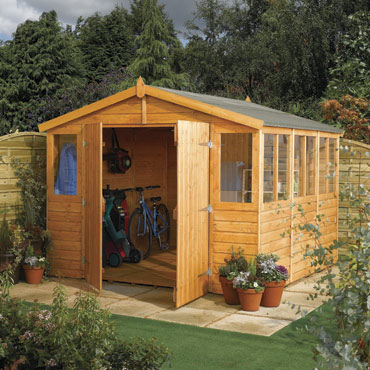
Let’s really explore this process by using an example: Let’s say you know everything there is to know about garden sheds and you want to feature 5 of the best models you’ve found on your site. You plan on generating money from affiliate links (these are commission-based referral links), plus an instruction kit on how to build your own super-amazing garden shed (which you will sell as an ebook with diagrams, lists, workbook, etc.). You may start off thinking that pretty much anyone could be your customer…

But let’s narrow it down. Let’s start by listing who is NOT your customer:

  • Kids
  • Apartment dwellers
  • Condo dwellers
  • People who hate gardening
  • People who are never home and hire someone else to look after their yard
  • People who are renting – *unless your sheds are movable, ah, you need to make this clear, don’t you? Make a note to yourself to include this in your site copy and product descriptions

Now let’s talk about who IS your customer. You might think that your customer is someone who can “afford” a garden shed. But research has shown that people don’t buy what they can afford, they buy what they WANT, or think they need.

I remember a guy who owned a deluxe garden shed company telling stories about his customers who lived in trailers or mobile homes, and they had not one, but TWO of his super deluxe, super expensive garden sheds – that was their priority, it was what they wanted. Because…that’s right, people buy what they want! So don’t even worry about affordability right now. Just assume that your customer will buy if you have what they want and if they have confidence and trust in you.

So your customer could be:

  • Someone who has a garden and at least mows the lawn
  • Someone who has a hobby that requires a shed to store stuff – okay, so here we go, your customer doesn’t need to use your shed for gardening right? So now you need to brainstorm other uses for your sheds; playhouses? Art studios? Tool sheds? Workshops? If you come up with other excellent uses for your sheds, don’t dilute your homepage or take away from your site’s main focus (that will just confuse your visitor), but you could do a blog post about each type of usage and have pictures of the sheds that would work best for that application. That way you will get additional Internet traffic coming to your blog, that you would otherwise miss because they’re not looking for a garden shed, they’re looking for a tool shed!
  • Someone who hires someone else to care for their garden, but has all their own stuff they want used in their garden.
  • Someone who used to be too busy to garden, but is now retiring and ready for a great hobby.
  • Someone who’s read about how ‘earthing’ and getting your hands in soil is good for your health.
  • Moms and Dads who want to cut their grocery budget and grow their own food – lots of resources you could offer these visitors!
  • Someone looking for the perfect Father’s Day gift
  • Someone looking for the perfect gift for their retired parents

Where Does Your Customer Live?

Spend some time thinking about where in the world your customer might live – which countries, regions, climates, language, culture, etc.? Start to build a picture of that target group and the specific environments they live in.

Is your product or service only applicable to your local market? Or do you appeal to people in other states, countries, or continents?

If you realize you have a much bigger market than you originally thought, then it will be worth your while to research shipping to other countries.

Let’s stop there for now. But do you see why it’s so important to really explore who your customer is and get all this info down in writing?

Remember the lesson we learned about the garden sheds: People don’t necessarily buy what they can afford; they buy what they want.


Spend some time thinking about where in the world your customer might live – which countries, regions, climates, language, culture, etc.? Start to build a picture of that target group and the specific environments they live in.

Is your product or service only applicable to your local market? Or do you appeal to people in other States, Countries, or Continents?

Define your ideal site visitor or customer, i.e. WHO are you solving the problem for? Focus on their wants or desires, their feelings, not their needs: