How Do I Design the Look and Feel of My Site?

We’re going to explore how to visually design and present your site according to colour, so that you are evoking the desired response in your site visitors and also appealing to your ideal customer.

How do you want people to FEEL when they come to your site? This is a key decision as your language, colors, images, etc. will all reflect or embody the feelings you want people to experience. Do you want them to feel:

  • Happy/cheerful
  • Professional/reliable
  • Zen/centered
  • Cozy/cocooning
  • Wild/outrageous
  • Adventurous/excitement
  • etc.

For this step to be really fruitful, it’s really essential to be able to define exactly who your customer is. Once you’ve have a really clear idea of who your site is for, you’ll want to pull out all the details about just your customer’s EMOTIONAL state:

  1. Where they’re coming from (emotionally); what is your visitor feeling at the moment when they click through to your site?
  1. What might make them feel better?
  1. What and how do you want them to feel when they reach your site?
  1. What are their primary emotional needs? Do they need or want to feel safe, happy, protected, loved, inspired, excited, creative, calmed, taken care of, cosseted, nurtured, challenged, macho, tough, feminine, masculine, dainty, etc. – the list is endless!

If you’ve already developed a customer profile, let’s run through each of the questions above to further nail down your customer’s emotional reality.

You can see from the GoPro site screenshot below, that they have answered all of these questions and their site colors and photos are designed to appeal to and engage their customer; primarily male, aged 20-45, loves high speed or challenging, action sports. Notice the colors the skier is wearing – none of this is by accident! Part of the reason GoPro has been so successful is they know their customer intimately and so the word-of-mouth on what you can DO with their cameras (benefits, not features!) has driven their sales faster than any marketing campaign.

After you’ve answered each of these questions, you’ll be primed to put all your investigation into writing – and then action, as you create a website that appeals and attracts your ideal customer! Grab your notebook and write whatever comes to mind when you read these questions:


  1. What is the emotional state of your customer when they arrive at your site?  “My customer feels…”:
  2. What are your customer’s emotional needs? “My customer wants to feel…”:
  3. What is the feeling (or the feelings) you want to convey to your visitors and customers when they arrive at your site? “My site makes my customers feel…”
    Hint: yes, pull from your answer to #2 above and then add anything else you think would be good for them to feel, enjoy, or experience when they come to your site:

Use this list for inspiration if you’re stuck:

Safe, happy, protected, loved, inspired, excited, creative, calmed, taken care of, cosseted, nurtured, challenged, macho, tough, feminine, masculine, dainty, reassured, convicted, free, vibrant, hopeful, visionary, homey, artsy, sporty, capable, light, powerful, raunchy, beautiful, owing, edgy, sleek, etc.


Now, remember what I said at the very beginning of this page? That your language, colors, images, etc. will all reflect or embody the feelings you want people to experience on your site.

Now that you know a lot more about your customers’ existing feelings and how you want them to feel while visiting your site, let’s distill those feelings down and simplify them. Overall, do you want them to feel?:

Happy/cheerful
Professional/reliable
Zen/centered
Cosy/cocooning
Wild/outrageous
Adventurous/excitement
Safe/nurtured
_______________________(add yours here)

_______________________(add yours here)

_______________________(add yours here)


Awesome! Now that you know in very simple terms (a few words) what you want your site visitor to feel, we can move on to choosing the colors that evoke those emotions.

Start by choosing the colors that resonate with you and represent the ‘feeling’ of what you do and the emotions you want your site visitor to feel. Don’t worry, we will get deeper into site design, but for now, let’s just focus on the look and feel of your site.

Remember that different colors give the viewer different feelings. Also, colors on their own (a single color) can convey a vastly different feeling than that same color used in combination.

For example, if you wanted someone to feel safe, you wouldn’t use red and black. But if you wanted someone to feel macho, adrenaline, assertive, then red and black would be perfect colors. On the other hand, red and orange would be a good combination if you wanted your site visitors to feel creative, or luxurious, or sumptuous but in an edgy or earthy kind of way (think Bali).

So before I start filling your mind with what other people (the experts) think about color, I want you to take a few moments, close your eyes, and imagine the colors that you feel would convey the desired emotional experience to your site visitors.


Write your thoughts here about the colors and combinations of colors you feel would be great for your site. There’s no right or wrong here and no one’s going to see your answers, so just let your imagination roam!:


How Do I Choose a Web Designer or Programmer?

If you have the budget to hire a website designer – who will both design the look & feel and handle the computer programming for your site – then you will just need to give them all the information you’ve gathered from the previous Modules, plus this one, and they will take it from there. You’ll tell them what you want it to look like, what buttons, widgets and plugins you want, what you want to link where, and what you want each page to say. You’ll invariably have to do some back and forth (sometimes a lot of back and forth) to get your site looking just right.

Savvy website designer Paul Jarvis gives this checklist of questions to ask a web designer before you hire them:

  1. Can I have a list of 5 references I can contact?
  2. Do you do this full-time? How long have you been in business?
  3. Who does the work? If it’s not you, who are the employees, sub-contractors or outsourced people? How are they involved and how long have you worked with them?
  4. What is your process?
  5. What is the typical budget range for your projects?
  6. What is the typical timeframe for your projects?
  7. Can I have a list of 10 – 15 websites that you’ve built and what you were responsible for on them?
  8. What is your process for updates and requests after a site is launched?
  9. When are you available to start my project?
  10. What would you need from me to start?

You can either post your job for a website designer on Upwork.com and then be sure to look through their portfolio to ensure you like their work. Or, you can go to the sites you love and contact their designer. There’s usually a link to the designer at the bottom of a website, or you can email the site owner and ask if they were happy with their designer and could they give you designer’s contact information.

So that’s the process if you want to and can afford to hire a website designer – which is different from a website programmer. Keep in mind, with a WordPress-based site, your designer (graphics, look and feel) will cost you far more than your programmer, because almost all the coding is already done within the WordPress Theme you choose.

If you choose to outsource your site to a designer, then you still need to send them all your content and the instructions you will put together here, so keep reading.

However, most of this module is written for those who want to do most of the design work themselves, whether for personal learning or due to budget constraints.

For those of you with only a physical business, who are launching your first website, keep in mind that it’s not that important to have a killer website right out of the gate. One that you have designed yourself on WordPress will make you feel more capable and is certainly sufficient to begin building your list of readers and sharing your gifts with the world.

As you gain experience and revenues, or if you’re already there and ready to expand, then you may want to look at hiring a great website designer to take you to the next level. Regardless of where you’re at, it’s just really important not to lose momentum and to get yourself up and going in the best way you can afford. No matter what route you take or how much (or little) you spend at the start, rest assured that many, many successful businesses have started and grown exponentially from wherever you are.

Website Designer vs. Programmer

So let me just make it clear: Yes, there is a difference between a ‘programmer’ and a ‘website designer’. Often, when you hire a website designer, the designer will have to outsource the computer programming to someone skilled at that. A website designer always handles the design, look & feel, and navigation of the site (how your site visitor moves through your site), but they may or may not also do the programming.

Conversely, a programmer will only do the computer programming for your site, they will not come up with a logo, or site colors, or images, etc. for you. They will only follow your specific instructions and you have to provide them with all the graphic elements – photos, images, how you want your sign-up box to look, exact colors, etc.

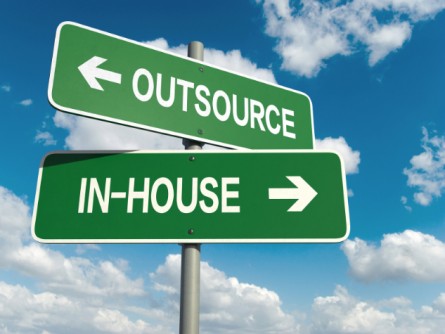
If you’re using a WordPress-based site – as I advise you to here – then a website designer will always cost you more than a programmer, at least 6 – 10 times more.

A good compromise between hiring a designer and doing it all yourself, is to just spend for a good logo – and then do everything else yourself. There are very cheap (even free) ways to get your logo done.

Then, once you have a good logo in your chosen colors, you can base the rest of your site around those colors. And you can send the logo to your programmer and tell him/her to use the logo colors wherever needed (sidebars, link text color, boxes, etc.). Of course, you can also use your logo on your business cards, stationary, free reports and eBooks, etc.

TIP: A graphic designer will usually charge you a lot more if you ask for a package that includes logo, stationary, business cards and envelopes together. So just get your logo done first. Then either use your computer, or free online template designs to insert your logo onto business cards, postcards, letter stationary, etc. Even Microsoft Office has templates for these. Of course, if you have the budget, you can just get it all done at once by your designer to save time.

So let’s get started as you are one module away from seeing your site live on the Internet!

There are three pieces to be completed in this module:

  1. Find a programmer
  2. Gather all your answers together from questions you answered in previous modules (along with chosen images, logo, etc.) and compile them as directed into your Site Copy.
  3. Email your programmer with all your Site Copy and WordPress blog site instructions and get the first version of your site up and online!

Finding a Site Programmer

This unit is for those of you who are not lovers of technology, or simply don’t have the time to learn how to set up and program your own WordPress website. Personally, after setting up about 5 different WordPress sites, I still send a whole list of tweaks-needed off to my programmer after I’ve input the text, graphics, layout, etc. Otherwise, I can waste 2 hours trying to figure out a spacing or font size issue – which actually needs to be changed in the CSS Stylesheets, so not something I can do anyway!

So if you don’t have a programmer yet, or maybe you do have one and he/she’s no good, or too expensive. Here’s how you can find a very reasonably priced programmer: My favorite place to source help for the dozens of varied tasks my business needs is:

www.Upwork.com
and

Other good sites to find inexpensive contract workers are:

www.ifreelance.com
and
www.microlancer.com

So go to any of these sites (they are free to register) and post your job requirements there. Be very clear about what kind of person you are looking for and exactly what you want them to do. Candidates will then respond to your job posting and apply for the job.

For my own project postings, I don’t look at anyone who has a Feedback Rating (from past users) lower than 90% (or 4.5 stars). Then I have a look at their Portfolio to see if their style is similar to what I want – will they understand and be able to produce the design esthetic I want?

It doesn’t work to just find someone who does great design – they have to already have in their portfolio samples of the type of design that you love. Just because someone can do great vintage or retro designs, doesn’t mean they can do a great minimalist or modern design. Even if you’re just hiring a programmer, there will be some design elements that need to be taken care of, like font and spacing on a page and how your sign-up box appears – so find someone who has already worked on the kind of site you like in terms of look and feel.

So if I were looking for a programmer to do a WordPress-based site for me, here’s what I’d post as the job. I strongly advise you to just copy/paste this for your job posting, so the programmer knows exactly what you want, with no confusion.

Everything in this job posting is worded very specifically and for a non-native English speaker. I even tested this posting on Upwork for a friend who needed to get her site up and then modified it further when I saw where the misunderstandings occurred. So this is one time I am inviting you to plagiarize me – copy/paste word for word!:

*************************

Job Title: Programmer / Designer Needed for WordPress-Based Blog Site

Job Description:  I’m looking for someone who knows WordPress extremely well, who is an experienced WordPress programmer, who can take my text and instructions and turn them into a great blog site. I only want a blog – with Posts and Pages – no additional programming or designing required.

I will provide you with the WordPress Theme I want and all text, images and instructions for blog set up (widgets, settings, webforms, etc.). You need to make it all look and work great. My blog is about 5 fixed WordPress Pages and I will enter all the blog posts once you have set it up.

Please quote me your price for the finished blogsite, including 3 edits at no extra charge. This means that once you install the site and publish it, I get to send you 3 additional emails with instructions, modifications, additions, etc. at no charge. This is because I cannot know exactly what I want until I see the site up, so I’ll need some time/space to have you modify the site, add stuff, delete stuff, etc.

I will want to see the first draft of the blogsite up within one week of you receiving my instructions.

NOTE: There is no additional design or programming required. Just the WordPress themed blog on my server.

*************************

DOWNLOAD the text file here for the Programmer Job Ad above.

When the bids for this job started coming in, I would expect to pay between $150 – $250 to get my site up. Don’t forget, many of the programmers bidding on your job live in India or China, where $100 is a lot of money. I pay my ongoing programmer in Pune, India $15-20/hour and this is a good wage for him – he’s been working for me for 5 years now and he lives in a swanky penthouse apartment.

HOWEVER, if the WordPress software has already been installed on your server – remember some hosting companies include this for free – then you need to mention that in the job posting above, as it will lower the fee a bit.

It can take a while to find someone really excellent on Upwork or other sites – just as it would if you were interviewing locally, it can take a bit of trial and error to find the right person. If you want to invite my programmer’s company to bid on your project, their Upwork name is Ecotech India.

Hiring From Fiverr & Posting To Elance

Here is the video where I show you how super-duper easy it is to hire someone from Fiverr, or to post a job on Elance. The process for Upwork is very similar. The video begins with the Fiverr instructions and then the Elance portion begins at 6:22 minutes:

If your budget is larger, then you may want to hire a westerner – someone who is a native English speaker. The benefit to this is it makes communicating easier.

If you hired someone local, who lived in the same city as you (in North America or Europe), you could meet them in person and brainstorm with them (which is fun), but you will also pay substantially more ($75 – $150/hour). Do whatever fits your needs and your budget.

As you can see from the Job Posting I provided, I prefer to negotiate a package deal with a programmer – where he/she charges me $X amount to set up my site and that includes 3 edits. Only after I have sent him 3 emails with stuff to change, add, delete, etc. is he allowed me to bill me for additional time spent. It’s best to get clear at the beginning the way your programmer will bill you, so there are no nasty surprises for either of you!

Gather Your Content & Email Your Programmer

Use the template below to organize all your site text and design – you should have this already written from completing the exercises in previous modules, so it’s mostly a matter of copying/pasting into one document at this point.

If you are going to install your blog yourself, watch this instructional video and just be prepared to spend some time on it. In that case, use the Programmer Instructions Form below to organize yourself and treat it like a checklist of things you need to get done.

If you’re going to hire a programmer to set up your blog for you, then you just need to fill in the Programmer Instructions Form (download below). This form contains a lot of pre-formatted instructions (tech stuff you don’t need to know about), but also allows you to give specific directions to your programmer. Perhaps you want an image or a video inserted at a certain place on the page, or you have a logo you want placed somewhere. Or perhaps you want to include a sketch of what you want your homepage to look like.

The great news is: You’re now just one (sort of big) step away from seeing your site up on the web!

Keep in mind, that being this close to seeing your vision “out there” may also trigger your fears – which masquerade as procrastination, disorganization, depression, or excuses. Here’s what some of those excuses may look like:

I can’t afford to hire a programmer.

I’m so handicapped with technology, I just get stuck and can’t figure out how to do anything.

I need to work on X first.

I’ll do this after Christmas, or summer holidays, or some other event more than 2 weeks away.

Your ego is in fear right now if you are not getting your site up, for ANY reason. So we need to take care of your ego first – which is just doing it’s best to keep you safe. In that case, click here to take a closer look at why you’re holding back, and then come back here and continue on AFTER you’ve transformed your fears and resistance.

Programmer Instructions Form

When you’re ready to email your programmer and get your site up (or program it yourself), I’ve put together some thorough instructions, for both you and the programmer, to make this process as quick and easy as possible.

First to note is that your blog set-up is going to vary, depending on your individual site design. So there may be additional things you want done that aren’t covered here – no problem, just communicate what you need to your programmer. And if English is not their first language, pretend you are writing to a 6-year-old (literally), then they will be able to understand you!

DOWNLOAD Programmer Instructions Form here (right-click to download) – this is the form that you will fill out and send to your blogsite programmer. Or use as for yourself if you are programming your own site.

DOWNLOAD Form Guide here – this is where I tell you HOW to fill in the Programmer Instructions Form. I also show you where to go grab what you need from each module in LTYF. Trust me, once you read this, all will become clear!

DOWNLOAD Site Checklist here – after your programmer has got your site up, go through this checklist to make sure he/she did everything you asked, before you sign off on the job.

If you want to change something on your site – once your programmer has signed off – you will easily be able to do a lot of things yourself using the detailed WordPress How-To Videos.

Site Privacy Policy

Once your site starts making money, it’s a good idea to have a Privacy Policy, which tells visitors to your site what information you collect and what you then do with that information.

You can generate a customized Privacy Policy for free using this site:
http://www.generateprivacypolicy.com/

Or you can adapt my own for your use. But be sure to read through the policy as I may do things (for example: retain credit card information) that you do not do. So make sure you change this as needed (right-click to download it):

DOWNLOAD Generic Privacy Policy

If you get your Privacy Policy ready now, you can include it in your email to your programmer to be added as a Page on your site. Usually, Privacy Policies are linked to from the site footer.

Site Opt-In Offer

Now if you haven’t got your opt-in or sign-up offer ready yet, please know that building your list (of names and emails) is one of the most important things you can do to build your business and make it successful. Ideally, you want to get on this right away, so that adding your opt-in offer is included in your 3 edits to your programmer and you don’t get charged extra for it.

However, if you aren’t ready to do that yet, then head to the WordPress How-To Videos where I show you how to edit your blog Pages, or put up a Blog Post, or add photos or videos to your Blog Posts, etc. Because once your site is up and live, you will need to start publishing content ASAP – blog posts that contain your articles, videos, audios, podcasts, reviews, or whatever else you want to put out there for your tribe.

This is a real milestone; so if you find yourself getting delayed at this point, or your life becoming super busy, or your health flaring, or you find yourself running out of steam… these are all saboteurs! They are deeper fears masquerading as excuses/reasons. So let’s not run from them, let’s move into them…


How Do I Create an Opt-In or Sign-Up?

When you’ve pretty much got your new site written and designed, you need to start thinking about building a list of readers/potential clients/followers. Maybe you already have a sign-up box and you send out a newsletter to your email list now and then. Or maybe you’re resistant to the idea of collecting emails, because of all the spam sitting in your email folders – you don’t want to do that to anyone else! Or you’re on track, you’ve got a steady trickle of sign-ups, and you’re emailing your list all the time. If so, why aren’t you making the sales you were hoping for?

Let me break it down a little. The purpose of your email list is not for easy marketing, it’s for creating an opportunity for two-way communication with your site visitors. Don’t get me wrong – it’s still your most valuable marketing tool! But that’s because, by signing up or opting in, your reader or follower has indicated that they’re interested in what you’re doing and they want to learn more. They’re most likely to buy from you if they trust you, like you, and feel like they know you. And that’s where a lot of people go wrong.

But let’s back up a bit to the basics – how do you get your site visitors to give you their name and email? By trading them for something valuable that they want, via an opt-in or sign-up form!

An opt-in or sign-up webform is simply a free offer that you have on your site, that gives your visitors something of really great value for free, in return for them “signing up” or “opting in” by giving you their name and email address. Here are examples of two very different opt-ins from two of my sites:

As you can see, your opt-in can be very simple, or it can be more complex. In the beginning, it may be easiest to go with a simple offer for one item that will either solve a common problem your reader has, or, something that will really grab their interest. Here’s the big secret: give your BEST stuff away for free! Think about it, if your free stuff blows them away, they will think, “This is what she/he gives for free?! imagine what I’ll get when I pay for it!”

Your opt-in may be for a free podcast, or teleseminar, or video, or eBook, or free consult with you – something that your visitors REALLY want or need and is often in digital format, so you can email it to them (no cost to you!). In the case of a free consult, you can conduct that via phone or Skype, at no hard cost to you (just your time).

For this opt-in on the homepage of my ListenToYourGut.com site, my conversion rate (percentage of people who purchase from me after signing up for this offer) is 25 – 30 percent. That is unheard of. A “good” conversion rate is considered to be 1 – 2 percent and many Internet marketers are happy with 0.5 percent.

Why is my conversion rate so high? Because I have implemented all of the things I’m telling you to do in this Listen To Your Freedom program; I give super useful, top quality stuff for free, I tell my story, I speak directly to my site visitor’s pain and problems, they know I understand them intimately, and as a result I build trust.

I also provide a series of 7 emails for this opt-in offer, and during the series I give them 3 free eBooks and 2 free teleseminars (mp3 and transcript). So they really build a relationship with me over 7 weeks and I give them so much excellent stuff without any expectation of them ever buying from me.

Seriously. If someone can heal themselves from this free series, then I am thrilled with that. Because guess what, do you think they’re going to tell people about me? Post to their friends on Facebook and Twitter about me? You bet they are. And if they ever have a gut issue in the future, or their friend or family member does, are they going to come back to me? Yes they are.

I routinely have my husband Ian saying things like this to me (because he handles the daily operations): “We had a customer buy $300 worth today and the last time he bought was six years ago.” Are you in it for the long-term? Then make sure everything you put out there reflects that.

Most internet marketers (and the strategies they’re selling you) rely on the quick sale; get them in quick, flood them with “free bonuses” and make the sale. Ask yourself this: How many of these guys are going to be around in 20 years? And who cares that they sell a million dollars worth of product when their return rate is 70%? And no, they don’t advertise that part of their method! I sell over a million dollars of product each and every year, and my return rate is less than 1%. THAT is the kind of business I’m showing you how to build here at Listen To Your Freedom.

Competition?

Even when you’re selling exactly the same thing as someone else, your opt-in can be completely different in look, tone, feel, and grab a different audience – depending on who you are.

Check out these two opt-ins to see what I mean. Each of these women are working a completely different look and feel from each other. They may be selling essentially the same product, but they are not really in competition with each other since they each attract a very different audience. But, they each generate over $1 million/year from their business:

VS.

The first opt-in is from Marie Forleo. She is a glam Jersey-girl in New York and she loves slick production and high fashion – her videos are shot with a full crew and post-production editing.

The second opt-in is from Leonie Dawson. Leonie is from Queensland, Australia and she has shot many of her videos from her laptop camera, often while breastfeeding, or out in nature. She also does all the artwork for her book covers, meditation covers and opt-in offers herself.

Both these women do a superb job of communicating exactly who they are and what they’re about, and offering products that satisfy their market. You can see just from their opt-ins that they know intimately who their customer is (i.e. who they are targeting). I encourage you to go have a look at both their sites and swipe away (borrow and adapt the elements that appeal to you) – like you should from any good site.

Why Do I Need An Opt-In Form?

Having a free opt-in allows you to start collecting names and emails for your list. Do this ASAP if you haven’t already! Your list is one of your most important assets. And even if you just get one opt-in per week in the early days, the names will quickly add up.

Then when you want to promote a book or product using an affiliate link (set up to receive a commission on) or your own book or product, you will have a list of people sitting in your database you can contact right away. These people may also forward your emails on to other people they know.

Also, what happens if you do another really great report, or podcast, or video that you want to give away for free? If you don’t have your site visitors’ email addresses, you can’t communicate with your people, you can’t even send them freebies!

A sign-up box that allows you to build an email list, or database, of people who are interested in you, allows you to start building a relationship with those people. It allows you to have a two-way conversation.

If only they can contact you, and see what you’re doing, but you can’t contact them, or ask them questions, then you don’t have a relationship. A relationship is a two-way street. Building a list allows you to get that relationship going and then deepen it.

Here are two separate emails from Freedomite Jeromy Johnson at EMFanalysis.com that illustrate perfectly the importance of having an opt-in or sign-up box on your site:

Email #1: “Hi Jini – see the comment below from a couple that just signed up for my email list. 20 new signups the past 2 days!

Comment
“We are very impressed with your site; we are both electro-sensitive. One of the most relevant sites, fact-wise, that we’ve seen; you have all the essential info. in a succinct, well-laid-out way. I will be forwarding a lot of it to doubting friends and family.”

Email #2: “I want to thank you for everything this year. LTYF has helped me in so many ways. Thank you!! It seems some traction is taking place as well. My website had been cruising along at about 100 visits per day. Yesterday it jumped up to 850 visitors and today I have had 1,700 visitors! Tons of new email address for my contact list. Perhaps this topic is starting to hit the mainstream….”

So like I said, even if you start out really slow, with only 1 sign-up per week, as you keep blogging about helpful or interesting things, you will get more and more people finding out about your site. And then as you saw from Jeromy’s second email, you will hit points of “critical mass” where your traffic, visitor, signups, revenue etc. take big leaps forward.

Don’t Upset or Burn Out Your List

So yes, there are endless ways to do this right, and tons of possibilities. But there are also some “don’ts” to keep in mind! Just like any good friendship, you must not abuse this relationship with your email list. Don’t just email your people when you have something to sell. ALWAYS, always, always send them free, helpful, useful or amazing information, tell them stories, share tools, tips, etc.

And when you do want to sell something, give something great for free first at the beginning of your email and then give them your sales offer afterwards – in the same email. Never just send a sales email – think how you feel when you get these, they feel rude and grabby don’t they?

Believe me, I have tested everything I’m telling you here. I currently have 52,000 people on my list and some of them have been with me for over 10 years, without unsubscribing.

As you can see, it’s a little bit art, a little bit science. But rather than looking at emails purely as a sales tool, take a breath, have some fun, and focus on building relationship and trust between you and your tribe. Believe me, it’s worth it.

Setting Up Your Opt-In

Okay, now let’s get into the nitty-gritty of how to set up your opt-in webform and then how to place that sign-up box on your website. In case you haven’t noticed by now, ‘opt-in’ and ‘sign-up’ are just two different ways of saying exactly the same thing.

However, before I can present you with the different technical solutions that can do this for you, we have to do a bit of Internet Marketing 101; so you’ll know what I’m talking about when I tell you a system has a certain feature, or not.

If websites and opt-ins are old news to you, heads up anyway! If you’ve paid someone to set up your site infrastructure, or if you’ve cobbled your site together from bits of information here and there, or even if you’ve taken your cues from an online business guru, it is possible your systems are not running as efficiently or professionally as they could be. So stick with me on this and run your site through the checklist as I go over all the important details.

There are 3 things that you’ll need to understand in order to make a good decision about which platform to use for your opt-in offer:

  • What is a customer relationship management (CRM) system?
  • What is an email marketing platform?
  • What do I get when I select a shopping cart for my site – what’s included?

The reason we need to talk about shopping carts at this stage, is because many shopping carts automatically come with email marketing platforms and opt-in web forms. So you need to know what you need, and what you can afford, in order to make the best choice for your site.

If this is sounding really technical and your eyes are starting to glaze over, snap out of it! Buckle on your self-discipline and stay with me, because you absolutely need to understand this section or you won’t make any money from your site! You can outsource the set-up of these components, if you wish, but you still need to understand what they are and how they work.

Let’s start with email marketing and CRM (customer relationship management), since these are both ways you will interact with and grow your relationship with your site visitors and customers…

How Do I Communicate With My Email List?

What’s the difference between customer relationship marketing (CRM) and email marketing? The short answer is that email marketing is how you turn your site visitors into your customers and CRM is how you grow your existing customers into great customers. But let’s get into exactly what that means and how it’s done.

Customer relationship management (CRM) is where you can pull up the customer record for Joe Smith (for example) and you can see what he has bought, when he bought that product, which free reports he downloaded, any customer service questions he asked and when they were answered, etc. So that when you are emailing or talking to Joe Smith, you can say, “Oh by the way, I notice you haven’t ordered a replacement filter for your showerhead and it’s been 7 months now – did you want to add one to this order?” Or you can say, “I see that your last order got delayed over the weekend, so we sent you a free widget, did you receive it?”

Joe Smith now feels really chuffed that you know all this stuff about him and he is not just a faceless number in your shopping cart – you see, you are using CRM technology to manage and build your relationship with Joe Smith.

A CRM system also makes it easy for companies that have more than one customer service person to keep track of what’s happening when different operators talk to or help the same customer, at different times. Whatever happens with Joe Smith is logged into his customer record, so the next person can just pull up his customer record when talking to Joe and be instantly up to date.

Email marketing is where you use email as the means of communicating with people who are visitors to your site and have opted in to your free offer, or signed up for your newsletter, or subscribed to your blog, or have purchased something from you.

After someone has purchased something from you, you can use automated emails to get their feedback on your product, or give them something else for free, or offer them your next product or service, and so on.

Mouse Traps Anyone?

Let’s say I’m selling a book on mouse traps and I want to find out if the trap is working well for people. I can have an autoresponder email set up in my email marketing platform to be automatically sent out 20 days after the book purchase, which asks the customer for feedback.

A time-scheduled email that is sent out automatically is called an autoresponder.

I can then have another email (autoresponder) queued to go out in 45 days time (from the date of book purchase) which asks all mouse trap book purchasers if they’re having problems with ants, termites or bed bugs and would they like my free report on that?

Ten days later I can email (autoresponder) all the people who downloaded that report with the first of 3 emails telling them why my eBook on Pest Control is just what they need and how it contains all this detailed how-to information that was referred to in the report. Maybe I want to offer a discount on the eBook (since they’ve already bought the mouse trap book), or a free gift with purchase, or a bonus if they purchase in the next 48 hours.

So your autoresponder (automated emails) sequence for your Mouse Trap book looks like this:

Day 1 – book purchase

Day 20 – Feedback request

Day 45 – Offer for Ants, Termites, Bed Bugs free report

If someone signs up for your free Ants, Termites and Bed Bugs report, then that action (signing up) puts them into another autoresponder sequence that looks like this:

Day 1 – opt-in to free Ants, Termites and Bed Bugs report

Day 10 – Best cleaning products to use (products are affiliate linked to Amazon) for preventing pests and a Discount offer for your full-length book on Pest Control

Day 30 – Link to video on how to Pest-Proof your bedroom

Day 45 – Home remedies for insect bites (affiliate linked to products on Amazon) and time-sensitive discount offer for your book on Pest Control (eg. Offer expires in 24 hours)

Do you see how exciting an email marketing platform can be? And what’s REALLY exciting is you only have to do the work ONCE, in the set up. After that, all these sequences run automatically – while you’re asleep, or skiing, or lying on the beach.

You can also email your opt-ins or blog/newsletter subscribers when you have a special promotion or discount on offer. Or you can send coupons for discounts or free gifts. You can also let your list know when you’ve got a really exciting teleseminar coming up, or when you’ve just put up a really helpful video.

We can get into email marketing (relationship building) more in-depth when you’re ready, and I’ll also show you how to avoid emailing your list too much! All I’m doing here is giving you a basic overview and understanding of email marketing, so you understand WHY you need to have an email marketing program and how exciting that can be for your business.

Free vs Paid?

Many people get confused between what to give away for free and what to charge for. Especially when you’re supposed to be giving your best stuff away for free! So let me give you a few examples to stimulate some ideas for your own content.

Example #1 Professonal Stunt Longboarder

You have an eBook on how to be a pro longboarder. This eBook is a combination of text and demonstration videos.

→ You charge for the eBook (which could also be positioned as a Course, by the way) and you give away your best demo video for free. Which of your videos will produce the most elation (I did it!!) in your viewer? That’s the one you give for free.

OR

→ You charge for the eBook and you take your best video demo and you chunk it down into Parts 1, 2, 3. This then becomes 3 separate emails, each with a message from you, some tips, perhaps a link to a blog post, or an affiliate link to an awesome set of wheels (best for doing the stunt you’re going to teach them) and then Part 1 of the demo video, and so on, for a 3-email series.

Example #2 How To Refinish An Antique Armoire

You have an online DVD course that shows people how to purchase an antique armoire from a flea market and refinish it to showpiece quality.

→ You charge for the DVD course and you select just ONE topic from the course and send an email with some intro text and a video that shows just that one piece of how-to. Maybe you select the topic of how to spot a good buy from a garbage piece at the flea market – that’s hugely valuable, shows your expertise and if someone uses that info to buy an armoire, now they’re going to want your course to figure out how to refinish it!

OR

→ You charge for the DVD course, and you offer a mini-course for free. This mini-course tells them the major (overview) steps involved in purchasing and refinishing an armoire. But it doesn’t give the details; it doesn’t tell them which varnish to purchase, which grade of sandpaper – it talks about why it’s important to choose the correct products, but it doesn’t give out the products or specifications. It also doesn’t contain the videos. It only contains excerpts of 1 to 3 videos (so they can see how good your production, lighting, sound etc. is).

But they have a lot more knowledge than when they started. Probably, if someone wanted to, they could attempt the process themselves – maybe they’re an advanced woodworker and can figure out the details themselves. No worries, maybe that person will then become an affiliate of yours! Or he will refer people to your course.

Example #3 Hypnosis Audios

You have a series of audio-based healing sessions using hypnosis for different conditions: Stop smoking, lose weight, bedwetting, anxiety, insomnia, etc.

→ You charge for your individual audios or sessions and you give away your most WOW audio session for free. What is the audio that is likely to be an issue most of your site visitor’s have? Anxiety, stress, insomnia or weight loss? If you know who your customer is, you should already know the answer to this question. That is the audio you give away for free. Because once someone has a fantastic result, they will tell everyone and they will also come back for help with their other problems.

OR

→ You charge for your audio sessions, but you come up with a free email Mini-Course that will help people with a common problem – Are You Stuck In a Rut? So the first email is a quiz that helps them identify where and why they are stuck, along with a short video from you with some understanding and inspiration in the form of a story. The next email contains a link to an interview or teleseminar you gave on a related topic. The third email contains a download link for a mini-hypnosis session designed to help them feel more positive about their journey or challenges.

Let’s put together YOUR own opt-in that will encourage your ideal customers and site visitors to give you their name and email address!


Jot down quickly any and all ideas of what you can offer your site visitors for your opt-in, or sign-up offer, on your site. What do you have, or what can you create that will let people start building a relationship with you and give them as much value as they would receive from something they purchased from you. What is the most valuable thing you could give them? What would YOU be happy to receive?:


Now that you’ve got some ideas for WHAT to offer people, how do you want to package, or deliver that content/information? To help you brainstorm, which of these appeal to you and would be a good delivery method for your content or message?:

Teleseminar
Audio recording
Video
eBook
Game
Quiz with analysis
List or resource
Recipe
Formula
Picture tutorial
Mini-course
Consult
Mini session
Software app
Review or critique
Template form (legal, business, political)

If you’re stuck, go back to the examples I gave you above and adapt one of them to your content or topic.

Next, make a quick sketch here of your sign-up offer; Your headline, very short description, Name and email:


Remember, it doesn’t have to be complicated or even meaty; it just has to be something you yourself would sign up for. You may also have other ideas pop in your head as you read through this module – just go back to your notes and jot them down.


Now let’s continue on with setting up your site infrastructure so that you can receive those sign-ups, then give them their freebie, and then receive their credit card when they come back to buy from you!

Choosing Your Email Marketing Platform

Your back-end email marketing system can be amazingly complex, depending on how big your business is and how many ways you want to be able to interact with your people. Or, it can be fairly simple and basic and you can build it slowly as you go. I’ll give you a few different solutions later from the most basic, up to Rolls Royce and you can choose what fits you best at this time.

However, much as I’d like to keep things simple for you, we cannot really talk about email marketing platforms without talking about how you’re going to sell things from your site. This is because you need to have your shopping cart (or purchase method) interface or integrate with your email marketing platform – so that you can have a centralized database of all the people who are interested in your stuff.

So although I’d prefer you to focus on just your opt-in offer right now, because I don’t want you to waste your money or time (by purchasing only a short-term solution), I’m going to have to get into your shopping cart options and affiliate programs at the same time.

And unfortunately, this is where things get sticky, because we have to balance “perfect world” scenarios with real-life time and money constraints.

Some systems are fabulous and can do everything you’d ever need or want them to do, but they also take a lot of time to learn and implement. So if you’re a mom with two young children, or maxed-out, full-time with your current biz, you’re going to give up in frustration, since you don’t have enough hours in the day to make use of such a system.

This business program is written for people who might not have 12 hours a day to devote to internet marketing – it will still work brilliantly (and much faster!) for those people, but it is designed for people who only have a few hours a day (and sometimes only a few hours a week) to get a viable business up and running, or, to upgrade their current business to a new and improved, heart-driven, more-hands-off, truly fulfilling and successful model. Sound good?

But I Hate Sales and Marketing!

One last thing: don’t let the words ‘marketing’ or ‘sales’ put you off. All both terms really mean is: Communicating and building relationship.

If you have an aversion to these terms it’s because people have used them poorly in the past – pushy, slimy, grabby, or manipulative are words that come to mind. Make sure your sales and marketing activities are never like that! Those methods may work for one-off, or short-term sales, but they are the kiss of death for building a long-term relationship with your site visitors and customers.

Make sure that every time you communicate with your customers (aka marketing and sales), you are sending an email, or shooting a video, or writing a free eBook that YOU would like to receive. It’s really that simple. If you would not be happy, or entertained, or intrigued to see that piece of communication in your Inbox or mailbox, then don’t send it.

Because good marketing results in a real relationship (two-way, not one-way) it totally turns the typical concept of ‘selling’ on its ear.

Ask And Ye Shall Receive

Let me explain: Since my first book was published, my readers (customers) and site visitors have been emailing and phoning me to tell me what they want next. How cool is that? Forget market research, focus groups, testing the market etc. If your people are in relationship with you, they will tell you what they want!

And then when you produce that for them, there is no ‘selling’ involved – because they asked for it and they’ve been waiting for you to do it and get it to them. So when you make it available, they say “Oh thank you! I’ve been waiting for this – just what I need, thank you SO much!” Well where’s the “sell” in that?

Another way your customers will automatically tell you what they want is by the questions they ask. Let’s say you’ve written a book about energetically dialoguing with your body and your book is very detailed, you’ve laid out the process step by step, but yet you keep getting feedback from people saying they love the book but they just can’t connect.

They just can’t hear clearly what their body is saying. So they’re asking you questions like, “How do I know it’s my body speaking and not my mind?” or “Every time I relax, I just fall asleep, so I never make it to the connecting part, what can I do?”

As you ponder their questions and feedback, you realize that what you really need to give them is an audio (mp3 file) to go along with the book. Now you’re getting excited!

You realize that you need to record a guided meditation that takes them into their body wisdom, so they can relax and just follow your instructions. So you get that out to the people who have already bought your book and you add it to your book listing, so new purchasers automatically receive it.

Now you’re getting completely different feedback from your customers – they love it! They’re having great success with it, they tell you about the ailments they’ve cured. Which leads you to another idea…

You notice from the feedback emails you’re getting that people seem to have a number of the same health issues. Don’t forget, you are receiving this feedback regularly because you set up your email marketing platform to automatically send a request for feedback (autoresponder email) 30 days from the purchase date.

So you notice that there are five ailments that people mention over and over again. So you think, hmmm…. what if I were to create guided healing meditations (or eBooks) for these specific conditions. Not only might my existing customers buy these specific meditations, but I could open up a whole new market here. Because many people don’t want to read a book, they just want a solution to insomnia (for example).

And if I don’t call them ‘meditations’ I may also open myself up to the Bible belt market and other markets who don’t like the word ‘meditation’. You see how this process goes?

Does this process sound like your previous concept of ‘sales and marketing’? Probably not. So take this opportunity now to throw out your old conditioned ‘euwww!’ response to these words and embrace what they really mean.

Exchanging Gifts

Selling used to mean ‘convincing people to buy’. But what if it could mean giving people what they’re asking for – for which they say thank-you by giving you money. You give them a gift (product or service) and they give you a gift (money) in exchange.

Selling is simply an exchange of energy and intentions symbolized by the stuff you exchange (gift each other).

Bernadette Jiwa sums this process up perfectly:

sales

noun

  1. The exchange of a commodity for money; the action of selling something.
  2. A quantity or amount sold.

Actually, sales is understanding how your customer wants to feel, not what she wants to buy and doing everything you can to get her there.

There is no convincing, manipulating or pressuring involved when ‘selling’ means meeting someone’s need, solving their problem, easing their pain, bringing them laughter, increasing their joy. Are you with me?

Take a moment now to close your eyes and let this really sink in. Because switching your old, negative programming to this new paradigm of helping, facilitating joy, alleviating suffering, and helping people by exchanging gifts, will completely change your experience of business. And your sales figures will reflect that.

Concurrently, holding this paradigm of sales and marketing will also keep you rooted in integrity. All your actions, ideas, manufacturing, harvesting, etc. will come from this place of wholeness and integrity. If everyone held this paradigm, there would be no destruction of the environment, or torturing of animals just to provide humans with what they want.

So there you go, let’s be the change we want to see in this world. It all starts with each tiny, little business we start and expands from there. When I threw my first (and I thought only) book out into the Universe, I had no idea that the exact process I outlined above would result in that one book expanding to 16 books, 10 CDs and DVDs, 19 teleseminars, 45 videos and 350 health products – selling to over 60 countries worldwide.

Remember, it’s about communication, not marketing. It’s about doing all you can to give people what they actually want and need, not forcing them to buy something they don’t. And all this automation simply allows for consistent quality and timeliness in your communication and relationships; which allows you to reach, help, and inspire more people, with no drain on your energy or time.

Can you feel the tingle of possibility? Or are you still struggling to envision or trust the process? Either way, keep on reading – there’s no one right way to go at this. Whether you take it all in and implement everything at once, or slow it down and add to your site bit by bit as each piece begins to make sense, doesn’t matter. What does matter is that you learn these processes and find ways to understand them that feel good to you.


How Do I Create My Own Affiliate Banners?

How To Create Standout Affiliate Banners

As you may have noticed already from cruising websites, there are a lot of ads competing for your attention in the right or left column of people’s sites. Sometimes these banner ads (colorful graphics and text combined) run along the top or the bottom of the site. And in rare cases, they even appear in the middle of a page. Do you already have your own affiliate ads running? Are they delivering as much as they could?

How can you design or redesign your banners to get noticed, and even better, to entice people to actually click on the ad and come to your site?

Let’s start with some basic guidelines to help you design banners (or you can give these to your banner designer that you hire on Elance or Fiverr b) that get people’s attention and get them to take the action you want:

  1. One banner –> One Message

Your banner should only have one message and one call to action.  The message should be the TOP benefit the person will experience if they use your product or service. This should be easy for you since you have already done extensive work on mapping out your customer profile and the benefits they will receive from your stuff in previous modules.

Now, for EACH banner, just pick ONE benefit. Here’s an example of some banner ads from Advance America that have done a great job with this.

Let’s dissect these banner ads a bit so that you can see how they are very clear ads with one message that carries their top benefits to their customer:

One Message Benefit
We’re here for you between paydays Security, safety, care, help
Clear and simple way to get the money you need Easy, fast, no-hassle
That’s why we’re here with the money you need Relief from worry, safety net
For quick and easy financial solutions Help, easy, fast, solves your problems, don’t worry

So you can see how this company does not use their banner ads to talk about what they do (features). They do not advertise: cheque-cashing service, or loans available, but rather they press home – in a single message – the benefits the user will experience.

This next set of banner ads does a good job of presenting only one message, and the benefit is the free gift. Do these ads work as well as the ads above, which were offering a clear emotional benefit? The only way to know would be to test both formats and see which pulled more clicks and more sales:

This next set of ads for Target also do a good job of sticking to just one message. As you’ll see, some of their ads imply a benefit (save, less hassle from all top brands in one place) and some do not:

Now here’s an example of some ads that have no clear message – don’t ever do this!

  1. Create Simple Ads with High Contrast

In order for your ad to stand out and catch someone’s eye, it cannot be a jumble or crowd of colors and text. Your text color and background have to contrast – so your text stands out. Your images have to contrast with your text – so the text stands out.

Your call-to-action (click here for your free report) also has to contrast with the elements around it. So you see why your ads need to be simple, with one message only? If you try to cram too much stuff in there, or don’t have enough contrast, eyes will just flick over your ads.

The top three examples I gave you above, also happen to be great high contrast ads – for all three go back and see how the colors, text and images really contrast with each other and stand out easily to grab your attention – even though they each used a completely different color scheme and look/feel.

So now let’s look at some examples of bad banner ads, with low contrast, instead of high contrast.

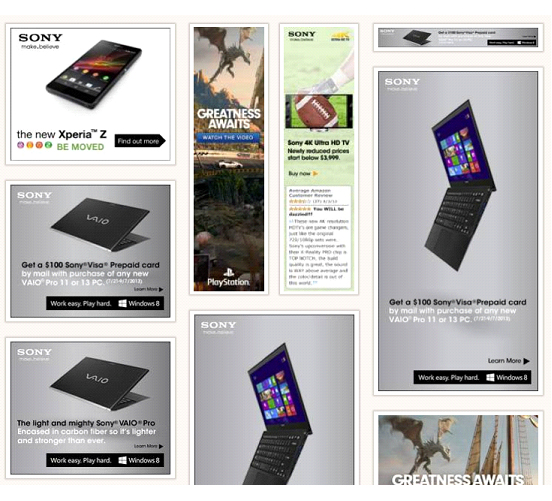
These Sony banner ads are simple, with one message, BUT the contrast is so low, they’re actually hard to read!

This next set of banner ads are also a great example of low contrast ads, designed to catch no one’s attention!

In comparison, here is a set of ads that have good, high contrast (and a good call to action!):

  1. Clear Call To Action

Like your website, your banner ads should also make it very clear what you want the person to do. It may seem obvious that, “Hey, this is a banner ad, you click on it!” But again, you must not assume and instead you must have a clear call to action on your ad like:

  • Learn more
  • Click here
  • See your options
  • Get X here
  • More here

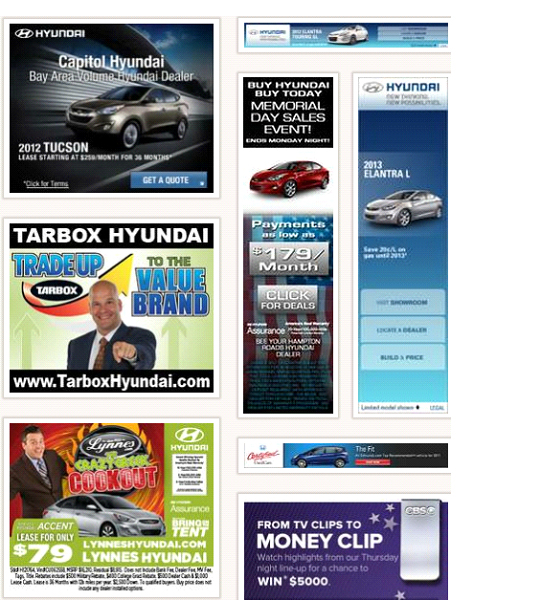
Look at these banner ads – can you tell at a glance (cause that’s all the time you get for a banner ad!) what they want you to do? Nope.

Compare those ads with this example and you’ll see how a clear call to action is much more effective:

  1. Create A Variety Of Ads

It’s important to create a variety of banners that display the key elements and benefits of your product, so that you can test them and see which ones work best to entice people to click through to your website.

The banner that you like the best, or that looks the best, may not work the best!

Also, you may get a banner that gets you lots of click-throughs to your site, but hardly any of those people buy anything. Whereas another ad could have a much lower click-through rate, but sell triple the amount, or get you double the number of opt-ins. Again, testing your ads is the only way to really know which ones work the best.

If you want ideas for banner ads and ad design, you can use Moat.com to pull up any company’s banner ads for you, all on one page (for free) – that’s how I got all the banner ads I’ve shown you thus far.

As I mentioned above, you can find a designer that specializes in banner ads on Elance.com – you should be able to get some basic sizes done for $50 – $75. And you can also try Fiverr.com which is likely cheaper, but may not be as professional.

You could also design them yourself, using a free online banner maker. The downside to these ‘free’ banner generators is that when you go to save your design, they often charge you. Also, you can only do really simple banners.

Your way around the fee, or just to do something really quick, is to create your banner, and then use Preview or SnapNdrag (Mac) or Jing (Windows PC) to take a screenshot photo of the banner before you click “save”. Here’s an example of one I did in about 10 minutes:

I then used Preview (Mac) or Photoshop (pc) to add a border around it, which would help it stand out on a webpage:

If you don’t know how to take a screenshot photo, here’s how:

HOWEVER, even better: Canva, is a super cheap design site that lets you design your own ads, banners, and more right in the browser. The images and designs are $1 and up (you pay when you download them), but many are totally free. Look what you can make (I did this one using only free images and fonts!) in 3 minutes:


Whatever your skill set, aesthetic or budget, making a banner doesn’t have to be hard! If you want to do it yourself, remember that it doesn’t necessarily need to be fancy or even particularly attractive to have the desired result.

Standard Banner Sizes

Whether you hire someone to do your affiliate banners (ads), or you do them yourself, you’ll need to know which size and shape of banners you want.

Here are the standard sizes used by most affiliate programs. Think about where – on a webpage or blog – the banners might appear. And make sure you offer a few different sizes and shapes so your affiliates will be able to place them wherever they wish.

Leaderboard (728 x 90 pixel):
leaderboard-banner-728-90-a84
Full Banner (468 x 60 pixel):
full-banner-468-60-a84
Half Banner (234 x 60 pixel):
half-banner-234-60-a84
Rectangle
(180 x 150 pixel):
rectangle-banner-180-150-a84
Square Button
(125 x 125 pixel):
square-button-banner-125-125-a84
Micro Bar
(88 x 31 pixel):
micro-bar-banner-88-31-a84
Skyscraper
(120 x 600 pixel):skyscraper-banner-120-600-a84
Wide Skyscraper
(160 x 600 pixel):
wide-skyscraper-banner-160-600-a84
Large Rectangle (336 x 280 pixel):
large-rectangle-banner-336-280-a84
Medium Rectangle (300 x 250 pixel):
medium-rectangle-banner-300-250-a84

Has seeing these banner ad examples and learning how to create your own affiliate (commissioned sales) program got your head buzzing with ideas? If you already have an affiliate program, have you had some “aha!” moments around how you could improve it? If your site is already up, or if you have products (or even just product ideas) you think could be sold by affiliates, or if you want to create some new ads with some new-found clarity, take a minute to sketch out your banner ideas in your notebook, while it’s all fresh in your mind…


The 4 guidelines for creating standout affiliate banner ads are:


  • Each banner must only have ONE message 

  • Create simple ads with high contrast colors/design
  • Ad must have a CLEAR call to action
  • Create a variety of ads


If some ideas for banner ads for your products or services popped into your head while reading this module, then jot them down here (write/draw). Or come back to this section when you are ready to launch your own affiliate program.


Banner Design Software

Another alternative, if you already have Adobe Photoshop, is you may want to purchase this easy and reasonably-priced banner design software from Gary Simon. His WiseBanner software enables you to create really nice banners, with images and text (he has many design templates ready to go) and would certainly save you money in the long run.

Gary has also provided us with his Five Golden Rules Of Affiliate Banner Design to take your affiliate ad banner education a little further. Don’t worry if you don’t understand some of the things he’s talking about, as I said earlier, all you really need to get some good affiliate banners going is to use the four guidelines I gave you above. This is for those of you who want to go a little bit deeper:

Golden Rule #1 – Split Test Like No Other

If you’re a successful affiliate marketer, you likely already know this rule. If you’re new to AM however, it’s probably the most important rule when it concerns your success. Split testing your display advertising (whether it be text based or image based) is absolutely crucial. Designers particularly have a hard time with this concept because of ego, “This banner is awesomely designed, let’s stick it up there and it shall convert.” This is rarely the case.

When we’re talking about banner design, your efforts to maximize ROI are dependent on your willingness and persistence to discover the absolutely best banner design. The only way to do this is to test, test and test. This includes testing the colors, copy, call to action, position of elements, etc.

Golden Rule #2 – You Don’t Need a Visual Masterpiece

This is another thing that a lot of designers have a hard time understanding. Sometimes ugly banners that look like they were designed in the 90’s outperform banners that are much more visually appealing. There are two reasons for this.

(1) Visitors do not care about your graphic talent. They’re usually preoccupied, and their decision to click on a banner has little to do with the use of the latest design trends and fancy effects.

(2) Banner blindness. If you design a really nice banner, there’s a chance it also might be conventional. Just because your banner(s) make effective use of white space, typography, position and colors, does not mean it’s not conventional. Ugly banners can perform well because they break design trends, thus becoming noticeable.

Ultimately, it’s a great idea to test varying styles of design.

Golden Rule #3 – Site-Target Design When Possible

If you’re running a campaign that’s targeting a specific site, always design your banners based on the website’s layout. I personally like to screenshot the website I’m about to advertise on, bring it into Photoshop, and design my banners in the exact location in which they’ll appear.

This allows you to do all sorts of things to maximize CTR (click-through rate) and avoid banner blindness. You can (if the site’s admin allows you), attempt to make the banner design a part of the actual website’s layout. You can choose your colors, copy, font and white space intelligently when you know your banners are going to be shown on a specific website.

Golden Rule #4 – Break Conventions

Don’t be afraid to do something completely off the wall, whether it concerns colors, position, copy, white space, etc. The worst that can happen is you discover it performs poorly against a baseline version. The reward, however, can be enormous. Sometimes it’s difficult to think outside of the box, but it’s at least worth a thought or two when you’re conceptualizing a banner design.

Golden Rule #5 – More or Less? Test

It’s the same as with landing page design: short copy vs. long copy? You don’t really know, so you need to test. Sometimes we have a willingness to include a lot of information, but that’s not always effective. More information means more clutter, a potential for less CTR (click-through rate), a potential for more banner blindness. But more information can also mean higher conversions as you’re sending more informed visitors. On the flipside, very simple banners can yield a higher CTR but with fewer successful goal completions. This is why testing both is a necessity if a highly optimized campaign is your goal.

In the end, effective banner design occurs when you’re willing to test and experiment. As a designer, it can be quite tedious designing a range of multiple banner sizes along with split test variations. That’s why I created WiseBanner (requires Adobe Photoshop). It cuts out nearly all of the tedious work involved in banner design. I hope you enjoyed this article!

If you don’t have the desire to split-test your affiliate banners to see which colors, designs, or text work the best, then simply use the four guidelines I gave you above on How To Create Stand-Out Affiliate Banners.

Alright, now that you know WHY you need to have your own affiliate program, and you know HOW to design and create your own coolio affiliate banners, let’s move on to helping you choose the best system that combines your affiliate program, shopping cart and email marketing platform together – to make your life easier and save you money!


How Do I Set Up My Own Affiliate Program?

bigC-aff-adIf you’ve been digging through this site for a while, maybe you’ve notice I often talk about the different ways you can feature another company’s affiliate ads on your site – common examples of companies that make this easy are Amazon and Google AdSense.

Now we’re going to talk about setting up your OWN affiliate program, so that other people can run YOUR banner ads on their sites! Or they can link to your site or products in their blog posts, or emails, or course materials (like I am doing throughout this LTYF program). The image on the left here is an example of an affiliate ad/banner – click on it and see where it goes! Or, just hover over it with your mouse and you can see that this banner is my affiliate link (commissions go to our charities at LTYF).

Having your own affiliate program is an excellent way to expand your sales network and your audience – without spending a dime on advertising. It’s a classic win-win: You win because other sites advertise your stuff and expose you to new people and they win because they receive a nice, juicy commission on every sale they refer to you.

An affiliate program can also be used to quickly drive new visitors to your site when you’re just starting out and your site is too new to get good search engine rankings.

For example, after I published my first book in 2000, my husband Ian emailed an online health site called HealingWell.com and asked the owner, Peter, if he could send him my book to look at, and then if he liked it, perhaps Peter would like to carry affiliate ads for the book and earn a commission on every sale?

Peter loved the book and immediately registered for our affiliate program (which was with 1ShoppingCart at the time) and then he carried these banner ads on his site:

For many years, Peter’s site generated us more sales than our own site! HealingWell.com now has over 2 million unique visitors per month (continual source of new visitors/traffic) and continues to be one of our top-earning affiliates. And yes, Peter has remained an affiliate with us non-stop since 2000. All it took was a few emails and a phone call and that resulted in over a quarter million dollars in sales for us and a whacking great load of commission money for him!

Of course, we had numerous other affiliates that generated far less revenue for us and them, it goes to show that you just never know which sites will become your top sellers.

How Do I Find Sites To Affiliate With Me?

The secret to finding good affiliates for your stuff, is to approach sites that are already talking, writing, or videoing about your same topic. Approach site owners who are already selling to your niche.

For example, as I was creating this Listen To Your Freedom program for you, I was doing a ton of research. So whenever I came across a site in this same niche that I thought was really great, I added it to my ‘potential affiliates’ list. Then, when I had the LTYF program ready to go, I approached each of these sites and ask them via email and phone (you’ll always stand out if you follow up with a phone call) if they would like to affiliate with us.

The other way to find great affiliates (commission sales) for your stuff is to do a search on your topic or niche. Then visit each of the sites that come up in the first 10-20 pages of search results and contact the ones you think would be a good fit.

So, if you’re stuck in a scarcity-mindset (make a note to yourself to clear that block to abundance!) you might be thinking: But why would my competitor want to advertise my stuff?

However, if you’re coming from an abundance mindset (like grains of sand on a beach; there is more than enough for all of us) you will realize that successful sites are always open to other great stuff they can bring to their readers and blog visitors. Especially if your stuff expands, or enhances, or pairs nicely with their stuff.

A Match Made In Heaven

Let’s say I have a cooking site and I sell my own recipe books on the site. And you have an amazing new kitchen gadget that will cut food prep time in half. So you send me an email with a link to a demo video and then follow up with a phone call.

When I realize that my commission on each sale of your gadget will be $75 and I don’t have to worry about shipping, returns, customer service etc. am I going to affiliate with you and put a banner ad on my site for your product? You bet I am!

Now let’s say I am also hugely popular on the web and you know I have a large email list, or lots of new visitors every day. You might suggest an arrangement where you send me the gadget for free, so that I can use it and test it out. And then I agree to also blog about it (if I like it) and I place my affiliate link to the gadget in the blog post. In addition, I will send an email to my list promoting the gadget. Is that a win-win for everyone, or what?

Let’s take it one step further. Instead of linking directly to your gadget in my email, instead, you have me link to a landing page or sign-up offer you have set up, where my readers will receive a free gift from you. At the bottom of that page, or underneath the sign-up offer is my affiliate link to the gadget for the people who want to buy right away.

Sales vs. Sign-Ups

WHY would this be better than just a direct sale? Take a minute to think about why you would rather have a list of names and emails, rather than a bunch of sales?

Answer: Are you likely to get more sign-ups to receive a free gift than you are purchases for a product people have heard about once? Sure you are.

Remember that people rarely buy the first time they hear about something, or the first time they come to your site. You will always have much higher sales from building a relationship with them first; educating them about why your gadget is so great and the many ways it will make their life easier and better and save them money (benefits).

Also, what happens when you have your next product ready to sell? If I’ve joined your affiliate program and you have just garnered 1,500 names and emails from my list (the people who signed up for your free offer that I advertised to my list), you have now tripled your email list to use for marketing your next product! Do you understand how that happens? If my people sign up for your opt-in, or they purchase something from you, they are now part of YOUR list. So having an affiliate program can also help you grow your email list quickly.

Are you beginning to see why having your own affiliate program is so exciting and so necessary?

We routinely have people signing up for our affiliate program (or contacting us about it) that we have never heard of. But they have come across our site – because we are in the same niche – and they instantly want to sell my products along with their own. Yay! It’s a win-win.

How Much Commission Should I Offer?

If you are selling a digital product – an eBook, online course, website membership program, audio MP3s, or any other product that can be downloaded – the normal commission on your retail sale price is 50%. And I have seen some offering 60%.

If you are selling a physical product, that has to be manufactured or printed, warehoused, shipped, and you deal with customer returns and questions, then you can offer only a 40% commission and in some cases a 30% or even 25% commission will be accepted – depending on the costs involved in providing the product.

Selling To Retail Stores

If you are selling your physical products to a physical retail store or a wholesaler, they will want a 40% commission. Put another way, they will require a wholesale price no greater than 60% of what the product retails for.

If you are selling physical products (books, supplements, gadgets, bicycles, etc.) to a distributor, they usually want a 60% commission – or, a wholesale price no greater than 40% the retail price.

Choosing The Best Affiliate Program

So now that you understand the monetary value of an affiliate program and how you can use it to introduce new people to your stuff and drive lots of extra traffic to your site, how do you choose which affiliate program to use? If you’re already using an affiliate program, can you still make it work for you, or will you need to switch to something else for better function or compatibility?

Many shopping carts, or CRM systems come with an affiliate program built-in. But sometimes, your email marketing platform will not interface with your affiliate program, so you need to check for compatibility between all your systems before purchasing anything.

However, I have already done the 20 hours of researching and comparing for you (I’m not kidding!) and in the next unit I’m going to lay out all the options for you – based on your needs and your budget. For now, let’s move onto how you can create or overhaul an affiliate program that works really well to attract people to your product or service.

*Make a note in your notebook to come back to this page again after you have chosen your infrastructure components and are ready to set up your affiliate program.

While we’re on the topic, why don’t we learn how to make our own affiliate banners – what works, what doesn’t, and guidelines to whipping up your own great banners!


How Do I Process Sales On My Site?

Okay, now let’s talk about where/how your shopping cart fits into your site infrastructure. Keep in mind that your shopping cart, your email marketing platform, and CRM (customer relationship management) are all different things.

Your shopping cart is simply the system whereby you:

  1. List your stuff for sale
  2. Process the payment for your stuff
  3. Deliver that stuff to your customer

In the beginning, when you don’t have much to sell, or if your business is fairly simple, then your shopping cart and email marketing functions can be combined. But as some of you know, as your business grows and you add more products and services you may need to differentiate these two systems.

Customer relationship management (CRM) is a more advanced feature and not usually something you have to consider until your business is large enough to hire a customer service person – but of course, it would be nice to have at any stage when talking to your customers, if you can afford it.

In an ideal world, you could mix-and-match shopping carts, email marketing platforms and affiliate programs to come up with the best solution to meet your needs. However, in reality, these different platforms often don’t interface with each other (or not very easily); so you will not end up with one automatically centralized database.

This means that if someone buys a product from you, you will not be able to use your email marketing platform to market to them, because their name and email will be sitting in your shopping cart database. Sure, you could import this customer’s information to your email marketing platform, but if that has to be done manually, it means extra time and hassle.

Always try to automate whenever possible because not only will this make your business run more smoothly, but it will make your business scalable; no matter whether you have 50 customers or 500, there will not be any more work for you, and no loss to the quality of care for your customers, if everything is automated.

Alternately, if you spend a lot of time researching (as I have for you!) you can find systems that can interface with each other, or be easily imported. But then you will still have to set up and manage three different systems, rather than just one, so there is a big extra time cost involved.

Of course, there are companies who have tried to combine all these aspects together and provide all-in-one solutions, but I have yet to see anyone who is offering an all-in-one product where ALL the components are equally excellent – especially if you have a substantial online store.

With Infusionsoft, for example, they have an excellent CRM, excellent email marketing program, excellent affiliate program, but their shopping cart is very basic. Their shopping cart is nowhere near as good as BigCommerce, or even Volusion.

BigCommerce has an excellent shopping cart and good affiliate program, but really basic CRM and no email marketing platform.

You see what I mean?

In the next unit you’re going to look at how you can get other sites to advertise you and link to your stuff, via your own affiliate program. After that, I will then guide you through picking and combining the best components (email marketing platform, shopping cart and affiliate program) for your particular needs and your current budget.

So take a deep breath, you’re doing great and we’re nearly there!

How Do I Pick A Color Scheme For My Site?

In this unit we’re going to talk about the eight main colors – red, orange, yellow, green, blue, purple, white and black – and how they have traditionally influenced human thought, feelings, traditions and usage.

As you go through the 8 basic colors below, jot down in your notebook any of the points or phrases that resonate with the emotions you already identified that you want your site visitor to feel.

Once you have a basic idea of the colors you’d like to use, I’ll give you a resource that will help immensely to narrow down your pallet and your exact hues – based on how you want your customer to feel!
RED

red

Red is the color of fire and blood, so it is associated with energy, war, danger, strength, power, determination as well as passion, desire, and love.

Red is exciting, attractive, daring, authoritative, forceful.

Red is a very emotionally intense color. It enhances human metabolism, increases respiration rate, and raises blood pressure. It has very high visibility, which is why stop signs, stoplights, and fire equipment are usually painted red.

In heraldry, red is used to indicate courage. It is a color found in many national flags.

Red brings text and images to the foreground.

Use it as an accent color to stimulate people to make quick decisions; it is a perfect color for ‘Buy Now’ or ‘Click Here’ buttons on Internet banners and websites. In advertising, red is often used to evoke erotic feelings (red lips, red nails, red-light districts, ‘Lady in Red’, etc). Red is widely used to indicate danger (high voltage signs, traffic lights).

This color is also commonly associated with energy, so you can use it when promoting energy drinks, games, cars, items related to sports and high physical activity.

Light red represents joy, sexuality, passion, sensitivity, and love.

Pink signifies romance, love, and friendship. It denotes feminine qualities and passiveness.

Dark red is associated with vigor, willpower, rage, anger, leadership, courage, longing, malice, and wrath.

Brown suggests stability and denotes masculine qualities.

Reddish-brown is associated with harvest and fall.

ORANGE

orange

Orange combines the energy of red and the happiness of yellow. It is associated with joy, sunshine, and the tropics.

Orange represents enthusiasm, fascination, happiness, creativity, determination, attraction, success, encouragement, and stimulation.

To the human eye, orange is a very hot color, so it gives the sensation of heat. Nevertheless, orange is not as aggressive as red. Orange increases oxygen supply to the brain, produces an invigorating effect, and stimulates mental activity. It is highly accepted among young people.

As a citrus color, orange is associated with healthy food and stimulates appetite. Orange is the color of fall and harvest.

In heraldry, orange is symbolic of strength and endurance.

Orange has very high visibility, so you can use it to catch attention and highlight the most important elements of your design. Orange is very effective for promoting food products and toys.

Dark orange can mean deceit and distrust.

Red-orange corresponds to desire, sexual passion, pleasure, domination, aggression, and thirst for action.

Gold evokes the feeling of prestige. The meaning of gold is illumination, wisdom, and wealth. Gold often symbolizes high quality.

YELLOW

yellow

Yellow is the color of sunshine. It’s associated with joy, happiness, intellect, and energy.

Yellow produces a warming effect, arouses cheerfulness, stimulates mental activity, and generates muscle energy. Yellow is often associated with food. Bright, pure yellow is an attention getter, which is the reason taxicabs are painted this color.

When overused, yellow may have a disturbing effect; it is known that babies cry more in yellow rooms.

Yellow is seen before other colors when placed against black; this combination is often used to issue a warning.

In heraldry, yellow indicates honor and loyalty. Later the meaning of yellow was connected with cowardice.

Use yellow to evoke pleasant, cheerful feelings. You can choose yellow to promote children’s products and items related to leisure.

Yellow is very effective for attracting attention, so use it to highlight the most important elements of your design.

Men usually perceive yellow as a very lighthearted, ‘childish’ color, so it is not recommended to use yellow when selling prestigious, expensive products to men – few men will buy a yellow business suit or a yellow Mercedes.

Yellow is an unstable and spontaneous color, so avoid using yellow if you want to suggest stability and safety. Light yellow tends to disappear into white, so it usually needs a dark color to highlight it. Shades of yellow are visually unappealing because they loose cheerfulness and become dingy.

Dull (dingy) yellow represents caution, decay, sickness, and jealousy.

Light yellow is associated with intellect, freshness, and joy.

GREEN

green

Green is the color of nature. It symbolizes growth, harmony, freshness, and fertility. Green has strong emotional correspondence with safety. Dark green is also commonly associated with money.

Green has great healing power. It is the most restful color for the human eye; it can improve vision.

Green suggests stability and endurance. Sometimes green denotes lack of experience; for example, a ‘greenhorn’ is a novice.

In heraldry, green indicates growth and hope. Green, as opposed to red, means safety; it is the color of free passage in road traffic.

Use green to indicate safety when advertising drugs and medical products. Green is directly related to nature, so you can use it to promote ‘green’ products.

Dull, darker green is commonly associated with money, the financial world, banking, and Wall Street.

Dark green is associated with ambition, greed, and jealousy.

Yellow-green can indicate sickness, cowardice, discord, and jealousy.

Aqua is associated with emotional healing and protection.

Olive green is the traditional color of peace.

BLUE

blue

Blue is the color of the sky and sea. It is often associated with depth and stability. It symbolizes trust, loyalty, wisdom, confidence, intelligence, faith, truth, and heaven.

Blue is considered beneficial to the mind and body. It slows human metabolism and produces a calming effect. Blue is strongly associated with tranquility and calmness. In heraldry, blue is used to symbolize piety and sincerity.

You can use blue to promote products and services related to cleanliness (water purification filters, cleaning liquids, vodka), air and sky (airlines, airports, air conditioners), water and sea (sea voyages, mineral water). As opposed to emotionally warm colors like red, orange, and yellow; blue is linked to consciousness and intellect. Use blue to suggest precision when promoting high-tech products.

Blue is a masculine color; according to studies, it is highly accepted among males. Dark blue is associated with depth, expertise, and stability; it is a preferred color for corporate America.

Avoid using blue when promoting food and cooking, because blue suppresses appetite. When used together with warm colors like yellow or red, blue can create high-impact, vibrant designs; for example, blue-yellow-red is a perfect color scheme for a superhero.

Light blue is associated with health, healing, tranquility, understanding, and softness.

Dark blue represents knowledge, power, integrity, and seriousness.

PURPLE

purple

Purple combines the stability of blue and the energy of red. Purple is associated with royalty. It symbolizes power, nobility, luxury, and ambition. It conveys wealth and extravagance. Purple is associated with wisdom, dignity, independence, creativity, mystery, and magic.

According to surveys, almost 75 percent of pre-adolescent children prefer purple to all other colors. Purple is a very rare color in nature.

Light purple is a good choice for a feminine design. You can use bright purple when promoting children’s products.

Light purple evokes romantic and nostalgic feelings.

Dark purple can evoke gloom and sad feelings. It can cause frustration. But, that depends on the tone of purple and also the contrasting colors placed next to it. Deep purple set next to gold does not feel gloomy or sad – it feels rich and luxurious. Likewise, aubergine (eggplant) is a dark purple color that can be very sophisticated and sleek.

WHITE

white

White is associated with light, goodness, innocence, purity, and virginity. It is considered to be the color of perfection.

White means safety, purity, and cleanliness. As opposed to black, white usually has a positive connotation. White can represent a successful beginning. In heraldry, white depicts faith and purity.

In advertising, white is associated with coolness and cleanliness because it’s the color of snow. You can use white to suggest simplicity in high-tech products.

White is an appropriate color for charitable organizations; angels are usually imagined wearing white clothes.

White is also associated with hospitals, doctors, and sterility, so you can use white to suggest safety when promoting medical products. White is often associated with low weight, low-fat food, and dairy products.

BLACK

black

Black is associated with power, elegance, formality, death, evil, and mystery.

Black is a mysterious color associated with fear and the unknown (black holes). It usually has a negative connotation (blacklist, black humor, ‘black death’).

Black denotes strength and authority; it is considered to be a very formal, elegant, and prestigious color (black tie, black Mercedes). In heraldry, black is the symbol of grief.

Black gives the feeling of perspective and depth, but a black background diminishes readability of the text.

A black suit or dress can make you look thinner. When designing for a gallery of art or photography, you can use a black or gray background to make the other colors stand out.

Black contrasts well with bright colors.

Combined with red or orange – other very powerful colors – black gives a very aggressive color scheme.

Note: The above color meanings were pulled from various marketing and interior design sources.

Now that you know a little bit more about the emotional meaning these primary colors convey, take a look at two of my logos (which provide the color scheme for each website) and you’ll probably understand a bit more about why I chose them!

Listen To Your Freedom
Live FREE. Do what you LOVE every day. And make MONEY

LTYF-Vector-Logo-2015

Listen To Your Gut
Motivation, Inspiration and Hope for a Healthy, Joyful, Vibrant Life

2012-LTYG-Z-RGB-Colour-corporate

Now, go back over the points or phrases (about your site visitor’s feelings) you wrote down in your notebook and see which colors they are associated with. Then check in with how you personally feel about those colors – perhaps there are one or two colors that resonate most strongly with you?

BIG TIP: Limit your website/logo color choice to 3-4 colors maximum. And make sure you pick one light tone and one dark tone for contrast.


Write down here the direction your color choice seems to be heading in. What are the 2 or 3 colors that are going to appeal to your site visitor, that you also feel drawn to yourself? What are the basic colors and/or combinations you want to go deeper into?


Web Colors

Don’t forget though, that from each of the basic, primary colors listed above, there are hundreds of hues and shades and tones. You can view a selection of web colors here:
http://www.w3schools.com/html/html_colors.asp.

Another great resource is this online color chart that lists every single website color available. If you click on a certain color it will then also show you the selected color on a full page, along with all the different colors of text you could use on your site.

If you want to find a certain tone or shade of a particular color, then you can use this Color Picker page to select the color you want and then all the shades/tones will display alongside it, for example:

But in the next 21 units of this Module I am also going to give you a complete color scheme for each color and tone – along with all the web colors for each. When you find a web color you like, write down the HEX number for your web color choice (e.g. #EF3E5B) as this is what you will need to enter in your blog set-up, or give to your programmer.

You will then use the colors you choose as a guideline when choosing the site header image that will appear on every page of your site. You will also use these colors to choose the color of your links or other colored fonts and the background color of your opt-in offer etc. (don’t worry if you don’t understand what those things are right now, you will soon!).

One warning: Do NOT ever use white or light colored font (words) for your text, on a black background. This is VERY difficult to read and even causes eyestrain for some people. Again, this is not my personal opinion, but the result of Internet research on how long people will stay on a page depending on readability. And since we’re on the topic, don’t make your text font (size of the letters) too small – unless you have a very small amount of text.


If you want to dive deeper into color, there are a ton of resources online. One of my favourite color sites, Creative Color Schemes, gives you an amazing range of colors and tones to stimulate your process and help you choose the colors you feel best represent your stuff and what you want your site visitor to feel when they come to your site.

Don’t underestimate the power of this! I have had repeated comments on my blog and in emails from people about my ListenToYourGut.com health site who say things like, “I just feel so happy when I come to your site, even when I’m really down, I always feel better when I come here.”

You can use this same understanding of color when you go to develop your product covers and packaging. So take some deep breaths and allow your creative self to come out and roam through these gorgeous colors. Don’t think much, just stop and note when a color tone catches your eye or your emotion.

How Do I Use My Blog to Generate Business?

Publish At Least One Blog Post Per Week!

As soon as your new site, or your new, or re-vamped blog is up, I want you to go ahead and publish your first blog immediately! If you’ve never done this before or need a refresher, we have super clear and easy videos showing you step-by-step how to write and publish a blog post, how to add photos, or link to other sites from your blog post, etc. And then be sure and celebrate this landmark event – the start of something truly beautiful!

Some Internet marketers will tell you that you must blog every single day. However, I’ve found a much better strategy is to blog as often as you have something valuable, interesting, profound, funny, entertaining, or helpful to say.

A site full of garbage, recycled, or boring content isn’t going to do anything for your brand, your reputation, or your site visitors – and it’s not going to make people opt-in to your list so they can receive more boring garbage! So only blog good, or funny, or touching, or helpful, or scandalous, or intriguing, or useful, unique-to-you-and-your-site posts.

This is the main reason I don’t like hiring someone in India or Russia to write my blog posts for me (as many do) – are they really going to post great content that makes visitors say, “Wow! Where can I get more?” Not likely.

On the flip side of that, if you rarely post anything to your blog, then you won’t be generating any content for search engines to catalogue, and no one will come to your site! So if you tend to be lazy about things like this, then set yourself a minimum of one blog post per week.

The only exception to this blogging schedule is if you have a business that does NOT rely on traffic generated by search engines. For example, let’s say you have a high-end consulting business where you only have room for 5 clients and all your clients come to you through word of mouth. In that case, you may not even need a blog at all! Because your site may function solely as an extended business card, or brochure. Your site may also be the internationally-accessible place for magazines, or events looking for speakers to download your press kit.

In scenarios like that, you do not need to blog regularly. But, if you need to have a steady flow of visitors to your site in order to get yourself and your stuff out there, then you absolutely need to publish at least one blog post per week, or you won’t show up on search engines and no one will know you exist!

Now let’s say that you would like to blog more often, you just don’t have any ideas, or you’re unsure of what your readers would actually be interested in.

What Should I Blog About?

Firstly, your readers are interested in pretty much ANYTHING that you are interested in. You are creating and then feeding your tribe, so be the leader! They will follow you. Here’s a quick list of ideas for what to blog about when you’re stumped. See which of these gets you excited, then run with that – and you may come back here repeatedly, or print out this list and stick it above your computer.

Personal Stories – Some of you may not feel comfortable sharing personal things on your blog, but if you’re serious about building a relationship with your readers, you have to find some level of vulnerability you feel good about. People buy from people they trust. If you won’t show people who you really are, how are you going to build that trust with them? So find areas of your personal life, your personal thoughts, or experiences that you do feel able to share. Maybe you want to keep your kids private, but you feel good about sharing your hiking adventures; the challenges you faced, how you overcame your difficulties on the trail, your thoughts as you felt like giving up, etc. That’s great! That gives your readers a glimpse into the real you and helps them feel more connected to you.

Book Review – These work really well as blog posts for several reasons. Firstly, they allow your reader to get inside your head and get to know you better. You’ve heard the saying, ‘you can tell who a person is by the books they read’, so this is an intimate way to build relationship with your readers. It is also helpful, because most people are looking for a good book to read, or suggest to their bookclub. And lastly, you can include the Amazon link (from your Amazon Associates/affiliate account, so you receive a commission) to the book – makes it easy for people to pick up the book and you earn a bit of money!

Movie or Album Review – See Book Review above, all the same stuff applies, but you can give your opinion on your favorite musician or movie.

Give Your Thoughts On Other Blog Posts – Giving your opinion on other key blog posts can be really helpful for your audience. Show your readers you have their best interest at heart, by connecting them to other people in your niche. Link to posts you’ve read that you think would be great to pass on to your readers. As a bonus, the blogs you link to may take notice, which may spark a helpful or profitable relationship in the future.

Also, keep in mind that you don’t have to always post written text or articles! If you don’t like to write much, you do not have to write your blog posts – you can simply post your videos, or other people’s videos instead, with a paragraph or even just a line of commentary. And if you don’t know how to do a blog post – check out these how-to videos!

That should be enough to get you started, but know that I also have LOTS more ideas for you on how and what to blog.

How Do I Hide My Site While It’s Under Construction?

There is nothing wrong with being in process, and if you’re brave or casual enough about your own, then you can absolutely edit your site as you go while leaving the unfinished product online. To tell you the truth, there will be a grand total of one person (you) and the occasional spam robot that will even look at in until you decide to launch. So the easiest thing to do is nothing at all – just get your site up as best you can and tweak or perfect it as you go! This is also helpful if you plan to ask for feedback from friends and family – they can’t help you decide what’s needed next if they can’t see it!

For some people, this will feel great, like permission to just get messy and be themselves. For others, your perfectionism will kick in and the very idea of putting something out there unpolished gives you the heebie-jeebies. So if you really don’t want other people to be able to see your site “under construction” when they type in your URL (web address), then ask your programmer to hide it for now. He can hide your site by either hosting it on his server, or uploading it to a more complicated web URL at your domain. For example, instead of uploading your home page to: www.YourSite.com he could upload it to: www.YourSite.com/test/version1

Then, when you have your site the way you want it, he can upload it to your proper (homepage) domain URL.

Do It Yourself

If you’re the DIY type, you can always do the cheap and cheerful method:

1. Create a Page in your WordPress Dashboard – name it “Home”, or “Under Construction”, or whatever you want.


2. Go to Appearance > Customize


3. Pick “Homepage Settings”, set to “A Static Page” and choose your new page.


This should effectively make your homepage – what people see when they type in your URL – your Under Construction page, leaving you free to tinker with the rest of your site behind the scenes. You may need to disable your menu, if it displays automatically. Otherwise, build your site as you would normally, and when you’re ready, switch your homepage to the page you want to display. Voila!