How Do I Transfer My Existing Site Content to a WordPress Site?

As I mentioned, even if you already have a website, you still need to either add a WordPress blog to your site, or you need to switch your site programming/software to WordPress. You would follow all the same instructions on this page to set up your new WordPress site, or add a WordPress blog to your existing site.

WHY You Must Have a WordPress Blog

I hope you understand why it’s important to have a WordPress site, or at the least, a WordPress blog. If you already have a site and it does not have a WordPress blog, then please realize that you will not benefit from many of the tools in the LTYF program.

You will have to work a lot harder to get search engine ranking and your potential customers will have to work harder to find you if you do not have a WordPress blog with all the plugins installed that I am going to detail in this Module. Needless to say, I strongly recommend you switch from whatever free or template platform you are currently using to a self-hosted WordPress blog site.Hand card

Please believe me, I have tested template sites like Wix and Website Builder, I have had HTML sites and PHP sites, and NOTHING will get you the search engine rankings like a WordPress blog with the plugins that I am going to give you installed.

When your business grows, you may want to have your main site pages, or your Shop, programmed in PHP, but you will still want your blog, or your articles, to be a WordPress blog. If that ever changes, I’ll let you know! But for now, know that you need to either switch your existing site to WordPress, or simply add a WordPress blog to your existing site.

Making the Switch

You can choose to either keep your current domain (website address) and just re-do your existing site using WordPress software, or, you can set up a new site on a new domain (much easier).

If you already have a site with a lot of content/articles then sometimes this content can be exported in a file format that is compatible with WordPress and can be easily imported, and sometimes not. A quick way to find out is to type this into Google:

Import posts from X into WordPress (Example: Import posts from Blogger into WordPress)

If the instructions look complicated to you, then you can hire a programmer from Upwork to do it for you – which is what I would do! This doesn’t need to cost a lot – it depends on how much content you have – it may be done for under $100. If possible, ask your programmer to keep the title of your posts the same; so you don’t lose the search engine rankings/traffic you’ve already built up.

If you want to keep the domain (website address) you currently have, but also preserve your existing content and articles, then this is a two-step process:

  1. Your programmer will need to create your new WordPress site on a hidden URL first (maybe your programmer can do this on his own server, if not, he can create a sub-domain on your server and host your new/temporary site there) and he will need to import all your existing content to this hidden site. During this period, you must not create any new content on your live site.
  2. Once everything is proofed and working well, he can replace your old site with your new WordPress site – just move it across to your live domain. But expect a day or two of downtime (i.e. your site won’t work) while this transition is taking place.

If your site is currently a free site (like Weebly or Blogspot, etc.) where your site is hosted on their server, then you will need to follow these instructions to first obtain your own hosting for your own domain. Once you have your new domain (website address), you create your new site there and import your blog posts from your old free site to your new domain.

If you are creating your WordPress site on a new URL, then once it is ready, you simply URL-forward your old domain to your new one and all your website traffic will be automatically sent to your new site. Your hosting company can walk you through how to URL-forward a domain – it is super easy, requires about 2 or 3 clicks and voila!

Here’s what Freedomite Jeromy Johnson has to say about switching his site from Weebly to WordPress:

If I could start over again (my website is 3 years old), I would definitely begin with WordPress. A friend got me started on Weebly and it seemed to be okay. It was easy to use and served my needs of having a decent looking site with fixed pages and blogging capability.

However, after switching all my content to WordPress the past few months (an endeavor I hope you never have to endure!), I have gone from just tolerating my website to being thrilled every day that I log on to see what is happening.

I have so much more functionality with WordPress and it is simple to use. It is sleek and super-fast for the end user as well. I am constantly getting compliments on the new look and feel. Search engine traffic, sign-ups, and comments (on my blog posts) have all increased since switching to WordPress only eight weeks ago. I am averaging 10 sign-ups a day right now and this month my site was viewed in 111 different countries!

I can also tell that my WP site will be able to grow with me (the useful WP plugins are amazing). With Weebly/Wix, I just didn’t get this. I was constantly emailing their helpdesk to see if they had such and such option – and the answer was usually “no – we may in the future though”. Weebly also made decisions that negatively affected my site (like having all my blog post “Like” and “Tweet” counts just disappear one day because they changed their URL structure). With these companies, you are at the mercy of whatever some young executive chooses to do.

I learned most of what I needed to know about using WordPress from Jini’s videos in Module 23. I also hired an excellent programmer on Upwork for $15/hour. He setup everything that I could not do myself and for nearly 3 months’ work (off and on), it has only cost me a few hundred dollars (my site has almost 100 pages/posts – which is why it was a pain to make the move).

My advice is to pick a WP Genesis responsive theme that fits you (I went with these guys after a long search www.themedy.com), watch Jini’s WP tutorial videos, hire a good programmer from India that can do all the little things that will take you weeks to learn from a programming book, and then enjoy your site as it grows with you over the years. It will be easy to update and modify the look in the coming years using WordPress.

How Do I Build My Own WordPress Website From Scratch?

The idea of building your first website by yourself might make some of you cringe. And you don’t have to do it all yourself! But if you love DIY, or money is super super tight, or tech stuff doesn’t scare you, you can most certainly put up a perfectly good WordPress website all on your own!

WordPress is a little more involved than website builders like Wix or SquareSpace, but that’s because it’s also a lot more versatile and a lot more robust. I can go on ad nauseam about why WordPress is the only option worth considering, and no they don’t pay me to say it!

Luckily Tyler Moore has already done a fantastic tutorial video showing you every single step – and saved me from having to shoot one! Seriously, you’ll love Tyler and you can work right alongside him, just pausing the video wherever you need to.


Once your site is up, remember we have extensive, yet super easy tutorial videos showing you how to do everything to organize and run your new WordPress website in the WordPress How-To Videos page.

But if you don’t want to do your website entirely on your own, I can show you how to work with a programmer to get exactly what you want made for you!

How Do I Get (And Keep) People On My Email List?

After you’ve chosen your email marketing platform and shopping cart, you need to make your final decision about what your opt-in offer will be. If you aren’t clear on what an opt-in offer is, head over here to plan yours out, before coming back here.

You always want to offer your BEST stuff, something that really shows who you are and the value you give and then you’ll be ready to get your opt-in webform up on your site! If, when you have your website and opt-in form running, and you’re not collecting at least a few names and email addresses per week, it’s definitely time for a fresh look at that sign-up offer.

If you don’t have anything really great to offer yet, you have two options:

  1. Offer something fun or enjoyable – this can be as simple as My 5 Most Delicious Cake Recipes to The 3 Best Garden Sheds In Existence to Gnomes Cottage & 10 Other Top Tiny Houses.
  2. Offer a “Coming Soon” sign up list. Amazingly enough, when MindValley entrepreneur Vishen Lakhiani did this on one of his blog sites, he actually got more sign-ups than for any other opt-in offer! His normal opt-in rate for site visitors was 12%, but his “Don’t Miss Out! Our free course launches in 2009, get on the wait-list and you will hear from us” opt-in offer had a sign up rate of 37%! You can watch his fabulous and inspiring presentation about this in the very next unit.

If you don’t want to do either of the above, then at the very least, you can set up (or have your programmer set up) a “Subscribe To My Blog” form. This way you can begin collecting names and emails right away – but unless you’ve already got lots of fantastic content, you won’t get too many subscribers anyway, so it’s definitely better to go with #2 above and do a “Coming Soon” offer. Then you can add your offer for an eBook, or report, or audio download, etc. when you have one available.

But do try to come up with something really awesome for this – you won’t regret it. Just a few options include: teleseminar, audio recording, video, eBook, game, quiz with analysis, list or resource, recipe, formula, picture tutorial, mini-course, free consult, free mini session, app, review or critique, or template form (legal, business, political)?

What do you have, or what can you create that will let people start building a relationship with you, AND give them as much value as they would receive from something they purchased from you? Keep reading, as I’m going to give you even more ideas.

Where Should I Put My Webform Opt-In Offer?

Eye-tracking software has shown that when people look at a site for the first time, their eyes immediately go to the top right or top left corners of the site. So the best place to put your sign-up offer is at the top of every page of your site, on either the right or left side.

The reason you may want to have your opt-in on every page is because you don’t know what page someone will land on when they first come to your site! Don’t assume people will come to your homepage.

Search engines (like Google) will spider your site (map it out) according to your content. So when someone is looking for a solution to their problem, Google is going to direct them to land on the page or post that gives the best solution – and that may not be your homepage.

With blog-based sites, the blog list and widgets are normally in a column (sidebar) on the right hand side. So usually you will put your opt-in in this same column, at the very top of the right hand side. If you want your sign-up to be a specific size, then it might be tricky to get it formatted correctly (since you’re copying code from your email marketing platform provider – GetResponse or 1ShoppingCart or InfusionSoft).

You could easily get a programmer on Fiverr.com to do this for you for $5 or $10. Or, if you’re paying a programmer to do your entire site, then have him/her configure your opt-in when he first puts your site up. But most blog sidebars will fit the standard opt-in sizes offered by your email marketing platform – see my video below.

By the time you finish this module, I’d like you to purchase your email marketing platform or shopping cart and create your opt-in offer (follow your provider’s instructions). Once you have created your opt-in offer, you will be able to copy the code for it. Then paste that code into a TextEdit or NotePad file (Save As: plain text only). And from there you copy/paste that code into your blog sidebar.

Here’s a video where I show you how easy it is to then paste that code into your blog and have your opt-in offer appear live on your site:

How Do I Know How Many Of My Site Visitors Are Opting-In?

In the example above, I talked about how Lakhiani’s “Coming Soon” opt-in got a sign-up rate of 37% versus the average sign-up rate of 12%. You may have been wondering how he knew this.

This kind of data is tracked by using a free site activity tracking tool called Google Analytics. If you don’t already have a Google Analytics account, go sign up for it now and get your tracking code.

You can install Google Analytics on your site, or have a programmer do it for you. If you want to do it yourself, simply type this into your browser: how to install google analytics on wordpress and it will pull up all the info and instructions you need.

Google Analytics will also tell you interesting information like how many people are visiting your site each day, which page they are coming in on (not always your homepage!), how long they stay, which page they are on when they leave your site, etc.

You don’t need to track this kind of data, but many people find it interesting and helpful. However, if you want to do any kind of testing – for example if you want to test two different homepage layouts to see which is more effective – then you would definitely need to install Google Analytics.

Here’s some feedback from a Freedomite who definitely enjoys tracking her site activity and you can see how meaningful the data is:

I want to thank you for everything this year. Listen To Your Freedom has helped me (us) in so many ways. It seems some traction is taking place as well. My website has been cruising along at about 80 visits per day. Two weeks ago it jumped up to 875 visitors and then 1,600 visitors the next day! Since then I’ve averaged over 1,000 visitors per day. Tons of new email addresses for my contact list – I’ve had 27 new signups the past 2 days! And my affiliate commissions have increased alongside. Thank you!!”

If you are already using Google Analytics and you want to take it a step further, you could install a heat map software; to show you exactly where people are clicking the most and least on each webpage. SumoMe is a good heat map app to use.

Examples Of Opt-In Forms and Placement

Now let’s look at some examples of sites that are doing a good job with their opt-in forms, and where they have placed the sign-up on their site.

If you are not getting many opt-ins, then either you are not getting many visitors to your site, or your opt-in offer is not attractive to your visitors, or your site visitors are not noticing your opt-in. You can use Google Analytics or the SumoMe heat map to gather the information about your site visitors that will answer these questions. You could also make sure you are doing everything I tell you; to create an attractive opt-in and place it in the correct spot on your site!

Here are three examples of the different ways you can use opt-in webforms to gather names and email addresses for your list. As you look at each of these, make note of:

  • Where on the page they have put their opt-in offer
  • What they are offering in return for the sign-up
  • Is their free gift likely to be interesting or attractive to their site visitors – is the offer something they likely need or want, does it solve a problem they have, or does it provide them with a benefit?
  1. SiteTrafficControl.com 

If you look at this Site Traffic Control homepage, they actually have 2 different kinds of opt-in offers on the top right. The first is Boost Your Conversion Rate * Download the White Paper. When you click on it, an opt-in form pops up for you to fill in your name and email. Their second opt-in is the Free Consultation. Now, for the free consult they ask you to enter your name, email, phone number and website.

You can ask for more information if its makes sense; which in this case, it obviously does. A free 30-minute personal consultation is a GREAT give-away with a high value, but it also justifies the need for a phone number since they need to call you and they also need your website so they can take a look at it and give you feedback.

Make sure you don’t ask for more information than you need or can justify, or you risk losing people. If you ask for more than a first name and email for a digital product download (teleseminar, eBook, report, white paper, etc) it can actually put people off and work against you.

  1. ModernHomesteading.ca/blog

This is a great opt-in offer because it shows they really know who their customer/visitor is. Look at the tagline on their brand:

Modern Homesteading
a no fluff look at rural living for newbies

Okay, so they know their visitor is likely considering a rural life, not someone who is already living on a farm, growing their own food. Or, it is someone who has just made the move, but is not yet fluent in homesteading skills.

All their blog posts and their affiliate products are geared to this very specific market. So they haven’t just picked a niche, they’ve picked a niche within a niche and they’re catering directly to that – which is why they came up on page one of Google.

Their opt-in offer – “What are the 5 mistakes you DON’T want to make when you move to the country?” – is brilliant because they are not only addressing an issue that is top of mind for their site visitor, they are also providing a clear benefit by relieving their visitor’s fear about a very difficult, scary transition. Their offer also has a strong curiosity factor – I want to download it ‘just in case’ I’m ever going to move to the country… and I grew up in the country!

They are also using two of the techniques in Jini’s Copywriting Tips & Tricks – the fear factor (mistakes you don’t want to make) and the number technique (5 mistakes).

This is definitely a headline for an opt-in offer worth swiping and then you just plug in your own content. Let’s take a quick break to go scribble in your notebook and see what you come up with…


Let’s take a closer look ate the great opt-in offer from Modern Homesteading:


What are the 5 mistakes you DON’T want to make when you move to the country?

Name: ___________
Email: ___________

Find out with our FREE Audio MP3


We’re going to go ahead and swipe this concept, and modify it to fit your own content or niche. Fill in the blanks below to create a sign-up box for YOUR website:


What are the 5 mistakes you DON’T want to make when you ___________________________ ?

OR

What are the 5 mistakes you DON’T want to make when ______________________________ ?

OR
W

What are the 5 mistakes you DON’T want to make while ______________________________ ?

Did you come up with something fun, interesting, or challenging for your own site? Let’s look at another example:


  1. ListenToYourPassions.com

Note the opt-in webform here on my art site is actually a permanent part of the right hand side column (in the Widget area of the sidebar). So no matter what Page or blog post you are on, you will see this opt-in. So with a blog-based site, you’ll need to get your programmer to place your opt-in webform in one of the fixed columns (sidebars) of your blog frame, like this, and that way it will automatically appear on every page of your site. You can also choose to have it appear on some of the pages of your site, but not on others.

I came up with something very simple here – it’s just a list of 100 words! Can you get any simpler than that? But what you can do with that list addresses a top problem that artists have. And this is an easy and fun solution to their problem of getting stuck in a rut, or feeling like their creativity is blocked. It is also unique and not something they’re likely to have already. The wording of my offer contains the benefit:

YES! Please send me the 100 WORDS GAME to kick-start my creativity.

I formatted the 100 words onto a nicely decorated one-page sheet that people can then tack on the wall of their studio for easy access. I added the line:

Compliments of Jini Patel Thompson: www.ListenToYourPassions.com

along the bottom of the page and made the URL a live link to my site. This means that if the person clicks on that URL, it will automatically open up my webpage.

ALWAYS put your website address and or copyright notice (if it’s original content, written by you, you want a copyright notice on it) on anything you give away – this is so that people can find you again easily. But it is also a good idea because people pass things on to their friends that they think are great. For downloads you should also have them in PDF format, so people cannot copy or alter them easily. A copyright notice for a free download is very simple, like this:

© 2014 Jini Patel Thompson. All Rights Reserved. www.ListenToYourPassions.com

OR

© 2014 Jini Patel Thompson www.ListenToYourPassions.com All Rights Reserved

How To Email Your Free Offer

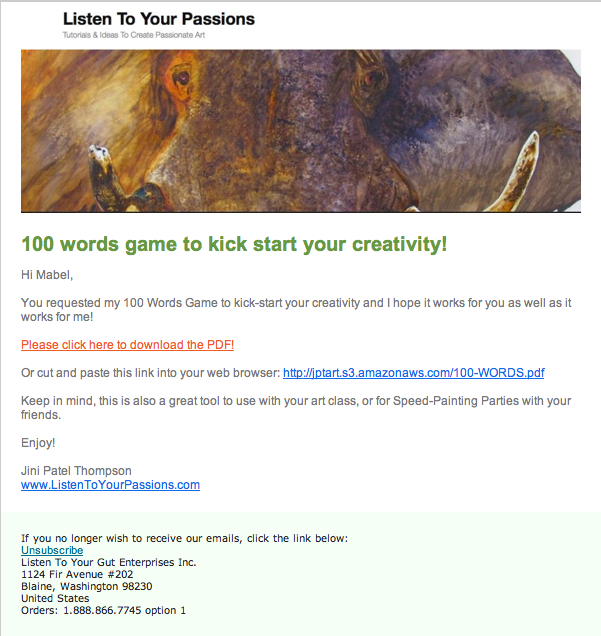
The second someone enters their name and email to my opt-in offer and clicks SUBMIT, they are sent an email – the email is sent automatically from my Infusionsoft platform. This email asks them to confirm their email address and add me to their list of ‘accepted senders’ so that I can send them the free 100 Words Game.

This is a regulatory requirement to prevent spam and your email platform will likely require it too. To give you another example, here’s what my standard double opt-in (confirm email) looks like for my health site – you can see how it’s worded to cover the dozens of different free gifts I offer:

However, when you’re just starting out and have only your main opt-in offer, you can really customize your double opt-in (email confirm) message. So you may want to use something like this, feel free to swipe this:


Hi [Name Is Automatically Inserted Here],

Thanks for signing up for my [free item].

In order for me to send it to you, you need to click the link below to confirm that I am not a spammer and you really do want to hear from me. As soon as I receive confirmation, I can send you [the item]:

[confirm weblink appears here]

This way, we can make sure you don’t miss out due to having my emails flagged as ‘junk’ or ‘spam’. Some email providers (like Yahoo or Hotmail) filter your email automatically and may accidentally block emails you want to receive.

Your [item] is coming soon!

warmly,
[your name]
[your site]


So for my art site, as soon as they click on the link to confirm (and even if they don’t) a second email automatically goes out that now contains the free gift:

You’ll notice in this email that I have given people a link to click on to download the 100 Words Game to their computer. I have stored the PDF file on my server, so that anyone can download it if they have the link. If you don’t want to store the file on your server, you can also set it up as a file attached to the email.

But if you have a larger file, it’s a good idea to upload it to your server and email people a download link, as I have done here. Otherwise, you may have people emailing you that they didn’t get the attachment, or they don’t know how to open it, etc. We have found that a download link creates less problems for people.

Don’t worry, you can find detailed instructions on how to upload files (audio or PDF) to a server by clicking this link. For now, you just need to have an understanding of how all this works. Now that we’re getting into the nitty-gritty of someone signing up for your opt-in and then you having an automated system to confirm their email and deliver your free gift, you’re probably seeing the value of having an email marketing platform like GetResponse or 1ShoppingCart.

Okay, are you ready to create and set up your opt-in offer?

Do this right now:

  1. Choose an email marketing platform to manage your sign-ups and automatically send your emails out to your growing list of names (your database).
  2. Figure out what you’re going to offer people who sign-up. What will solve one of your visitor’s problems? What will blow them away with great value?
  3. Create that content – whether it’s an eBook, an audio recording, a video, a simple PDF, or something else entirely. If you don’t have anything ready yet, then create a “Coming Soon – Don’t Miss Out!” offer. Or put up a Subscribe To My Blog sign-up form.
  4. Now use your email marketing platform to generate the computer code (html or javascript) for your opt-in offer. And put the offer at the top right, or top left of every page on your site.
    Note: Most WordPress blogs prefer html and javascript sometimes doesn’t work. Your programmer can do this for you, once you give him the code. Or you can follow my video below (this is the same one I gave you at the beginning of this unit) and put your opt-in offer on your blog yourself. But for now, your first step is to grab the code from your email marketing platform and copy and paste it into TextEdit (for Mac) or Notepad (for PC).

If you want to put your opt-in on your site yourself, or you already have your blog up, here’s the super easy how-to video again:

  1. Write the email(s) that people will receive when they sign up for your offer. You will likely need one email that has them confirm their email – this is also called a ‘double opt-in’. And the second email will then contain the free item (eBook, audio file, etc); either as an attachment or a download link to the free item. You can either swipe the templates I gave you above for your email text, or, follow my detailed instructions on how to write these emails (called autoresponders) and set them up in your email platform.

Opt-In Case Study: “How We Made $1 Million in 18 Months From a Simple Blog”

Remember way back at the beginning of this topic when I told you about Vishen Lakhiani who got a 37 percent opt-in rate for a “Coming Soon…” offer – which was more than double that of any of his other opt-ins?

Well, here he gives you all the details on that and also how he used a simple niche blogsite (on the topic of Remote Viewing!) to generate $1 million in only 18 months:


How Do I Combine My Shopping Cart, Affiliate & Email Systems?

Which is the best email marketing platform, affiliate program, and shopping cart for you to use, based on your type of business and your time and money constraints? If you don’t know what those are, follow the links to learn about each part of your site infrastructure.

Whichever platform you choose, there are detailed instructions (or instructional videos) on the provider’s site to teach you exactly how to create an opt-in form (using their platform) and how to put that form up on your site or blog. So, I will not provide those instructions here. I will just provide you with details about the different email marketing platforms, so you can choose the one best suited to your goals or business.

Therefore, I’m going to put myself in your shoes (easy to do because I’ve spent years there!) and tell you the best real-life solutions for your particular circumstances. Being that I have been both chronically ill and am still the mother of three kids, and currently own three businesses (and have two dogs and eleven horses!) I think it’s safe to say I know what I’m talking about.

NOTE: In the very next unit, I’m going to help you make your decision in the section What Would Jini Do? So if you feel yourself getting overwhelmed by the choices here, know that is coming right up next! OR if you prefer, you can just skip right over there and do what I say without looking at all the options here!

For those of you who do want to walk through this whole process and gain a better understanding of each component and how they fit together, first you will have to decide on your priorities, taking into account:

What type of business do you have? – do you have a lot of physical products, so it’s very important that they are displayed properly, with good descriptions, great photos, video, etc.? Or do you have just a few digital information products ( like eBooks, videos, teleseminars, home study courses), so your shopping cart is not so important?

How much time do you have? – do you prefer to spend your time on marketing, getting affiliates, setting up email campaigns and testing opt-in offers? Or do you dislike that kind of work and would rather market yourself by writing blog posts, making helpful videos, being a guest on or hosting teleseminars? Do you need a basic email marketing and CRM (customer relationship management) system, or do you need something robust and complex?

How much money do you have? – Do you have an operating budget and some start-up cash to invest in your new venture or business expansion? This would enable you to set up with a decent solution right from the start, thereby cutting down the hassle factor of having to upgrade, or change systems to eventually get where you want to be. Or are you hoping to spend as little as possible to start and willing to go with a less-robust option, knowing that you might have to go to the trouble of upgrading your systems once you’re fully operational?

I’m going to present you with 3 different solutions below for your email marketing platform, affiliate program and shopping cart – depending on where your priorities are. I’m going to break these solutions up according to how much time and money each of them require. I spent about 20 hours researching each system currently offered in both the email marketing and shopping cart arenas and so rather than go into each and every one, I’m just going to present you with my conclusions and the best solutions I found.

If you find yourself getting bogged down with all the details, remember that in the very next module I’m going to distill all this information down and make it super easy for you to decide, so don’t worry!

TIP: If you ever want a quick way to do a basic search to see how one product stacks up against another (as many people have done detailed online reviews), simply type into Google: _____ vs _____. But spend a good chunk of time scrolling through the different opinions and try to find people who are not just shamelessly plugging a system for the affiliate commissions.

You can assess each of these systems (where I’ve combined the necessary components for you) based on what you can afford and what your priorities are for your business. Keep in mind that I have left the affiliate program optional at this point.

Remember, an affiliate program is a way to promote your own products by giving referring bloggers or websites a commission when they refer customers to you. However, if you didn’t want to set up an affiliate program yet, then a way around this problem is to offer people who sign up to be your affiliates a Coupon Code instead to give to their people.

Using Coupon Codes Instead of An Automated Affiliate Program

In this case, you would have to do everything manually: You would use your email marketing platform to create a sign-up form for affiliates. When someone signed up, you would go to your shopping cart system and generate a Coupon Code specifically for that affiliate. You would then email the dedicated Coupon Code to the new affiliate.

So let’s say Alpha signs up to be an affiliate of yours. Alpha would then blog about why he thought you were so great and how your widget changed his life. He would offer his readers (or his list) a coupon for 10% off if they buy your widget. Alpha’s customer, Sandra, then goes to your site, purchases your widget and enters her coupon code to get 10% off.

The back-end system of a good shopping cart like BigCommerce or 1ShoppingCart will then show you a list of the coupon codes that have been entered. You know that Code XYZ comes from Alpha and you see that this month, 10 people have bought using Alpha’s coupon code. So you now write him a cheque for his commission on those products – or send him payment using PayPal.

The downside of doing it this way (coupon codes) versus a proper affiliate program is that this way you have to manually track commissions and manually make payments to your affiliates. With a proper affiliate program, all of this, from sign-up, to tracking, to consolidating payments, is automated – no work from you involved. Proper affiliate programs also have built-in 1st and 2nd tier commission structures.

This means that if Alpha refers his friend Genesis to sign up for your affiliate program, Alpha will also receive a commission on Genesis’ commissions. Of course, you are in charge of whether you even want to have 2nd tier affiliates and also of what percentage you will pay out in commissions.

If you won’t have anything to sell for about a year, or you are going to base your site around selling other people’s products, then you don’t need an affiliate program for your own stuff at this time. Otherwise, it’s best to choose a solution that has everything you need, so you only have to learn one system and you only have to set up everything once, and you don’t have the hassle of transferring all your data to a new system because you didn’t plan properly from the start!

I’m also going to list the current prices for each of these solutions and will do my best to keep these prices up-to-date (let me know if I’ve missed a price change!). Remember to think long-term when assessing what you need, and also remember that your time will soon be worth money!:

  1. BASIC Email Marketing & Shopping Cart Solution

GetResponse ($15/month) with PayPal (free) OR a 3rd Party eCommerce Site (cheap or free) – GetResponse is an easy, yet full-service email marketing platform that allows you to set up webforms for either your free offer opt-in, or your newsletter sign-up, or blog subscribers etc. and then allows you to email out to those people in an automated way – this means you don’t have to individually email people from your computer.

Automated emailing (also called autoresponders) means that you only write ONE email. You enter it into your platform, select the groups you want to receive the email and then press Send ONCE. This is how you can email two thousand people in about 5 minutes, with a couple clicks of your mouse. Mail Chimp is a completely free email platform, but the free version does not allow you to have any autoresponders – so you will still have to send every email manually, one by one. So if you have virtually no money, you can start with Mail Chimp, but know that you’ll need to switch to GetResponse as soon as you can.

GetResponse has instructional videos that show you how to set up your opt-in form and then also how to manage (email out to) the names on your list. You can email out your newsletter, or information emails, or emails with content attached. You can also do online surveys, video email marketing and put your opt-in (sign-up) forms on your Facebook fan page, provide social media ‘share’ buttons, etc. Here’s a quick overview (2 minutes) so you can see how simple it is:

I would only use GetResponse on its own if you are not planning on selling more than 2-3 products from your own site for at least one year. GetResponse also works great for people who make their money primarily from affiliate (commission) sales, or who only want to offer PayPal as a payment option, or who are using a 3rd party site to sell their products or services like eBay, Shopify, Etsy, or Bandcamp (more on these options in a moment). GetResponse basic level (up to 1000 subscribers) is only $15/month so it is a very cheap way to get started.

It is free to set up an account with PayPal and you only pay them a commission on each sale. PayPal is certainly easy and very cheap (free until you sell something!) if you want to keep cots low.

The good news is, GetResponse integrates easily with full-service shopping carts like Big Commerce, or 1ShoppingCart, along with the ability to take credit cards. So you can also start with just GetResponse and PayPal, or GetResponse and a 3rd party eCommerce site store, and then easily move your database across to one of these full-service shopping cart solutions when you can afford to.

There are other similar email marketing platforms like Mail Chimp (which is free to start), iContact, AWeber, etc. but none has the ease of use combined with the extensive functionality that GetResponse offers.

If you’re planning to go as minimal as possible, then start with either the free service from Mail Chimp or make your life easier by starting with GetResponse. Then sell straight from your site by either invoicing people directly using PayPal, or setting up automated BUY NOW links to PayPal. Or, choose a 3rd party eCommerce site and create your storefront (you’ll still need a PayPal account for this), and link to it or embed it on your site. So PayPal (or your eCommerce site via PayPal) is your shopping cart solution at this level and you do not have an affiliate program, nor can you use coupon codes, because you don’t have a full-service shopping cart.

eCommerce Site Benefit Breakdown

Using an external (3rd party) eCommerce site can be great for particular types of products, as many of them are set up for specific markets – for example, Etsy is for handmade, vintage, and craft items, while Bandcamp is for original music. Others, like Amazon, eBay and Shopify, are more general and sell just about anything.

Pros: What’s so handy about these sites is that they are already frequented by customers looking for what you’re selling (like selling your jewelry at a crafts store, or your music at a record shop), which could increase the likelihood of someone stumbling across your product in an otherwise immense online market. They also provide you with everything you need to start selling – you just have to customize your page (storefront), upload your products and descriptions, and link to the page on your site.

Cons: The downside of eCommerce sites is the commission they charge, combined with the PayPal processing fee; over time as you generate more revenue, you may find that the cost of a quality shopping cart system is actually cheaper than all these accumulated fees. Or, you might not find a site that caters specifically enough to your product or service. The main drawback of an eCommerce shop, is that your customers will be sent away from your site and may easily get distracted and end up buying someone else’s product instead. You also can’t customize beyond what their site infrastructure allows for, and you must sell within their parameters. These sites also require the buyer to have an account on that site – which will add one more annoying step in the process that might make or break that sale.

If you’re selling an eBook, or a solution-focused product or service (you’ve invented a great dog-door, or you do event catering), then PayPal is a better option until you can afford your own shopping cart. You have no real reason to send people through another site (although you might end up trying eBay or Amazon for your books or products in addition to your own site) just to buy your one product, especially if it falls outside the niche-range of well-known eCommerce sites.

Or try both: But if your product fits well within a niche on an established, high-traffic eCommerce site, by all means give it a try. Many people – such as craftspeople, musicians, artists, vintage or antique collectors, and more – find the exposure too good to pass up. And many products will sell well from both your site and an eCommerce site, which gives you the benefits of both. You have to weigh the pros and cons to figure out if your particular offering will benefit from the ease and exposure of an eCommerce site at this time, or whether it is not worth the time and money right now, if you’re short on both. Once your website is running smoothly and generating a good income, then you definitely should look to offer your products on eCommerce sites like Amazon and you may even find your customers requesting this!


  1. MID-LEVEL Email Marketing & Shopping Cart Solution

1ShoppingCart ($34/month) – This is your solution if you’re on a tight budget, yet you need to have a good shopping cart, and you also want a good email marketing platform. The only drawback to this entry-level package with 1ShoppingCart is it does not include an affiliate program. Now, having said that, you can also purchase an affiliate program separately called Omnistar for $27/month. So then you will have a shopping cart, affiliate program and email marketing platform for a combined total of $61/month. So still a very reasonable cost.

The downside is that you now have to manage 2 different systems; 1ShoppingCart and Omnistar, so that will take you a bit more time than having everything in one system. Another important distinction with 1ShoppingCart at this level, is that you cannot embed your shopping cart on your own website. At this level, people will leave your site and your store will be hosted on 1ShoppingCart’s server. You will be able to custom-brand your store though, with your own logo and colors, so your customers will not feel like they have left your site. There will also be menu buttons on your store that link back to your own site – so it’s a pretty good solution at this price point.

If you can afford to step up to the next level of 1ShoppingCart ($119/month), you can then get the shopping cart, email marketing system and affiliate program all together. You will also be able to embed your store on your own site. This is definitely, 100% the best way to go if you can afford it.

I know if you’re launching a new venture, it’s very tempting to go with the cheapest option – because everything is so unknown and unproven. But I really encourage you to take a leap of faith in yourself, to invest in yourself and your vision. Let me give you an example from a fellow Freedomite of why this is important.

Lori Clarke started out using GetResponse for her email marketing and PayPal for her product sales ($15/month). She went to all the work of learning the GetResponse system, setting up her opt-in and email autoresponder series and then setting up the PayPal BUY NOW buttons on her product pages… and then 2 months later, started all over again with 1ShoppingCart ($119/month). What happened? I’m going to let Lori herself tell you her reasons for the switch:

“I switched because I found 1ShoppingCart was more intuitive and user friendly. GetResponse also wasn’t robust enough on the customer management side, and their customer service (to me as the customer) wasn’t as good as 1ShoppingCart. The other part of it was that I wanted to add an affiliate program and a shopping cart – by the time I would have paid for all three of these separately, it didn’t make sense; because by the time my business was generating decent money, I would have to switch anyway!

I needed to believe that my business was going to thrive and go to the next level. I needed to choose something that was reflective of what I wanted and believed my business could be. So although I didn’t have the funds, I let my belief drive me, not my pocketbook.”

Read that last paragraph over again… So definitely think about the long-term when you are choosing your email marketing platform. And yes, if you don’t yet have a vision, or believe that your business is going to generate enough money, then you may choose the cheapest (or free) option. That’s totally okay, but just know that it’s going to cause you more work down the road when you have to switch everything over to the more robust, efficient system.

  1. TOP-LEVEL Email Marketing & Shopping Cart Solution

Infusionsoft ($299/month) – When my business outgrew 1ShoppingCart (when we were generating $10,000 in sales per month), we researched the market for CRM (customer relationship management) and email marketing solutions and we chose Infusionsoft as the best platform to be able to do everything we wanted, plus everything we might need to do in the future! Please note that Infusionsoft sometimes has an additional sign-up fee and sometimes not – so check for current pricing.

Infusionsoft goes way beyond the capability of GetResponse, 1ShoppingCart, or any others; but of course, since Infusionsoft can do so much more, it is also much more complicated to use and manage. So it requires a lot of time to both set up and manage ongoing. You either need someone in your business who loves techie marketing stuff, or you need to be able to hire someone to handle Infusionsoft for you.

We are still with Infusionsoft and while it is a complicated system and fairly pricey – it is well worth it. If you currently have a business that is already doing more than $60,000/year in revenues (or you plan to get there fairly quickly), you should definitely take a good look at Infusionsoft.

What’s The Difference?

The main difference between 1ShoppingCart’s customer relationship management (CRM) system and Infusionsoft’s advanced CRM system lies in the way their systems track and categorize opt-ins and/or customers. Here’s my General Manager, Justin Wade, on why he loves Infusionsoft so much! And remember, I don’t receive affiliate commissions from Infusionsoft, they are all donated to our fabulous charities – we recommend Infusionsoft so highly simply because they’ve made that much of a difference in operations for my health business, as Justin will now explain:

Data and Behavior-Based Marketing

The biggest difference between Infusionsoft and cheaper alternatives out there, like Aweber and Constant Contact, is the ability to collect more data about your customers which you can then use to automatically provide a personalized experience.

For example, let’s say you have a potential customer (also known as a prospect or lead) who has expressed interest in your products. This person then clicks on a link about PRODUCT A in an email you sent. Infusionsoft enables you to keep track of the fact that the person is interested in PRODUCT A and could then trigger other email, or email sequence, based on that click. Conversely, let’s say that the same customer also did not click on the link in that same email about PRODUCT B, within 30/60/90/X days. Infusionsoft can also check for this and communicate with the person accordingly.

This behavior-based approach is much more likely to make your prospects and customers feel connected with you and your business, because your have programmed Infusionsoft to figure out what your customers are interested in and engage them accordingly.

Keep in mind that you have to input the email sequences you want Infusionsoft to send out, based on which links are clicked. Infusionsoft doesn’t create anything out of thin air, it merely actions what you have mapped out and programmed it to do.

My autoresponder is just fine, though…

If you aren’t using Infusionsoft then you are robbing yourself of vital customer data, bottom line. Most of the autoresponders out there use a linear progression (i.e. Email #1 is sent today, #2 goes out in a week, #3 in 30 days, etc) and, as a user, you might say “yay, it’s automated!”. However, once you see the campaign builder in Infusionsoft it really becomes clear how antiquated and behind the curve the other guys are.

The campaign builder could be regarded as an autoresponder but that would be sort of like calling an iPhone “just a phone” or a space shuttle “just an aircraft”. Each campaign contains a variety of different elements which can include a limitless amount of interconnected autoresponders, webforms, etc. Where traditional autoresponders operate in a straight line, Infusionsoft operates as a fully interconnected logic web. The key is being able to inject automatic decision-making processes into this web based on what your customers do.

For example, let’s say John buys a book from your store. Most autoresponders would just send John some emails about similar books and maybe a coupon code at some point. Fairly standard stuff. With Infusionsoft, you can set it up to check for (and act on) things like:

  • Has John purchased from us before?
  • If so, how many times? How recently? For how long?
  • If not, how did he find out about us?
  • What has John clicked in the emails we’ve sent? How long ago did he click?
  • Does John own any books from the same author? Which genre(s)? Are they eBooks or physical copies?
  • Has John received any coupon codes? If so, has he used them?
  • Has John filled out any surveys at our site? What did we learn about him?

And the best part is, you can use any or all of the above pieces of information together or separately to customize John’s experience as your customer. How? The answer is Tags.

Tags are Infusionsoft’s way of labeling a customer based on anything and everything he or she does. This includes, but is not limited to, clicks, filling out forms/surveys, and purchases (or lack thereof). Tags can be applied for any behavior. As an example, if your company carries the ACME brand and Wile E. Coyote is your customer, he might have the following tags:

ACME Purchases

Signed up for “7 Ways to Catch a Roadrunner” e-mail series

Clicked blog post link – What You Need To Know About Jet-Propelled Unicycle Operation

Filled out “Look out below! Crucial info about safety from falling pianos”

Purchased Explosive Tennis Balls (under an ACME brand category)

Purchased Anvil (under an ACME brand category)

Purchased Jet-Propelled Unicycle (under an ACME brand category)

89th Order

Purchased within the last 30 days

So let’s say you are now carrying a new ACME product and want to target the specific customers on your list who might be interested. You can use Infusionsoft to sort by people who have purchased ACME products in the past and you can set up an autoresponder to send out some emails. Here’s where the personalization comes in… Let’s assume you sent the original email to 100 people. In order to separate people who are REALLY interested from people who are potentially interested, you can set Infusionsoft to check whether any of the 100 recipients clicked your product link in the 7 days that will pass between the first and second emails. For people who purchased your new product, the system can be set to stop the campaign entirely (or send the customer over to a cross-promotion autoresponder… or send the customer an email in 30 days asking for product feedback…). For the people who clicked, you can send another email immediately with additional information if you’d like to capitalize on their interest. For the others, you can automatically send them into a separate autoresponder which will contact them in X amount of days as a last ditch attempt to connect. With each subsequent email, you can further segment this group of people based on clicks, purchases, etc. and use additional autoresponders to upsell, cross-sell, and/or side-sell to your heart’s content. The possibilities are endless.

Another great thing about tags is that you can use them to trigger autoresponders. As an example, you could set up an autoresponder which sends some emails about you and the services you have to offer over the course of X amount of days. If you’re at a tradeshow and meet a new business contact, you can add the person to your Infusionsoft contact list directly from your laptop, tablet, or smartphone and then just apply the “New Tradeshow Lead” tag that you set up to trigger the aforementioned autoresponder. Infusionsoft would then execute the autoresponder for that person and send out the emails about you.

Who are my customers and where did they come from?

If you are using any type of advertising then you’ll definitely want to know if people are finding you as a result of your advertising efforts and Infusionsoft makes this really easy. It uses a function called “lead source” which basically labels any and all of your customers based on where they came from. Whether you are running campaigns on Google or sending out paper flyers, Infusionsoft tracks this and makes it easy to get the information you need.

Another customer metric that is thrown around a lot is called Lifetime Customer Value. This is simply the grand total amount of money that you expect a customer to spend with you. For example, let’s say you sell some sort of product that assists with vasectomy recovery. Your Lifetime Customer Value in that case is probably going to be really easy to calculate because you aren’t likely to have many repeat customers. It gets a lot more difficult if you are selling something like spices or clothing where people might make frequent purchases spanning years. Not to worry, Infusionsoft makes this information readily available so you can look at who is spending how much and on which products in order to assist your strategic decision-making.

API and Technical Stuff

Infusionsoft has a fantastic API. What is an API? In computer programming, an application programming interface (API) is a set of routines, protocols, and tools for building software applications. An API expresses a software component in terms of its operations, inputs, outputs, and underlying types. In layman’s terms, an API allows a piece of software to talk to another piece of software and exchange information. For example, if you have ever used FedEx or UPS to get real time shipping quotes while shopping (or for your own business) then you witnessed that system speaking to the FedEx or UPS system via the API. If you use a shopping cart like Big Commerce, Shopify, Volusion, etc. and want to use Infusionsoft as your back end marketing juggernaut, all info will pass from your cart system to Infusionsoft via the API. Using a proprietary 3PL system? No problem, that will communicate with Infusionsoft via the API as well.”

Can you see the value of a robust CRM system? The more tailored you can make your marketing, the more you can provide your people with what they want, and the less you bug them with things they’re not really interested in. Hence, your sales increase and your ‘unsubscribes’ from your list decrease.

Infusionsoft is the only automated CRM system I know of that can do automated tagging, multiple tagging and then automatic removal from groups and adding to new groups based on the person’s actions.

You can also search your database to segment it up according to multiple parameters. Let’s say I want to see how many people in my list (database) live in California, New York, Michigan and Oregon AND have purchased only blue pens AND have bought in the last 3 months. Infusionsoft can search my database and pull that list for me in seconds.

These are just two of the advanced CRM elements that Infusionsoft enables you to do and there are many more. I just wanted to give you enough of an idea so you understand WHY it’s worth paying extra for this system and worth spending the extra time on set-up. Sometimes Infusionsoft charges a set-up fee (in addition to the monthly fee) and sometimes they don’t, you will just have to check.

Now, here comes the only downside to Infusionsoft – their shopping cart is not great.

Infusionsoft and BigCommerce ($339/month) – So you can either use Infusionsoft’s shopping cart (which is decent, but not great), or you can go with a really awesome shopping cart system called BigCommerce. Again, we did a thorough review of shopping cart systems when we upgraded our LYTG Holistic Health Shoppe – which sells over 350 products – and we chose BigCommerce, rather than using Infusionsoft’s.

We especially like BigCommerce because it allows your customers to do all kinds of cool things like compare similar products, create a wish list, view special offers or featured products, watch videos (without leaving the product page), leave product reviews, and so on. It also has an “abandoned cart” function that tells you when people added stuff to their cart, but then didn’t follow through with that purchase. You can then have an autoresponder sent to them offering them a discount or free shipping if they want to complete their order.

BUT, when you are first starting out, or you only sell digital products, you absolutely can use Infusionsoft’s shopping cart. And after you’ve been running for about a year, you can look into upgrading your shopping cart to BigCommerce if you need it.

At that point, you will need to also purchase an API (application programming interface) to get all your ongoing purchasing and order info to transfer automatically from BigCommerce to Infusionsoft. When you need that, contact Ian (my husband) and he’ll tell you exactly what you need to do: ian@listentoyourfreedom.com

Now, before you get completely confused, know that I am going to boil all these options down for you and make it super easy to make your choice! Keep reading for help deciding how to make it all work for you.


Note: Remember that all the affiliate commissions from links throughout Listen To Your Freedom go to our amazing charities – so please click through to these sites, rather than typing in the the URL. Join us in paying it forward!


How Do I Choose My Site/Customer Infrastructure?

Alright, I think I have given you enough information and ideas to make a good decision about the infrastructure set-up that balances your needs and your budget, or, to reconsider your current system and weigh in with your needs, cash-flow, and plans for growth. So again, take a look at your priorities, before making your decision from the options I gave you in the last unit. Remember, you need to take into account:

  1. What type of business do you have? – do you have a lot of physical products, so it’s very important that they are displayed properly, with good descriptions, great photos, video, etc.? Or do you have just a few digital information products (ebooks, teleseminars, home study courses), so your shopping cart is not so important? Or are you planning to, or do you already use, an eCommerce site like Bandcamp, Etsy, or Amazon?
  2. How much time do you have? – do you prefer to spend your time on marketing, getting affiliates, setting up email campaigns and testing opt-in offers? Or do you dislike that kind of work and would rather market yourself by writing blog posts, making helpful videos, being a guest on or hosting teleseminars? Do you need a basic email marketing system, or do you need something robust and complex with added CRM (customer relationship management) capability?
  3. How much money do you have? – Do you have a decent operating budget or some start-up cash to invest in your business? This would enable you to set up with a decent solution right from the start, thereby cutting down the hassle factor of having to upgrade, or change systems to eventually get where you want to be. Or are you hoping to spend as little as possible to start and willing to go with a cheaper, less-robust option, knowing that you might have to go to the trouble of upgrading your systems once you’re fully operational?

The Bottom BOTTOM Line

If you’re still not sure, after reading the What Would Jini Do? section below, or you just want the no-think option, then go ahead and sign up for 1ShoppingCart (Premium Package $119/month). Look, you’re obviously serious about turning your passion into a business, or taking your passionate business to the next (and next-next!) level, or you wouldn’t be here on LTYF! This package will safely take you up to revenues of $100,000/year before you’ll need to switch to Infusionsoft. Just go do it. And then you can click over to the next unit.

For those of you who still want more of the WHY, keep reading…

What Would Jini Do?

In case your head is whirling by this point and you’re a step away from screaming, “Just tell me what to do, for god’s sake!” I will now break it down for you as if your business were my business. SO, knowing what I know now, if I were just starting or revamping an online business, here’s the platform and shopping cart I would choose, depending on my circumstances:

Scenario 1: I have lots of time (or am able to hire someone to manage my CRM and email marketing system). I have a decent amount of money, and plan to have less than 30 products. I want to be able to do everything from an affiliate program to targeted marketing campaigns. A decent shopping cart is all I need and having everything in one system is my top priority: Purchase InfusionSoft ($299/month + possible signup fee)

Scenario 2: I don’t have many products to sell, or my products are all information (digital), or affiliate products (i.e. I’ll be selling other people’s products), so I don’t need a fantastic shopping cart, but I’m totally into marketing. I want to get into complex marketing campaigns, Google Adwords campaigns, SEO-driven campaigns, etc. I need to be able to split-test, test headlines, test opt-in offers, test markets. I intend to make more money off of 5 products than most people make off of 100, because I’m a marketing maven! And I’m willing to spend the substantial amount of time it takes to set this up and manage it: Purchase InfusionSoft ($299/month + possible sign-up fee)

Scenario 3: I have lots of time (or am able to hire someone to manage my CRM and email marketing system), a decent amount of money, and more than 25 products. I want to be able to do everything from an affiliate program to targeted marketing campaigns. I can’t afford an automated API yet, but I can afford to hire someone each month to import my customers from my shopping cart to my email marketing platform. My shopping cart is very important to me and must be the best: Purchase InfusionSoft and BigCommerce ($339/month + possible Infusionsoft sign-up fee)

Scenario 4: I have some money, but not much time and I have more than 10 products. I want to have an affiliate program along with my email marketing platform and a decent shopping cart: Purchase 1ShoppingCart (Premium package $119/month)

Scenario 5: I want to keep my costs really low and I can do without an affiliate program for now, but I definitely need a decent shopping cart and a decent email marketing platform: Purchase 1ShoppingCart (Plus Package $34/month)
Bonus: I will be able to upgrade to 1ShoppingCart Premium package as soon as I decide I need it (and have an affiliate program) without having to move my database or do any additional set-up!

Scenario 6: I want to spend virtually nothing to start, I don’t need an affiliate program, and I only have a few things to sell: Purchase GetResponse and PayPal and/or an eCommerce shop ($15+/month)
Bonus: I will be able to add 1ShoppingCart as soon as I feel I need it (and have an affiliate program and/or CRM) and I can import my database easily and automatically (all at once) from GetResponse to 1ShoppingCart.

Scenario 7: This is going to be a zero-cost operation at first, but I realize I need to start building my list (database) immediately and then have an easy way to sell my eBook when it is ready: Mail Chimp and PayPal (Free)
Bonus: I will be able to add 1ShoppingCart eventually (and have an affiliate program and/or CRM) and I can then import my database from Mail Chimp to 1ShoppingCart. Or I can upgrade to GetResponse first, so that I can host autoresponder emails, and then upgrade to 1ShoppingCart.

Choose and Implement Your Platform!

You can visit each of these 4 options (click on the name to go to their site) and take a look at their pricing, watch their summary video for a quick overview of how each platform works and what it can do for you, and then make your choice!

GetResponse:

1ShoppingCart:

InfusionSoft:

BigCommerce:

*Notice that most of these weblinks are affiliate links. ALL of the affiliate commissions from Listen To Your Freedom go to our amazing charities. Remember to put your affiliate links everywhere in your stuff – in documents, your blog, pdfs, sidebar links, emails, etc.


How Do I Write Great Copy For My Website?

Your homepage may not have a lot of text on it. Perhaps, like some of the site examples in the last unit, it only contains your tagline and your elevator speech. But your other site pages may have a page or two full of text.

So how can you present all your information, without losing your reader’s attention? And how do you snag people in to get them to start reading and then keep reading?

There are a few techniques you can use to present your words in a way that attract and hold attention. First, let’s look at the way your words appear on the page.

On the Internet, there are readers (who actually read, in order, what you’ve written) and scanners (skim-readers), so you want to write for both. You can do this by either:

  • Highlighting key pieces of your text to jump out at the skim-readers.
  • Or you can use sub-headings to break up your copy, yet still convey the gist or idea of what you’re saying.
  • Or you can use the sub-headings as a hook to pull them in and make them read more.

Let’s look at each technique.

Highlight Text To Pull Attention

You can test whether you’ve highlighted the right parts of your text, by ONLY reading the highlighted text and see if you’ve pretty much got your message conveyed. And I’m going to give you a real life example of this soon.

You can highlight using bold, or a different color text, or an actual background highlight. Use the highlight that fits with the style of your site. Note: Yes, you could also use italics, but you would need to use them sparingly as italics can be more difficult and tedious to read – depending on the font you have chosen.

You also want to break your text up into smaller paragraphs, as it’s hard to read a big chunk of text online. But, it is also hard to keep your focus if every paragraph is only one sentence long! So good copy has a mix of both longer and shorter paragraphs.

If you don’t like highlighted text, another way to grab your site visitor’s attention quickly, is to use sub-headings throughout your text.

Sub-Headings Hook The Reader and Summarize Text

The eye will immediately flick to the sub-headings and if they are intriguing, or descriptive in a way that makes the person feel you are talking to them, or funny, or pithy, the site visitor will start reading your text and you have a good chance of hooking them in.

I’m going to demonstrate the power and effect of each of these techniques by giving you an actual example from a live site, so you can learn and also compare.

Take a look at this sample text from Simply Gratitude.

First we have the Rough Version where she has effectively nailed down her content; she has identified her customer, she knows what her business is and what it does, and she is speaking directly to her customer.

But it is still not ready to go live, as it needs this last, final polish that will really engage her site visitor. Read it and think about how you’d give it the final edit to adhere to the two final polishing criteria:

  1. Highlight text for the skim readers. Or use sub-headings.
  2. Vary length of paragraphs and avoid overly large chunks of text

ROUGH VERSION – Simply Gratitude, Corporate Gift Service

Can you remember a time where you were gobsmacked by an unexpected gift?

Take a minute to recall…I’ll give you a moment to reflect.

There are many corporate gift specialists out there and I’m one of them, but what makes Simply Gratitude different is our focus. We work with you to create custom, high-end extraordinary gifts and bring attention to you as a business and use gratitude and thankfulness as the vehicle. It’s one thing to thank a client for contributing to your business by giving them a percentage off the next purchase or adding a dollar amount into their account for referrals. It’s another thing to send them a gift because you believe that they are valuable and want to express that gratitude and thankfulness through the power of a gift.

So let’s go back to the gift you recalled. I’ll bet you can remember the gift down to the details and maybe even who you were with or what was cooking! You may have been 5 years old or a teenager or maybe you never received a gift that had this sort of impact that I’m speaking of. Either way, you have a chance to engage someone in this experience and pay forward the long lasting memories and power that an unexpected gift brings.

Most of us can’t recall what we were given 2 years ago, but an unexpected gift has the power to last for years. Just think about that for a second, you giving to a client/customer can have the power of them remembering you for years!

Simply Gratitude helps gifts become an extension of you and of your business. I ask you to give gratitude, to pay it forward and say thank you just because and do it without expectation because trust me the universe will take care of the rest!

If you as a business say that you value your clients, appreciate them and that you are an extraordinary company then let Simply Gratitude take you further into your commitment of being extraordinary!

***************

Now let’s look at Example #1 to see how I have edited this homepage text to incorporate these two of the final criteria:

  1. Highlight text for the skim readers.
  2. Vary length of paragraphs and avoid overly large chunks of text

EXAMPLE #1 – Use Highlighted Text

Can you remember a time where you were gobsmacked by an unexpected gift?

Take a minute to recall… I’ll give you a moment to reflect.

There are many corporate gift specialists out there and I’m one of them, but what makes Simply Gratitude different is our focus.

We work with you to create custom, high-end, extraordinary gifts and bring attention to you as a business – using gratitude and thankfulness as the vehicle.

It’s one thing to thank a client for contributing to your business by giving them a percentage off their next purchase, or adding a dollar amount into their account for referrals. It’s another thing to send them a gift because you believe that they are valuable and want to express that gratitude and thankfulness through the power of a gift.

So let’s go back to the gift you recalled. I’ll bet you can remember that gift down to the details, and maybe even who you were with, or what was cooking! You may have been 5 years old, or a teenager… or maybe you never received a gift that had this sort of impact that I’m speaking of. Either way, you have a chance to engage someone in this experience and pay forward the long-lasting memories and power that an unexpected gift brings.

Most of us can’t recall what we were given for Christmas or a birthday 2 years ago, but an unexpected gift has the power to last for years. Just think about that for a second: Giving to a client/customer (in the true spirit of gratefulness) can have the power of them remembering you for years!

Simply Gratitude helps gifts become an extension of you and of your business. I ask you to give gratitude, to pay it forward and say thank you ‘just because’ and do it without expectation, because, trust me, the universe will take care of the rest!

If you as a business say that you value your clients, appreciate them and that you are an extraordinary company then let Simply Gratitude take you further into your commitment of being extraordinary!

***************

Remember our trick for testing whether your highlighting works? You read ONLY the highlighted text and see if it alone conveys your message. So take a moment to scan through Example #1 above and read only the highlighted text. See how that works? Pretty cool, eh?

Make sure you always apply this same test to your own highlighted copy.

Of course, it is always your choice how much highlighting you use and what kind of customer you want to attract. You may say, “I don’t want any customers who are scanners, my customer is someone who carefully reads text and doesn’t rush through things – that’s the kind of person I want to attract.”

Or perhaps you yourself do not like highlighted text!

That’s fine and perhaps for that kind of customer, or for your own esthetic sense, you want to use headlines and sub-headings instead of highlighting text. In that case, you would format your text more like this:

EXAMPLE #2 – Use Sub-Headings

Can you remember a time where you were gobsmacked by an unexpected gift?

Take a minute to recall… I’ll give you a moment to reflect.

There are many corporate gift specialists out there and I’m one of them, but what makes Simply Gratitude different is our focus.

The Power of Thankfulness

We work with you to create custom, high-end, extraordinary gifts and bring attention to you as a business – using gratitude and thankfulness as the vehicle.

It’s one thing to thank a client for contributing to your business by giving them a percentage off their next purchase, or adding a dollar amount into their account for referrals. It’s another thing to send them a gift because you believe that they are valuable and want to express that gratitude and thankfulness through the power of a gift.

Pay It Forward

So let’s go back to the gift you recalled. I’ll bet you can remember that gift down to the details, and maybe even who you were with, or what was cooking! You may have been 5 years old, or a teenager… or maybe you never received a gift that had this sort of impact that I’m speaking of. Either way, you have a chance to engage someone in this experience and pay forward the long-lasting memories and power that an unexpected gift brings.

Most of us can’t recall what we were given for Christmas or a birthday 2 years ago, but an unexpected gift has the power to last for years. Just think about that for a second: Giving to a client/customer (in the true spirit of gratefulness) can have the power of them remembering you for years!

Be Extraordinary

Simply Gratitude helps gifts become an extension of you and of your business. I ask you to give gratitude, to pay it forward and say thank you ‘just because’ and do it without expectation, because, trust me, the universe will take care of the rest!

If you as a business say that you value your clients, appreciate them and that you are an extraordinary company then let Simply Gratitude take you further into your commitment of being extraordinary!

***************

Again, using the same scan test you used with the highlighted text in Example #1, you can see that these sub-headings – although not as effective or comprehensive as highlighted text – still manage to convey the broad strokes of the message. And hopefully they are intriguing, or eye-catching enough to make the reader want to read more.

Use whichever style of emphasis you prefer. It is easier to figure out which text to highlight, or how to divide up your text and give it sub-heads if you let your copy sit for a few days, then you can look at it again with fresh eyes.

Alternatively, you can give it to a friend or family member and see what they come up with – never underestimate the value of fresh eyes!

You may have noticed that throughout this Listen To Your Freedom program, I have used both sub-headings and highlighted text (in bold). When you have a full page or more of copy, you can certainly use both techniques without it being overkill.

Remember, your goal is to make reading, understanding and implementing easier for the reader – so just make sure whatever you do achieves that goal.

Attention-Grabbing Headlines

If writing doesn’t come naturally to you, how do you come up with a call-to-action that makes people actually take the action you want (sign-up, or click the link, etc.).

How do you write a blog post title that makes someone want to click on it and read more? How do you title your YouTube video to make it stand out among all the others? And how do you craft a headline for your opt-in offer that makes people want to sign up immediately?

Well, you set yourself to some swiping, that’s how! You copy or borrow techniques from proven copywriters and then just tailor them to your content. Here are some easy ways to come up with attention-pulling headlines or titles that are proven (in multiple split-tests) to produce good response from viewers.

Most copywriting courses train you to use what they call Power Words. These are words that are active, wow language, bold, audacious words or claims that pack a punch. The reasoning is that these words jump out and grab the reader.

But personally, I think copy and headlines like this are a turn-off, as they make me think the person is a scammer or a knucklehead:

Slam Your Ideas Home With This Incredible Opportunity To Annihilate Your Rivals

Power copywriting like that just doesn’t appeal to me. But I think there are markets where it would be appealing – like bodybuilding, wrestling, or extreme sports, for example.

Jini’s Copywriting Tips & Tricks

For the rest of us, we should just try to use words that carry a bit more energy or sparkle than regular words, like these:

  • Effortless
  • Painstaking
  • Fun
  • Free
  • Incredible
  • Essential
  • Absolute
  • Strange
  • Sparkling
  • Strident
  • Audacious
  • Fantastic
  • Bizarre
  • Magnificent
  • Luscious
  • Fabulous
  • Crazy
  • Striking
  • Powerful
    etc.

You can then take these words, or any other adjective, and combine one or two of these words with any of the techniques below:

Use a number in your headline:

5 Fun Ways To …

The 10 Top…

7 Crazy Reasons…

3 Great Ideas To…

8 Secrets Of…

Give a list – people love lists!

The Top Reasons…

Octogenarians Share Their Top Life Lessons…

Spring Decorating Ideas…

Combine techniques: Of course, these two techniques – numbers and lists – also combine well together. Simply put a number with any of these words to form your headline:

  • Tricks
  • Lessons
  • Ideas
  • Ways
  • Items
  • Principles
  • Facts
  • Reasons
  • Secrets

Examples:

10 Tricks To Beat Winter’s…

21 Ways to…

7 Secrets of…

The Secret to Getting (Making/Planning/Having/Avoiding)…

Ask a question: these trigger people to think about the question and answer it in their head, then they want to find out the ‘real’ answer.

What are…?

How can…?

What does…?

When is…?

Who is/are…?

Where is..?

Where can…?

Where do…?

Find out why…

Use the fear factor: People are always interested in how to avoid mistakes or disaster.

Top 10 mistakes…

5 Things You Never Want To Do When…

How To Avoid…

How to Never…

Make Sure You Don’t Get…

Compare items: People love comparisons, especially when they’re doing research.

X versus Y…

See Which Car Rules – X or Y?

Battle of Titans – X vs Y

Which One Scored Higher – X or Y?

Survey Ranks X Above Y

Use a trigger word: these are used to encourage, persuade or enable someone

How to…

Why…

When…

What…

I have to admit, my favorite headline or titling technique is “How To… ” perhaps because I do a lot of teaching.

Headline Formula

You can also use whichever techniques or words given above that appeal to you and combine them using this formula:

Number + Adjective + Keyword or Subject + Promise

Examples:
10 (Number)
+ Audacious (Adjective)
+ Ways to Decorate Your Party (Subject)
+ In Less Than One Hour (Promise)
= 10 Audacious Ways to Decorate Your Party In Less Than One Hour

7 Effortless Ways To Sell Your Car in One Week

3 Bizarre Ways You Can Double Your Revenue By Spending Less


Okay, that should give you some good ideas whenever you’re stumped.

Pressie Time!

Woohoo! Time for another gift! While we’re at it, let’s take a moment to offer gratitude for this amazing journey we are on together. Isn’t this awesome? Aren’t you learning SO much? Are you excited about your future? I am!

So I turned these Copywriting Tips & Tricks into a well cool PDF you can download and then pin near your computer for easy brainstorming whenever you need to think up a title for a blog post, a heading or sub-heading, the name of a new product or program, a title for your latest video, etc. Enjoy!

DOWNLOAD Jini’s Copywriting Tips & Tricks


Now that I’ve given you all the how-to and lots and lots of examples, it’s your turn to get your pen and paper and turn all this new knowledge into some fantastic stuff for your website!


Use Jini’s Copywriting Tips & Tricks (did you download it and print it out?) to come up with some blog post titles that your people would nd eye-catching or interesting (do at least 5):


Now take the copy you came up with for your ABOUT page and use Jini’s Copywriting Tips & Tricks to add sub-headings before each section. Maybe you also want to add a headline at the very top? You can either work in Microsoft Word, print it out and glue it here, or work right on the page here:


And lastly, now that you have all this great website copy written, how do you choose a font (style of lettering) for your site text, headings, etc? Here’s a nifty infographic that will help you decide:

How Do I Design a Good Homepage?

Let’s map out your homepage for your new site, using all the principles from LTYF. You should already have your website colors picked out and the look and feel of your site established. You  have a good idea of what service(s) or product(s) you want to offer. Even better, you should have have put some thought into how you want to organize your site content, which will really help with this next step.

Now you need to nail down:

  • How do you want visitors to travel through your site? What’s the first thing you want their eye to focus on, then where do you want them to look, then what do you want them to click on, etc.
  • What do you want to offer them?
  • What problems are you going to solve?

Remember that people rarely purchase the first time they land on your site. So do not make the purpose of your homepage a quick sale! You need to build a relationship with your site visitor first, you need to give them some stuff for free and earn their trust. THEN they will buy from you.

So keep this in mind when planning your homepage: How can I get a site visitor to begin a relationship with me?

Perhaps everything on your homepage is geared towards getting them to sign-up for your fantastic free item. Remember, once you have their email, you can start building a really solid, long-term relationship with them.

Perhaps you want to point them to a few items (videos, blog posts, or downloads) that you know are amazing and will really speak to them and then at various points provide the opportunity to sign-up to your list.

If you’re just starting out and you don’t have a lot of content, then you really want to push your sign-up offer – because it’s unlikely that person will find their way to your site again otherwise. We’ll go into sign-up and opt-in offers in detail in the next module. For now, just leave space for a (roughly) 2-inch sign-up box in your page design.

You can either write out your plan for your homepage (and the other pages on your site), or, if you are primarily visual, then sketch out your homepage. Or do both!

You can also use a free template site design tool like FrameBox, SimpleDiagrams or iWeb to map out your homepage. Here’s what FrameBox looks like – it’s very easy to use, just drag and drop:

This enables you to play around with your ideas and be able to see what they would actually look like on a webpage. Then you can either scan your sketch or take a screenshot (picture) of your homepage design and send it to your programmer to help communicate your ideas. In case you don’t know how to take a screenshot (a photo of what’s on your computer screen), here’s my video that shows you how:

Another super-easy, free online drawing tool you can use to sketch out your site, or create charts or infographics for your stuff is Google Drawing. Here’s my video where I show you how easy and fun it is to use Google Drawing:

Keep in mind, that sketching out your site design does not have to be complicated! Here’s what I sent to my programmer for an earlier homepage of Listen To Your Freedom. You can just sketch it out freehand on a piece of paper and use your phone to take a photo of it  – then email the jpg photo to your programmer! I added other details and refinements after my programmer made this basic layout live on the site – once I could see/feel how everything looked:

You see where I’ve drawn a dotted line and marked that FOLD – that shows what I want to have appear on the screen when people come to my homepage, without having to scroll down. Everything above the fold line is what shows when your site opens up in a laptop window and everything below the fold will require scrolling down to see. If someone has a larger desktop computer, they may see more above the fold. Note: You may have to explain this to your programmer, especially if English is not their first language.

And here’s what that simple sketch turned into (after about 15 emails back and forth – cause I’m just that picky!):

You’ll see how this homepage contains a headline, my tagline, the video presents my benefits and shows I understand my customer, the stickmen are targeted to my top 3 audiences (and show I understand their pain/problem) and I only give them two options: watch the video, and/or learn more by clicking the OPEN button. I also decided NOT to show the Menu buttons on this page, because I wanted to get people to opt-in, or sign-up for my free gift before I gave them the option of clicking around.

So when they clicked the OPEN button, they were taken to a page with a video and information about my free gift on it, along with my sign-up or opt-in box. After they had opted-in, they were taken to the sales page. Obviously, you do NOT have to do something this complicated for your site! In fact, none of my other sites have this 3-step process – which later changed again when beta-testing the Listen To Your Freedom program revealed we had to rethink our format.

My other sites all just have a good HOMEPAGE, a good ABOUT page (you’d be surprised how many people go straight to your About page!) and a good opt-in or sign up offer.

So use your LTYF Workbook, or your computer, to put all your ideas down in black and white. Then have your trusted advisors (friends, family) look over your plan for your site and get their feedback.

Blog Post Pages

The other design element that you have to pay particular attention to is your blog post pages. Once you have chosen your layout and what you want to appear on your blog post page, this will remain the same for EVERY blog post you write.

The blog post content will change, but the entire framework around the blog posts – the header, footer and sidebars – will stay the same. The header is your top menu navigation bar that appears on EVERY page of your site, it can be as simple as this:

The sidebar may appear only next to your blog posts, or you can set it to appear on every page of your site as well – that’s your choice:

The footer also appears on every page of your site:

You blog post page design is important because organic search traffic (generated by your content, that shows up in search engine results) will most likely send people to one of your blog posts. Remember your blog posts are where you can give detailed information and directly answer people’s questions, so they are most likely going to contain more content than your homepage.

So if you only have your sign-up box on your homepage, but yet 90% of your site traffic is coming in through your blog posts… are you losing a prime opportunity to build your list? You bet you are.

This is another reason why people may not have any affiliate ads – or only a few – on their homepage, but yet have four or five in the sidebar of their blog post pages.

Here’s an easy way to think about it: When YOU promote your site, you’ll be sending people to your homepage. When Google promotes your site, it will likely send people to one of your blog posts.

Do I Absolutely Need To Blog?

The only scenario where you would not need a blog is if you have a business that does NOT rely on Internet traffic generated by search engines.

For example, let’s say you have a high-end consulting business where you only have room for 5 clients and all your clients come to you through word of mouth. In that case, you may not need a blog. Because your site may function solely as an extended business card, or brochure. Your site may also be the internationally-accessible place for magazines, or events looking for speakers to download your press kit. So in this scenario, you would not need to rely on search engine referrals to generate your clients or revenue.

Or let’s say you’re a musician who likes to perform live shows for most of the year. So your website visitors are going to be people that have heard you play live, and want to know more about you, or recommend you to a friend, or buy your album. In that case, your blog may consist only of your YouTube videos. You would publish one blog post for each video; when and as you had new videos to upload to your YouTube channel.

In scenarios like these ones, you do not need to blog regularly, or you may not need a blog on your site at all – just static Pages would be fine. This is what SuZen Maureen ended up doing with her site. Because she has been an artist for a long time, most of her commissions come through referrals. She also prefers to hold art showings and enter art competitions, rather than blog. She realized that she just didn’t like blogging! So rather than planning a business that relied on Internet traffic, she designed her website to function as a brochure for her artwork and traffic to that site is generated through live shows, printed publicity, workshops, and word-of-mouth referrals.

So that said, if you need to have a steady flow of visitors to your site in order to get yourself and your stuff out there, then you absolutely need to publish at least one blog post per week, or you won’t show up on search engines and no one will know you exist! You can have the best site in the world, but if no one is visiting it (because your content doesn’t show up when people search for related keywords), then you will not make any money!

But if Google is sending people to some of your best blog posts, from there they may click over to more blog posts, or to your homepage, or your About Me page.

The About Me page is another page that tends to get high traffic on a site, so make sure you really tell your story on this page so people can begin connecting to you and start a relationship with you. For this reason, make sure your opt-in offer also appears on your About page.

Your sign-up box or opt-in offer is simply a nice-looking box where you ask people to give you their name and email in exchange for something great you’ll give them for free. We’ll be talking lots more about opt-ins and sign-ups in the next Module, so for now, just allow a space for your sign-up (opt-in) box in your site design plan. Here’s what some of my opt-in offers look like:

And just in case there are any of you still resisting this process of designing your customer funnel or trajectory, I’m going to close with these wise words from marketing wizard, Seth Godin:


Great design = getting people to do what you want
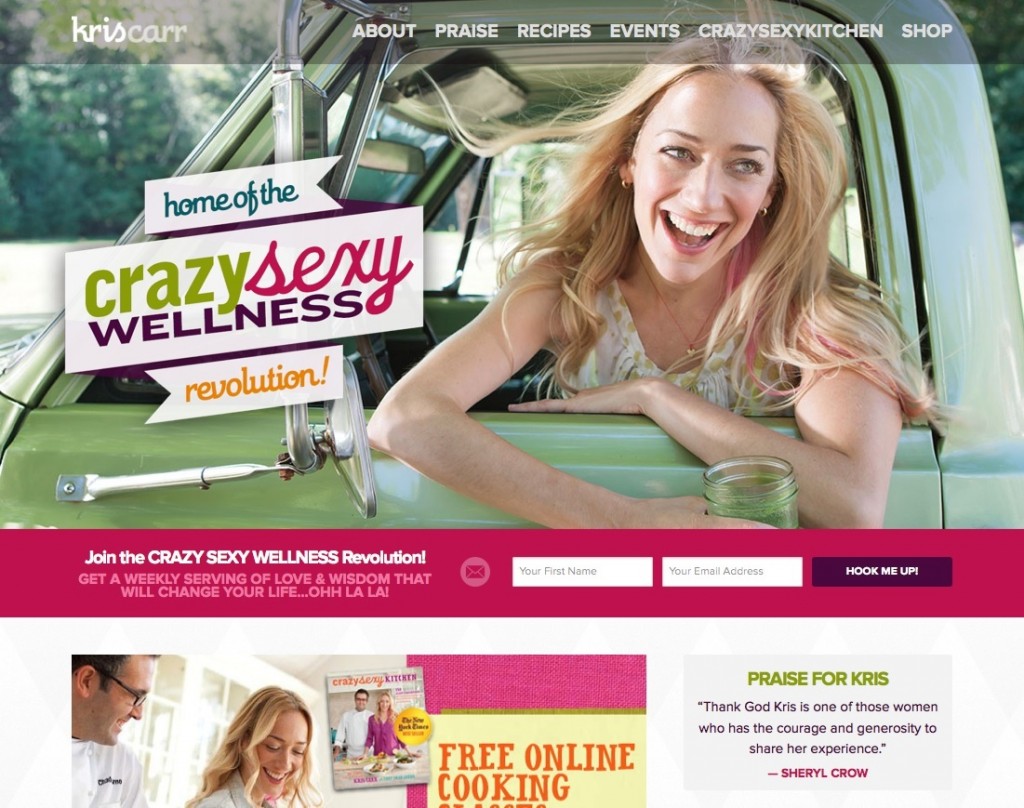
A cop-out: “Create a place or a site or a tool that helps the user do whatever the user wants to do.”

I think that’s just one small subset of what design is. There are only a few situations where what the designer (or her client) wants is for the user to do precisely whatever the user has in mind in the short run.

More often, designers find ourselves working to get the user to want what we want.

The goal is to create design that takes the user’s long-term needs and desires into account, and helps him focus his attention and goals on accomplishing something worthwhile.

That well-designed prescription bottle, for example, is well-designed because it gets you to take your medicine even when you forget or don’t feel like it. If that wasn’t the goal, then a cheap Baggie would do the job.

And that well-designed web site doesn’t encourage aimless clicking and eventual ennui. Instead, it pushes the user to come face to face with what’s on offer and to decide (hopefully) to engage.

A good airport is designed to encourage travelers not to slow down the journey of their fellows, not to get aimless or distracted (what the traveler wants in the short run) and miss a plane.

A great book cover gets someone who isn’t inclined to buy this book (if it had a plain paper wrapper) to pick it up and suddenly want what the author wants–for the reader to want to read it.

Good scissors for kids ought to be fabulous at cutting paper but not so good at cutting sisters, no matter how much little brother wants to.

Unethical design, then, is using the power of design to get the user to do something he regrets. Great design is pushing/focusing the user to do something that he’ll thank you for later.

Designing for ‘everyone to do anything’ is difficult to do well and ultimately a cop out. It absolves the designer of responsibility, sure, but it is also design without intent or generosity.

Great designers can easily answer the question, “what do you want the user to do?”


I strongly encourage you to subscribe to Seth Godin’s blog so you can become ‘Sethinized’ with his wonderful ideas and process – and yes, I just made that word up!

Continuing on, I’m going to give you many more examples of well-designed websites to give you ideas and stimulate your own site planning. As per usual, if you see something you like, feel free to swipe away!

If you have some ideas swimming around in your head, or a rough sketch for a homepage, or site design, you may want to stop here and just get that down on paper before you start looking at other people’s designs. Don’t worry whether it’s your final design, or whether you might have better ideas later. Remember, that true excellence and creativity is a process; it’s a series of small steps. So if you have any ideas, even small or confused ones, just jot or draw them down now…


Examples of Well Designed Sites

Here are some more examples of well-designed sites that you can use for ideas or inspiration in deciding how to present your stuff and get your site visitors to understand who you are in 3 – 6 seconds and take action.

Notice how completely different the design and look & feel of each of these sites is – yet each is a good example of a successful site design that fulfills the 3 basic criteria:

  1. Defined, clear, look and feel that appeals to their niche
  2. You can tell in 3 seconds what the site is about
  3. Site presents a solution to a problem (or fulfills a desire)

Thumbtack – www.thumbtack.com

A great site for look & feel, plus they make it really easy to figure out in 3 – 6 seconds exactly what they do and how they can make your life easier. Note the benefit contained in the tagline: in 24 hours – this shows they understand the hassle of finding plumbers, renovators, landscapers etc.

Their 4 images at the bottom of the page also communicate the top benefits to the user and address their likely objections:

How do I know the plumber/carpenter is any good? Verified Reviews.

How do I know I can’t get it cheaper elsewhere? Compare Prices.

What’s it going to cost? Free To Use.

Is this going to waste my time? Multiple Quotes and in 24 Hours.

They are also very clear about what action they want you to take first.

Notice the photo they selected. I guarantee you they perused hundreds or perhaps thousands of photos to choose this one. It is a beautiful, cosy looking home, very well-maintained YET not intimidating. Looks like a home many people could afford. And it is the home of house-proud people who take care of their house and yard.

So again, while this homepage looks super simple, when you break it down, you can see that they have a vast understanding of WHO their customer is and they are speaking directly to that person, answering their objections, making them feel safe and hopeful about an easy solution to their problem – and all in about 5 seconds, yeah!

Kris Carr – kriscarr.com

You may have heard of Kris from her debut site and book: Crazy Sexy Cancer. She then expanded her brand to include overall wellness and vitality – which her site visuals and colors really communicate. Note the benefit-driven sign up box front and center!

Design The Planet – www.designtheplanet.com

This is a great example of a company whose homepage presents their tagline and elevator speech and has a clearly defined customer funnel – you know exactly where they want you to go next!

Also note how well done their look and feel is – emotionally you get an instant feel for the kind of company they are and whether that appeals to you.

Nutribullet – www.nutribullet.com

Excellent presentation of what this product does and their video is first rate for hitting all the points about customer benefits and making it all look so easy. My kids took a look, watched the video and screamed: Yes, buy it! They were so excited about making their own healthy smoothies when Mum tells them, “Go forage.”

But again, if they just had a sign-up to receive some free recipes – like a smoothie recipe for each of the common health conditions on the page, this would greatly increase their sales conversion rate. They are obviously relying on advertising to keep driving people back to their site. But if they built their list, they would also have a way to launch their new products with no ad cost.

When we launched a new flavor for my elemental shake product (Absorb Plus), we emailed our list of existing customers to let them know about the new flavor and offered a free sample with their next order and within one month sales of our new flavor matched sales of existing flavors. And no, sales of our regular flavors did not decrease – people just bought more and used more. That’s the value of an email list!

SoundCloud – soundcloud.com

This site has really done their homework on their elevator speech and tagline – see how just these two elements can give you an awesome homepage? Their tagline is at the top left of the page and their elevator speech is at the bottom right of the page.

The rest of their look & feel (what they’re about, who their customer is) is communicated very clearly through the photos, colors and layout: Black, white, orange, clean, indie, urban, interestingly cool, kicking back at home, unpretentious yet pretty hip in a holistic way – and yes, I got all that just from the visuals on this one page! Study it and you’ll see each message there.

So even if your conscious mind did not ‘notice’ all that, your subconscious did and that is exactly what you will feel and respond to when you see or think about this site.

This SoundCloud homepage really drives home the point that images and colors are a visual language as potent as words – but can communicate a lot faster!

Sprout Organic Baby Foods – www.sproutorganicfoods.com

This is an excellent way to present a product lineup of similar products. Each infographic (at the top in the slideshow) features a different product grouping; smoothies, prepared food, yogurt bites, etc.

How do you FEEL when you come to this site? What might be the intended emotional message of the color scheme?

Tinkering Monkey – www.tinkeringmonkey.com

I love the way this site has used a slideshow to showcase its main products. The look and feel of the site is cohesive and very well done. There is a tagline and email sign-up – but they’re way down the bottom of the site and there’s no benefit to the sign-up. Still, it’s so unique and presented so well, it got me to take a good look around the site.

Teach or Be Taught – curious.com

This site is a good example of how to visually organize a lot of stuff – but yet their tagline is front and center so you know immediately what this site is about.

They could hugely increase usage if they had a compelling sign-up offer, with a “check your top interests” box.

Once they knew what people were interested in, they could then send targeted emails about tutorials they might be interested in – a mix of free and paid – and this would greatly increase their revenue.

What The Flicka? – whattheflicka.com

This site started out as a blog site by actress Felicity Huffman, but she built a huge amount of content very quickly by featuring guest bloggers like her friends, sisters, experts and anyone else who applies and is accepted.

You’ll see ads sprinkled about that monetize (earn money for) the site. HOWEVER, she has neither a sign-up offer, nor a Subscribe box – so she is losing out big time.

Jess Marks Photography – jessmarksphotography.com.au

Excellent example of everything we’ve been talking about, except, AGAIN, no sign-up box! You see how people just leave money on the table all over the place?

But what they are clear about is what they do, their look and feel – in a market that is very saturated (wedding photography) they really stand out and you know immediately whether you’d like to explore more, or not.

If you look at the bottom right, you’ll see an invitation to chat – they are using a service called Olark, which I also use on my health site (and this site) and it works brilliantly.

Intellidogs – intellidogs.com

You know immediately this is a dog behaviour and training site from the tagline. The training manual procedure is really well done. And there’s a free offer at the top of the site. A sign-up (to her email list) is down at the bottom and has no benefit – but at least it’s there!


Did any of these effective websites give you ideas about how to design the flow of your own site, or how you want to present your solutions, or what’s missing from your current site? If you got any more ideas, or perhaps you thought of ways to improve or add to the ideas you just jotted down, then get back to your notebook and draw or doodle any new ideas or thoughts on your homepage design:


If you’re completely stumped and non-creative right now, you could always just follow these homepage trends compiled from Fortune 500 companies. Use this as a template and just fill in the sections with your text:


The interesting thing about this infographic is the top homepage design shows the ideal elements that you should have on your homepage – these are all the things we’ve been talking about: sign-up box, tagline, communicate solutions in 3-6 seconds, etc. But you’ll notice as you read down the graphic that many of these Fortune 500 companies (the top 500 revenue-generating companies in the U.S.) do not even have a sign-up box! This is not so surprising though, when you think about the fact that these companies were likely all successful first through retail sales and their website is a secondary add-on. However, you should know better by now!


Now that you have some good ideas about how to present your content, let’s move on to how to write the content for your homepage and other site pages so that it helps you get good search engine rankings.

How Do I Organize My Site Content?

There are several elements to consider when you’re mulling over what you want your site to look like and how to present all you have to offer.

How Should Your Visitors Experience Your Site?

How do you want people to experience your site content, how do you want them to navigate through your pages or content? How much choice do you want to give them about where to click, or which section to visit next?

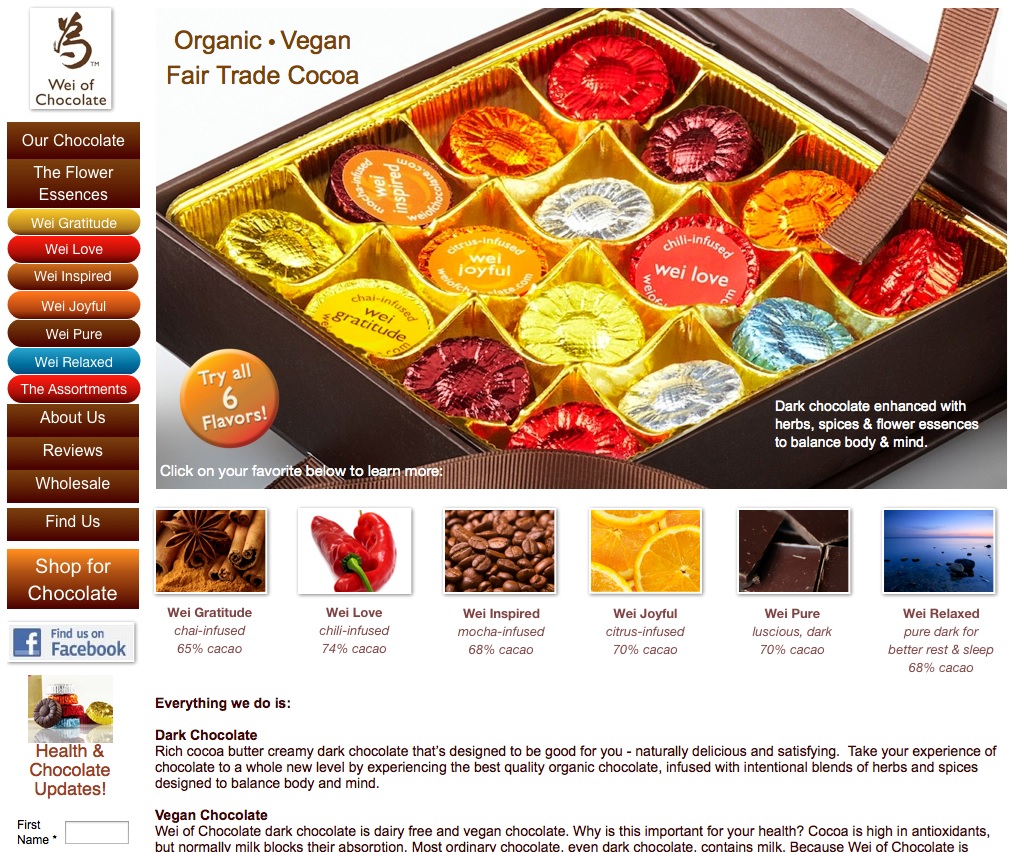
When you imagine your homepage, think of the funnel that you want your visitor to go through; how do you want them to experience your site? And then make sure your text and click-through buttons move them in that direction, or present them with the solutions to their top problems.

Don’t leave it up to your visitor to explore or feel their way around – you only have 6 seconds before they click away to the next site! So direct them. Imagine your site like a funnel; person lands here, then looks here, then goes here, then fills this out, etc.

For example, if your site is very focused and only about one topic, or one product, then your solution (benefits) is front and center and the options you present people with may be divided up according to the type of content: video, written articles, mp3 audio, etc.

In this scenario, each type of content delivers the same message/information, but the format varies. Because some people like to read, others like to watch videos, and others prefer to download everything to their iPod and listen during their commute, or during their daily walk or run. People’s brains work differently, they have different lifestyles and different constraints, and so they have different learning styles and preferences.

Let’s look at three different ways you could organize your homepage in a way that directs or funnels visitors through your site, according to what fits your business and your customer best.

Option 1: Organize According To Learning Style

With this homepage style, your solution, benefits, or way you meet your customer’s need, or fulfill their desire is bang at the top of your homepage. If you did a good job with creating your ‘elevator speech’ or tagline, then you could simply place one or both of them at the top of your homepage and that would convey quickly and clearly the top benefits or solutions you offer.

Then you give your site visitor options as to how they want to learn more about your solution or benefits. Your visitor will be given the same information, but you want them to decide HOW they want to learn it, since people have different learning styles and preferences.

So in that case, your homepage may have a brief blurb about the key benefits of your product (how your product or service solves their top problems), a great photo of your product, then 3 boxes underneath where the person chooses how they want to learn about how your product can make their life easier or better:

  1. Videos
  2. Articles
  3. Audio MP3 recordings (teleseminars, podcasts, interviews, tutorials, etc.)

Notice, in the previous sentence I wrote: …the person chooses how they want to learn about how your product can make their life easier or better.

This means that you don’t just have 3 boxes labeled Videos | Articles | Audios

It means you also list the top benefits people will receive by listening to what you have to say.

For example, let’s say you’re an engineer that does home inspections to assess how healthy or unhealthy people’s homes are and how they can improve their living environment to support their healing efforts.

Using this method of organizing according to learning style, you would first have your ‘elevator speech’ or your tagline at the top of your site and then the three options on your homepage may look like this (of course yours will look prettier!):

WATCH
See the top 5 mistakes home owners make that destroy their health – and how they can be easily fixed in a day! Start your healing now with this simple video…
LISTEN
Find out why all the supplements and meds in the world can’t help you if you’re sleeping on this – And sleep better, deeper, longer! Listen online or on your MP3 player.
READ
* What are the healthiest pots to cook with?
* Water Filters – function vs. money and how to get the best for cheapest
* 10 Ways to better sleep

People will not click on anything unless you give them a compelling reason to. So whenever you are asking people to do something – click, sign up, download, read, watch, listen, share, comment – you must tell them what benefit is waiting for them if they do what you ask. What solution, pain relief, entertainment, enjoyment do you have waiting for them to experience?

Remember this rule of features vs. benefits:

Features are what it IS.
Benefits are how it makes you FEEL.

So a benefit is how your product or service makes life easier, or better, or healthier, or more efficient, or more enjoyable, or more elegant, or safer, etc.

Storytelling outsells any other product listing or description technique. Put that knowledge to work for yourself and make sure when you are writing your site copy and talking in your videos or audios, that you always talk about the benefits of your stuff – how will it make the person feel? How will it improve their life, or their relationships, or their health, and so on.

Option 2: Organize According To Products or Services

This homepage style suits a business that has a lot of products, or services to offer. Let’s say you’re the expert, or teacher of a certain niche – music, art, cabinet making, horseriding, game programming, etc. – and you have lots of tutorials or workshops on your topic. Likely, you also have products for sale.

In that case, again, you still have your solution, benefits, or way you meet your customer’s need, or fulfill their desire right at the top of your homepage. And you can still use the 1,2,3 way of organizing. First you figure out the three categories your stuff fits into. You could push it to four, or possibly even five, but three is ideal. So perhaps your homepage funnel looks like this if you’re an artist:

  1. Live Workshops – Have fun, build friendships and learn LOTS. I’d love to meet you in person!
  2. Tutorials – Learn cool stuff easily from the comfort of your own studio and take your art to the next level. Online courses, video tutorials and more.
  3. My Art – You wanna piece of me? Commissions and prints – or just come get some ideas and inspiration.

Did you notice how I did not just write:

  1. Live Workshops – come learn with me!
  2. Tutorials – online tutorials, videos and more!
  3. My Art – commission a painting, or purchase a print

Remember everything you’ve learned in previous modules – do NOT ever just describe features (what it is). ALWAYS, always, always give the benefit as well. Show your visitor WHY they want to click on that, WHY they want to order that – HOW it will benefit them: change their life for the better, provide the solution to their problem, ease their pain, make them feel better, etc.

Then, somewhere prominent on your homepage, you may want to have a badge with the words FREE STUFF! on it, which goes to a page where you give some of your best stuff away for free. Or instead of a badge, perhaps you have a menu tab in your site navigation menu that takes them to your free page.

On that page, you have some videos or articles with some good stuff, but then you have your sign-up box with something GREAT for them – remember, you always want to build that email list! We’ll talk a lot more about building your email list in Modules 10 and 19, because it’s just that important.

Whichever section someone chooses to visit first (Workshops, Tutorial, Art shop) you have a sign-up box with your fantastic offer on every page. Maybe you have a different offer for each page that is tailored specifically to that content. But in the beginning, as long as you have at least one offer, that’s what you need to start building your email list. We will go into all the details about setting up your sign-up box in the next module, for now, just know that you need to have one.

Option 3: Organize According To Solutions

OR, you may want to take a different approach and organize your homepage according to the top 3 questions your audience is asking, or the 4 different topics you write, blog, video or give interviews about – the top 4 problems you can help your visitors solve.

In this case, the content is organized according to topic (i.e. solutions), not the content delivery method. Because you have more than one solution (but they are all related or interlinked – remember, one website – one message), your homepage is first going to funnel them into the section of your site that has the information/help for their specific problem. For example, you may have a site about healing common digestive problems and your three specific solutions are for:

  1. Gas & Bloating
  2. Constipation
  3. Heartburn (acid reflux)

You have to think like your visitor – if you came to your site, what questions do you need answered, what would interest you, what would help you? And then set up your homepage to quickly and easily deliver that.

This means you would NOT have 3 boxes on your homepage for people to click on for more information that look like this:

CONSTIPATION HEARTBURN GAS & BLOATING

Where are the benefits? Do I think (in 3 – 6 seconds) that you have my answer? No.

Rather, your three boxes that give people the choice of which ailment they want the solution for, need to immediately convey the solution and the benefits to the visitor. So something like this would be much better (and of course you would format them visually to look a whole lot nicer than this!):

Softer, Faster Bowel Movements In 3 Easy Steps

*this even works for chronic constipation! Free eBook
How To Eat Without Pain

Soothe heartburn before or after a meal and prevent recurrence
Wear Your Favorite Jeans Again!

Get rid of gas & bloating ahh feel the relief! and wear your favorite clothes again

These three headlines would also make good titles for videos. With this method, your key benefits (your tagline or elevator speech) are at the top and then your homepage is organized according to the solutions you offer. But once a visitor clicks through to the specific page (that has all the content about that solution) you can offer video, audio, a free download, a Pinterest photo, etc.

Okay, now let’s take a look at some examples of successful sites to give you even more ideas about how to design your customer funnel.

Here are four examples of completely different sites (a business help site, a chocolate company, a toilet product, a car buying service) that have organized their content in completely different ways – but each are effective and user-friendly, with a well-defined customer funnel.

Hopefully this will illustrate to you that there are many ways you can organize and present your stuff as long as your site fulfills these 3 basic criteria:

  1. Defined, clear, look and feel – that appeals to their niche
  2. You can tell in 3 seconds what the site is about
  3. Site presents a solution to a problem (or fulfills a desire)

As you take a look at these site examples, you’ll understand why it’s absolutely crucial that you have a concept of WHO your site visitor is. Who is your ideal customer or reader? If your answer to that question is, “Well, everyone!” then you haven’t spent the time really thinking about the kind of person who will be attracted to your stuff, or who will need your help, knowledge, etc. In that case, take some time out to circle back to this basic but often-overlooked step – identifying your ideal customer.

One thing you can tell by looking at each of these Site Examples following is that they have taken the time and energy to really understand who their customer is, the questions that person is asking, the help they need and their desires and hopes. And their sites respond clearly to these parameters.

So let’s go through these site examples, one by one. Even though they are completely different businesses and products, with different colors, looks & feel, you’ll see how each one is designed to appeal to their particular customer, answer their questions and capture their interest to explore more. Each site also reflects the personality and preferences of the site owner.

Whichever question or problem their customer is coming in with, they can find their answer or link to more info within 3 – 6 seconds; which is the average length of time you have before someone will leave your site.

This is why it’s important for you to really understand the service or product you are offering and be able to catch the interest of like-minded people quickly – even at a glance. Your site colors and header image also have a lot to do with making this first impression and whether it resonates with your visitor, or not. So make sure it all really, truly represents YOU, your vision, your energy, and tells your story.

Let’s look at each of the following four website examples and analyze how they have organized their content, which approach they are using and what makes them really effective. This will give you some ideas and tricks you can use in designing your own website – to grab your site visitor’s attention and communicate quickly to them that you understand them and you have what they need.

1.  HeartOfBusiness.com

This site is organized using both Options 1 and 2 above; it offers clear solutions to common problems in both text and video.

Remember you have 3-6 seconds to keep or lose a site visitor, so they need to be able to instantly assess whether your site fits with them, or offers them something they want. For this site, his company name and tagline immediately tell you what his approach is:  Heart of Business Inc. ~ Every act of business can be an act of love

The title of the copy on his home page (and the sub-title) further clarify what his business is about and offer a SOLUTION to the visitor’s problem. His taglines show that he understands his customer’s emotional and physical needs:

Are you losing your heart trying to make your business work? [frustration]

You can make a healthy profit and a real difference. [revenues not high enough]

Then the title of the video hopefully draws you in and makes you want to find out more. You see how he has offered his content in 2 different ways, so people can choose text or video, according to how they prefer to learn.

He’s used a headline writing technique in titling his video. Split-tests show that people love headlines (titles) based on numbers; such as “Top Ten Ways To…” or “7 Best ____ For ___” or as you see here: Three Reasons for Love in Business.

2.  WeiOfChocolate.com

This site is organized using Option 2 above; it has a solution to people’s problems and also their desires (delicious, unique, balances body and mind).

For this site, you can click on each of the navigation buttons (down the left hand side), but you can also click on each of the squares underneath the chocolate box – they are all hyperlinked to other site pages.

Because this site is about such a sensual, esthetic product, the visual appeal of the site is VERY important. Hence they have used up valuable real estate with a large, but totally gorgeous picture. This visual makes you want to reach in and pluck a chocolate right out of the box.

When you’re selling something sensory-based (taste, touch, smell) you need to appeal to the senses, more than the intellect. So that is why pictures and colors are very important for these types of sites and it’s worth investing in a professional photographer for your product shots.

The images in the squares underneath the large photo are also top quality images, but these are likely purchased (licensed) from a stock photography site, so much cheaper than hiring someone to shoot these images. I like fotalia.com and shutterstock.com to buy top quality images at very reasonable prices.

But even with the beautiful visuals, one BENEFIT is clearly stated in the bottom right corner of the photo: Dark chocolate enhanced with herbs, spices & flower essences to balance body & mind.

In my opinion, this benefit should be even more prominent and further explained. What is the defining point between these chocolates and all the other hundreds of chocolates out there? Is it immediately clear to you, or do you have to go back and click around the site for a bit?

The defining aspect of these chocolates that gives them the edge and sets them apart from all other chocolates is that they contain flower essences and gemstone essences. What’s that? You can’t tell from the homepage above, can you? But flower and gemstone essences are an ancient and powerful form of medicine, that work along acupuncture meridians, to heal and balance many aspects of the body.

The flower and gemstone essences are the USP (unique selling proposition) of these chocolates, but that is not the focus of the homepage, you have to click around to find that out. In my opinion, this site would be a lot more successful if the owner pushed this aspect of her chocolates and made it very obvious on the homepage.

She could easily test this, without even changing her site design, by merely placing these benefits/solutions above the text that starts with “Everything we do is:” – because the current text is listing features, not benefits.

Features define very clearly how your product or service meets your site visitor’s need, solves their problem, fulfills their desire, or gives them a solution. But in order to offer feature-based solutions, you need to give the benefits first. The features come later. The benefits are what provide the emotional response and connection from the customer to you.

So, in my opinion, her text that talks about ‘vegan’ and ‘dark chocolate’ would be better spent talking about HOW the gemstone and flower essences in her chocolates solve her site visitor’s problems (adrenal fatigue, insomnia, blocked creativity, anxiety, etc) and meet their needs.

Remember the 3 basic criteria?:

  1. Defined, clear, look and feel – that appeals to their niche
  2. You can tell in 3 seconds what the site is about
  3. Site presents a solution to a problem (or fulfills a desire)

This site has the first two nailed, but she could do better with the third and it would likely significantly increase her sales.

UPDATE: I emailed the owner of this site my suggestions, she loved them and had already been thinking that way herself. However, she decided to highlight the overall health aspect of her chocolate on her homepage, rather than getting into the specifics of flower and gemstone essences. Perhaps she thought that was going too niche. I disagree. Nevertheless, her new homepage is much better and still pushes the benefits of her product.

Instead, she highlighted just the flower essences on her product pages (see the shot above of Wei Relaxed). And yes, her chocolates are amazing.

3.   SquattyPotty.com


This site – Squatty Potty – is organized using both Options 1 and 2: It gives a very clear solution to a number of related problems and offers you a number of different ways to learn about their product.

The large image at the top is actually part of a slideshow – where each slide is composed of images and words that highlight a different BENEFIT you will experience if you use their product. Always give a benefit first, then give the features or information (why, how, what, etc.).

The site clearly shows at a glance what their product is and then they let the visitor choose what’s most important to them and what they want to learn first.

  • Do you want to know how the stool works, how you sit/squat on it?
  • Do you want to know why it works, what’s the data or anatomical reason squatting is better?
  • Do you want to know how or why this device is the solution to your constipation?
  • Or are you already convinced and you just want to buy?

The great thing about this site is the top solutions to their site visitor’s problems are BOOM in front of your eyes, immediately at the top of the home page:

Once they have communicated that they KNOW who you are and they have the SOLUTION to your problems, then they go on to give you different ways to learn more about how their product will BENEFIT you.

Since I took these screenshots, this site has also added a very targeted video to their homepage and they have been featured on the Dr. Oz TV show.

4.  RealCarTips.com

This site is organized using Option 2; it provides clear solutions to its visitor’s top car buying problems – see the topics under Useful Tips

This site is brilliant and all the key elements for a successful site are right there on the homepage.

His tagline: Honest Car Buying Advice tells you exactly what he does.

The line right under the green banner shows he knows exactly how his site visitors feel (and also offers a solution):

STOP wasting precious time and money. Use this Stress-Free Car Buying Method

The Useful Tips section presents his site visitor’s top problems and his solutions for those problems. His topics (the blue hyperlinked text) answer his customer’s questions, show that he understands their needs and frustrations, and offer solutions to every problem.

You can see he understands the importance of telling stories to create emotional connection, because he has links to Read My Story… both at the very top and the bottom of his site.

Affiliate links generate revenue for you while offering someone else’s products on your site – when someone clicks that link and ends up buying the product, software embedded in the link can track that click back to you and automatically pay you a commission for the sale. Gregg’s Best Sites For Car Shoppers box at the very top left are all affiliate links – they will all pay him some agreed-upon percentage if someone buys from them after clicking their link on his page.

He also has Google AdSense ads throughout his site and uses Amazon affiliate links too. This is a good example of a Stand-Alone Review Site, where he does not sell any of his own products or services, but instead uses ads and affiliate links to other sites to generate revenue.

He is also building his email list by having this benefit-driven sign-up box pop-up within 2 seconds:

I wondered if this site owner had thought about offering his personal Consulting services, either via phone or email, as I thought that would be a good (and easily implementable) source of revenue for him as well. There are many people who don’t want to spend the time going through all the information and listings on his site (or don’t have the time) and would just prefer a half-hour, or 45-minute consult to have him steer them in the right direction, or help them make a decision once they’ve narrowed down their choices.

So I emailed the site owner with my suggestion about offering consulting and he said that was a good idea, but he did not have time to do any personal consults as he has a number of sites (all with automated revenue like this one) that take up all his time. And compared to the revenue he is currently making, consulting would earn him less per hour – so there’s no point. Fair enough!

Both the SquattyPotty and RealCarTips sites are so well done they could be used as a template for other websites – maybe yours!

Each of the four site examples (above) presented their content in completely different ways, BUT they all had these 3 elements in common that make their site successful:

  1. Defined, clear, look and feel – that appeals to their niche
  2. You can tell in 3 seconds what the site is about
  3. Site presents a solution to a problem (or fulfills a desire)

Now let’s talk about YOUR site…

Your Tagline

Your tagline is the short (maximum one sentence) statement that either goes at the top of your site, or is the sub-title for your blog site that beautifully sums up and encapsulates exactly what you do and how that benefits your visitor.

At this point in the game, you really need your elevator speech and tagline to move forward with your site messaging. So if you haven’t nailed those down yet, follow those links to learn how, and then come back here. If you’ve already been through the process and have something you’re happy with (at least for now), grab your notebook and we’ll get deeper into the brainstorming and really nail down Your Site Solutions.


So write your tagline here:


And now that you’ve learned even more about what makes a site successful and we’ve dissected a few of them, let’s just make sure your tagline is as good as you can get it. We’re going to start by using Squatty Potty’s top section of their site as an example:

By aligning the colon correctly, Squatty Potty is your solution for: Hemorrhoids, constipation, colon disease, pelvic floor Issues and faster and more effective elimination.


Write one sentence that communicates the same information about the solution YOU are offering, or the desire you are fulfilling, or the need you are meeting:

By [result of using your product or service:] ________________________________________, [my product or Service:] ____________________________________ is/are your solution for: _________________________.

In case you’re confused, here’s how we would break down the Squatty Potty solution/benefit using this same formula:

By [result of using your product or service:]  aligning the colon correctly, [my product or Service:] Squatty Potty is your solution for:  Hemorrhoids, constipation, colon disease, pelvic floor Issues and faster and more effective elimination.

By aligning the colon correctly, Squatty Potty is your solution for hemorrhoids, constipation, colon disease, pelvic floor issues and faster and more effective elimination.

Now go ahead and follow this same formula to create some benefit statements for your products or services. Do at least one, but three or more would be good!

Don’t worry about whether this is the actual text you will use on your site, think of this as the first draft that is helping you get your message organized.

By __________________________________, _________________________________ is the solution for _____________________________ .

By __________________________________, _________________________________ is your solution for _____________________________ .

By __________________________________, _________________________________ is the solution for _____________________________ .


Next, write a few questions that speak to your site visitor’s emotional state and show you understand their problem, need or desire.

Use the Heart Of Business question as a template to formulate yours and then in brackets afterwards, write the emotion you are addressing:

Are you losing your heart trying to make your business work?

[Emotions: frustration, sadness]

Are you ______________________________________?
[Emotions: ____________________________________]

Do you _______________________________________?
[Emotions: ____________________________________]

Are you ______________________________________?
[Emotions: ____________________________________]

Do you _______________________________________?
[Emotions: ____________________________________]


Now write a second statement that speaks to a common problem your site visitor is experiencing, you can write this either as a question (as in the example above) or as a statement of reassurance (as below). Again, use this statement from Heart Of Business as a template and then in brackets afterwards, write the problem you are addressing:

You can make a healthy profit and a real difference.

[Problem: revenues not high enough.] [Emotion: but doesn’t want to give up ideals]

You can ______________________________________________________________.

[Problem: __________________________] [Emotion: __________________________]


If __________________________________________________________________.

[Problem: __________________________] [Emotion: __________________________]


Sometimes ____________________________________________________________.

[Problem: __________________________] [Emotion: __________________________]


Ever wonder___________________________________________________________?

[Problem: __________________________] [Emotion: __________________________]


How many more questions or statements can you come up with that would be targeted, specific and compelling enough to put on your homepage? Remember, you want to focus on your visitor’s pain or problems and how you provide the solutions to that (focus on benefits – how/what your solution will make them FEEL). Write them all down here, then choose the best ones later. Try to come up with at least 10. Now compare what you’ve come up with here, to the tagline you started and see which one you like best. Then write your final tagline here:


Continuing on, let’s say you offer more than one product, or service. If you have more than one solution (but they are interlinked), you may want to go with the format of dividing your problems/solutions up into boxes or sections, that encourage your site visitor to click through to their specific issue.

If this format would work for you, then now do your own version of the 3 or 4 boxes that
you need to present your site visitor’s problems and your solutions. AND even if you don’t want to use this format, do this exercise anyway as it will still help you get clear on your market (audience, customer) and your top selling points. Remember that the headline of each box is your site visitor’s pain or problem point, and your solution is the text underneath the headline:

Softer, Faster Bowel Movements In 3 Easy Steps

*this even works for chronic constipation! Free eBook
How To Eat Without Pain

Soothe heartburn before or after a meal and prevent recurrence
Wear Your Favorite Jeans Again!

Get rid of gas & bloating ahh feel the relief! and wear your favorite clothes again


Try yours:


[Benefit of Solution #1]

[elaboration of benefit, or explanation of product or service]
[Benefit of Solution #2]

[elaboration of benefit, or explanation of product or service]
[Benefit of Solution #3]

[elaboration of benefit, or explanation of product or service]


Feeling like your site is coming together, at least conceptually? Now let’s talk about how to arrange that visually for best design and flow. Or even before we go there, what about adding an intro video to your home page?

How Do I Access Amazon’s Affiliate Program?

I strongly recommend you become an Amazon.com affiliate because their program is just so easy to use – Amazon calls this their “Amazon Associates” program. This means, that whenever you link to a product on Amazon (a book, DVD, etc. ANYTHING that is sold on Amazon), and someone visiting your site clicks on that link, you receive a commission from Amazon if they purchase it.

But here’s the great thing I discovered, if the person clicked on my affiliate link to a book (for example) but before they checked out, they also added a blender to their cart and then purchased both, I would get a commission on both!

Amazon’s affiliate program only takes about 10 minutes to sign up for and it’s completely free. You can sign up here:

https://affiliate-program.amazon.com/

Once you’ve joined the Amazon affiliate program, there are two ways that you can use your site to generate commissions on sales of Amazon products:

1/ You can easily add relevant Amazon products to your existing blog posts or Pages.

This is the super-quick and easy way to generate some extra, automated income by mentioning or recommending Amazon products. This means that if you’re already blogging about the new blender you bought for your green smoothies, or the educational toy you gifted your nephew, you can add the product – and perhaps 2 or three more good products in the same category – right into your blog post.

Once you have your Amazon Associates account set up, you simply go to the product you want to show in your blog post and click on Link to this Page, then you can choose whether to just grab the plain link code, or the code that will have a picture of the product show as well:

Is that super easy, or what?!

For example, here’s a list of my recommended business books and you can see that they are all affiliate linked to Amazon.

Here’s a video where I show you exactly how easy it is to add Amazon affiliate links to your regular blog posts, or site pages:

Having shown you how simple it is to get started this way with Amazon affiliate links, I also want to point out that unless you are linking to high priced products, you have to sell a LOT of product to make any money this way. Also, your affiliate link is only active for 24 hours, or until the person clicks on someone else’s Amazon affiliate link!

So the more people who use Amazon affiliate links (and it is growing daily), the more important it becomes to catch people at the place where they are finished researching and are actually ready to buy. Darren Rowse sums this up beautifully in his Amazon Associates Tips article:

Another big factor in the equation of Amazon conversions is the intent that your readers have when they visit your blog. Why are they there and at what stage in the ‘buying cycle’ are they at?

I began to think about this just over a year ago as I looked at the growing traffic on my photography site but realized that my Amazon earnings didn’t seem to be keeping up with the traffic growth that I was experiencing. What I realized is that DPS was a blog that was largely writing about ‘tips on how to use a camera’ and that as a result it wasn’t really drawing readers to it who were in a ‘buying mood’. In fact a survey that I did found that many of my readers had recently purchased a camera and were on my site specifically because they wanted to learn how to use it.

As a result I added to the mix of new content on the site more articles relevant to people buying a digital camera. I wrote tips with advice on buying cameras, reviews of digital cameras and equipment etc. This culminated in a whole new section on the blog devoted to ‘gear’.

Slowly this has attracted new readers to the blog – readers who are researching their next camera purchase – readers who are more likely to click a link to Amazon and who once there are more likely to make a purchase.

This is where search traffic can convert with affiliate programs – ie when you’re writing content that people in a ‘buying mood’ are searching for.”

I use Amazon affiliate links in my blog posts, but I make very little revenue from them. I don’t mind though, as I consider it a service to my reader to show them exactly what product I’m talking about.

If you do want to derive the bulk of your income from Amazon referrals, then understand you will have to experiment and test quite a bit to find out what works. Read through the different options below and then also check out Darren Rowse’s article series on the topic – before you decide whether to base your site on this method.

In earlier days, it was more common to make more than $1,000/month from an Amazon affiliate site. But now, you have to work pretty diligently to make more than $100/month, so you may choose to focus on individual product affiliate programs (where the link is valid for 30 days or longer). This is how my kids average $200/month from affiliate sales (with no ongoing promotion or blogging) on their RadiationEducation.com site – by linking to two independent stores.

2/ You can also base your entire site monetization around Amazon products

Featuring Amazon products and getting your site visitors to purchase from Amazon (and then you receive a commission) might also be the ONLY way you make money from your site. You might choose this option if your site topic aligns nicely with one or two Amazon product categories.

In that case, you might just want to focus on blogging and videos to provide value, build relationship and trust, and get your search engine rankings (where Google or Yahoo will list your site in search results) and then generate your income from Amazon sales.

I can see this model working nicely for websites based around topics like cooking, baking, crafts, gymnastics, hockey, health, dental health, sports performance and nutrition, etc. Basically, any topic or niche where Amazon carries a good number of products related to, or useful to that niche. But remember, you must link to high priced products, or it will be very difficult to generate enough money from your Amazon links.

But always keep in mind the golden rule: GIVE away help, solutions, hope, entertainment etc. And then your shop is just one section of your site – not your entire site! Firstly, because you will never be successful competing directly with Amazon, or Zappos, or any other big retailer. But also, because your shop is composed of affiliate products, even Google requires that you give value to people or they will give you a low search engine ranking, or ban you entirely. This short (less than 2 minutes) but sweet video explains exactly how Google views your shop site and what you need to do to keep Google happy:

So let’s say you like the idea of deriving much or all of your income from Amazon affiliate sales – and don’t forget, you can always start with this model and then change it as you develop your own products and programs – how exactly do you set up your site to provide this?

Depending on your budget, you could use a free WordPress theme like this one, called Magazine Basic, whose layout functions nicely as a shop:
http://wordpress.org/extend/themes/magazine-basic

Here’s what the Magazine Basic WordPress theme looks like when it’s used as a store for Amazon products:

You would then either manually add the products one by one, or a faster way is to use a paid plugin like WP Zon Builder.

A good WordPress Amazon integration plugin will allow you to build a stand-alone store in minutes, like Alex does in this video where he shows you how he built a site in about 10 minutes using WP Zon Builder and his own design. This video is also valuable because it shows you how to set up an Amazon affiliate site in a way that gives value to visitors, and doesn’t just hawk product:

Or, you can purchase a WordPress theme for your blog site that is specifically geared to selling Amazon products and has nice graphics and design already included. Do a keyword search for “wordpress themes for amazon affiliates”. Some popular ones are Azon Profit Store, WP Zoner, Candyzon and ProReview.

Keep in mind there are two elements here needed to have an Amazon storefront site:

  • The WordPress Theme used to display the products
  • The WordPress plugin used to integrate with Amazon to automatically grab and display the products with your affiliate link

You can use a free theme and a free plugin. Or you can use a paid theme and a paid plugin. Or any combination of each.

As an example, a great step-by-step free tutorial showing you how to set up a store using the free theme Magazine Basic is here:

http://winkpress.com/amazon/build-amazon-store-with-wordpress-for-free/

Amazon Storefront Types

Here are some ideas for different ways to set up your site if you want to make the bulk of your revenue from Amazon affiliate sales. Or perhaps there is another large store that you want to carry affiliate products for as well.

Of course, on each of these examples you can also carry Google Adsense ads on the site to generate ad revenue, and/or have links to other sites of yours where you sell things, or other affiliate linked ads. Remember, for all of these, your blog posts would create the traffic to your site and also position you as an expert:

  1. A Stand-Alone Review Site – There are several different types of reviews you can put on your site:  your personal reviews, other people’s reviews, or YouTube or video reviews. Even though you don’t have Buy links on the site, each product you review (or related products listed under the review) links to Amazon (using your affiliate link so you get commissions), like this one:
  2. A Niche Store – Amazon sells just about everything, so there are thousands of products and niches to choose from. Go shopping on Amazon and you will find many great ideas. Choose a niche (very specific, narrowly defined category) based on your top interests or passion. The Comfortable Office Chairs site is an example of a niche store site:
  3. A Content or Review site AND A Separate Store Site – this would actually be two sites, with different URLs. The reason you would do this is to position your content or review site as an unbiased source of information. Many people trust information more if they think the person isn’t selling anything.

So one site focuses on content and the other on products; both work together and they point to or link to each other.

Health guru Daniel Vitalis has set up his sites in this way (although he mostly sells his own products). See the two screenshots below. By the way, note how difficult it is to read the light colored font on a black background! Remember this when you choose your site colours.

Here’s Daniel Vitalis’ main site www.DanielVitalis.com which contains his blog (content), but note the Shop Now link in the right hand column:

This main site then links to his Shop site www.surthrival.com:

Interestingly, I went back to look at Daniel’s site a few months later and he has done a complete re-design – his shop is now black text on a light tan background – much better!

  1. A Content or Review site with a Store as a Separate Category – With this format, you would have a normal content site (blog, pages, posts) about your niche, and then have one Page called Store, Products, Shop, or something specific; as in this case where it’s called T-Shirts & Great Things.  Put all of your products in that section and link to them from the content areas:

Brene later changed her site from this format (above), to a format that enables her to list even more Amazon products – by creating a page called Brene’s Favorites. And on that page, she has 4 photos, each representing a category of product that she’s enthusiastic about – see the large photos on the left hand side:

If you click on any of those categories, like PHOTOGRAPHY, instead of a list of products with an Amazon affiliate link, she now sends you off her site and straight to her Amazon Storefront:

So she kind-of has a stand-alone store, but it’s not on her site. This option would work well if you had a strong following like Brene does. Brene’s site visitors are not likely to leave her site, stay on Amazon, and then wander off and forget about her. They know her, love her and will be back to her site many times.

BUT, this kind of store (which still works using affiliate links) can also be embedded in your site pages. I’m wondering if Brene knows this is possible… In my opinion it is always better to keep people on your site for as long as possible, that’s what I’ve done on my Art site, where the store is embedded on my site page called PRINTS. Note that this is not an Amazon store, but Amazon does have a storefront you can embed on your site in the same way:

If setting up your own Amazon store appeals to you, all you need is to register for your Amazon Associates account and then it’s also free to set up and get started! All the details are here: Amazon aStore.

For those of you who are artists or photographers, the store and plugin I use on my site above is FineArtAmerica.com.

We’ve also used this same plugin for another site Ian (my hubby) runs called LegendaryFootballGrounds.com:

Note: There are many ways you can feature or sell products from 3rd-party sites right on your own site’s SHOP page and I give you lots of good options right over here.

  1. Niche Checklist Sites – Very similar to a Niche Site, but even more specific in that you use an effective copywriting trick. Examples: Top 5 items needed for a camping trip, Top 10 products needed for survival, Top 8 things children need for school, etc.

A site like this would also do very well with a Pinterest or Facebook page where you could share great pictures or videos – that hopefully would go viral and increase traffic to your site.

Here’s an example of a site whose niche is Top 10 everything! Note how the site is further monetized with ads at the top and right side. Personally, I think the ads are way too big in relation to the content, and I’ll bet they would increase their revenues if they put the focus more on their content:

  1. A Stand-Alone Store – A site mainly dedicated to products of your choosing that you think would interest your readers. You would do blog posts about various products and why you like them so much, or why they’re the best (which would also drive traffic to your site). For example, if you were a raw foodist you may feature juicers, blenders, books, dehydrators, yoga equipment, natural cosmetics, etc. In addition to your store, every blog post would also feature one or more affiliate products.
  2. Build a Hub store – Where many of your content sites point to one store site. Like spokes on a wheel pointing to the Hub. With this kind of set up, you can have a Shop link on each site, but you can also simply link individual text (for example an author, or name of a product category, eg. Chest Freezers).

OKAY! Are you buzzing with ideas for how to link to Amazon products from your own site?

Now that you know all the different ways you can sell Amazon products on your site or blog, you’ll start noticing how everyone is doing this!

Again, it doesn’t matter whether you have your site up yet or not, you can still think about the different ways you might want to feature Amazon product affiliate links…


When you read through the different types of Amazon Storefronts in this unit, did any idea in particular stand out or appeal to you? Here they are again:

Stand-Alone Review Site – Tablet example

Niche Store – Office Chairs example

Content or Review site, with Store as separate Website – Daniel Vitalis example.

Content or Review site, with Store as separate Category or Page – Brene Brown example, Jini’s art site example

Niche Checklist Site – Top Tenz.net example

A Stand-Alone Store – Garlic Health Store example

A Hub Store – different content or blog sites all pointing to one store

Brainstorm now the different ways you would like to set up Amazon store products on your site – this is an important step in figuring out the design of your site. You can brainstorm in writing, or even make a sketch(es) of the way(s) you think you would like to feature Amazon products (hint: Think about what YOU like or enjoy and then do that!):


The Required Legal Stuff

One last important point: if you are going to have any kind of affiliate link on your site, or make any kind of recommendation that may lead to some form of compensation, you are legally required to clearly state that on your site. And I’m going to make it super easy for you to do that! You can simply copy/paste these legal disclaimers onto your own site, after changing the site name to your own.

If you haven’t built your site or added affiliate links yet, you won’t need this until you are ready to get your site up – but just make a mental note of it and download the file to a folder on your computer called: NEW WEBSITE.

  1. Affiliate Disclosure on Site or Blog

Here’s the short disclosure statement that needs to go on every page of your site – you can put it in smaller font at the very bottom, or in a box in your sidebar on the right or left hand side, as long as it’s legible – go ahead and swipe it (copy/paste) to use on your site.

If you are going to have your blog sidebar appear on every page of your site (other than the homepage) then you can just have this Affiliate Disclosure statement as a Text Widget in your blog sidebar:

*******************************

Some of the services recommended on this website provide compensation to [my-site]. All recommendations are based foremost upon an honest belief that the product, service, or site will benefit my site visitors in some way. Read the full Compensation Disclosure for more details.

*******************************

  1. Affiliate Compensation Disclosure Page – Full Legal Text

The underlined text in blue above (Compensation Disclosure) then links to a separate page, post, or pop-up that lists your full Affiliate Compensation Disclosure.

NOTE: Wherever you see [my-site] or [my-site].com in the text below, that means you need to delete the highlighted text and replace it with your website URL.

So if your website address is ListenToYourGut.com

then [my-site] becomes: ListenToYourGut

and [my-site].com becomes: ListenToYourGut.com

Use the Edit –> Replace function on Microsoft Word to make all these customizations in a few seconds.

Click here to DOWNLOAD the .doc version of this Disclosure, making it easy for you to customize it.

Affiliate Compensation Disclosure

Some of the web sites, products, and services I recommend provide compensation to [my-site].com in the form of referral fees or commissions. [my-site].com also gets compensation for display advertisements served from Google’s Adsense network. This allows me to provide all information to the end-user for free. It is my belief that the site will grow so long as I provide the most useful advice available. My promise to you is that all recommendations I make are chosen foremost for their ability to save you money, time, or hassle.

The Legal Stuff…

GOOD FAITH RECOMMENDATIONS

I recommend web sites, products, and services on [my-site].com based in part on a good faith belief that the purchase or use of such products or services will help my users. I have this good faith belief because (a) I have tried the product or service mentioned prior to recommending it or (b) I have researched the reputation of the Provider and have made the decision to recommend the Provider’s products or services based on their history and reviews. The representations made by me about products and services reflect my honest opinion based upon the facts known to me at the time a product or service is mentioned on [my-site].com.

YOU SHOULD ALWAYS CONDUCT YOUR OWN INVESTIGATION (PERFORM DUE DILIGENCE) BEFORE USING OR BUYING PRODUCTS OR SERVICES FROM ANYONE VIA THE INTERNET. THIS INCLUDES PRODUCTS AND SERVICES SOLD ON THIS WEBSITE AND ALL OTHER WEBSITES.

MATERIAL CONNECTION

Unless otherwise expressly stated, you should assume that all references to products and services on [my-site].com are made because material connections exist between the website’s owner (“Owner”) and the providers of the mentioned products and services (“Provider”).

POTENTIAL BIAS AND DUE DILIGENCE

The Owner’s opinion about a product or service may be partially formed (consciously or subconsciously) in part based on the fact that the Owner has been compensated or will be compensated because of the Owner’s business relationships with the Providers.

In some instances, the Owner and a Provider will have a business or personal relationship that does not involve the Owner receiving compensation related to products and services mentioned on [my-site].com. However, the nature of the relationship is sufficient to establish a material connection between the Owner and the Provider.

Because there may be a material connection between the Owner and Providers of products or services mentioned on [my-site].com, you should always assume that the Owner may be biased because of the Owner’s relationship with a Provider and/or because the Owner has received or will receive something of value from a Provider.

Perform your own due diligence before purchasing a product or service mentioned on [my-site].com (or any other website).

COMPENSATION

The type of compensation received by the Owner may vary. In some instances, the Owner may receive complimentary products, services, or money from a Provider prior to mentioning the Provider’s products or services on [my-site].com.

In other instances, the Owner may receive a monetary commission or non-monetary compensation when you take action based on the content of [my-site].com. This includes, but is not limited to, when you purchase a product or submit personal information to a Provider after clicking on an affiliate link on [my-site].com.

THIS POLICY

The Owner’s goal is to make your experience using this website a pleasant one. If you have any questions about products or services mentioned on this website, please contact the Owner and have those questions answered prior to making a purchase of such products or services.

Website Owner Contact Information:

[my mailing address]

Please note that the content of this page can change without prior notice.

*******************************

Click here to DOWNLOAD the .doc version of this Affiliate Compensation Disclosure, making it easy for you to customize it.


How Do I Make Money As an Affiliate?

Aside from selling your own products, programs, or services, you can also sell other people’s items that fit your niche and are high quality. Be sure that you do not sell anything that does not reflect your standards of quality, or it will downgrade your reputation and garner you negative press.

Most sites that have successful products or services for sale will have an affiliate program. An affiliate program is simply a system whereby you receive a commission for helping generate sales of someone else’s products. Here’s how it works:

If you wanted to be an affiliate for Listen To Your Freedom, for example, you would promote Listen To Your Freedom on your site. This could be done a number of ways:

  • You write a blog post about the program and place a banner ad or text affiliate link to the program in your blog post
  • Have a banner ad (graphic/photo) on your website for the program
  • Have a text ad on your website for the program, or at the end of all your blog post(s)
  • Post to your Facebook page or wall about Listen To Your Freedom and use the banner ad or text affiliate link
  • Have a text ad on your YouTube video (in the ABOUT video description section of your video) for the program

Then, when anyone clicks on any of these banners or text affiliate links (from wherever you’ve put them), they will go to Listen To Your Freedom.com and they will be tracked as they navigate through my site.

If they purchase (at any time) the commission on the sale will go to you. Tracking of affiliate links is done by using cookies, so as long as the person has not cleared their cookies, you will receive the commission if they buy, even if they buy a year later.

Note: Which reminds me, either go sign up for the LTYF affiliate program now, or make a note to do so once your site is up!

Text Affiliate Link

Here’s an example of what a text affiliate link can look like, from my Bluehost affiliate account:

CLICK HERE TO SIGNUP FOR BLUEHOST.COM

You see how the text is blue and underlined? Hover over it with your mouse and you’ll see that it is a live link (hyperlink), if you click on it, you will go to Bluehost’s site.

Here’s what the code looks like that creates this hyperlink:

<a href=”http://www.bluehost.com/track/ infomedia1962″>CLICK HERE TO SIGNUP FOR BLUEHOST.COM</a>

If you would like to change the text that displays for this link, simply replace the text portion CLICK HERE TO SIGNUP FOR BLUEHOST.COM with whatever you would rather say.

Affiliate Banner Ad

A banner ad is simply a graphic (image) that links to the recommended site with your affiliate ID embedded in the link code.

Here’s what a banner ad can look like and again, I’m going to use my Bluehost affiliate account as an example – and I’m going to choose the same ad that Pat Flynn has on his site (we’re going to talk about Pat in just a minute), because I know that one has worked well for him:

So, the image shows you what will appear on your webpage or blog post, when you copy/paste the code onto your page.

Easy-peasy, so when I go to add this banner ad to my blog post or the sidebar on my site, the only thing I paste is this:

And then the only thing that appears on my site or in my blog post is this:

And when people click on that banner ad, they go to Bluehost’s site. And if they purchase anything I will receive the commission for it. You see how this is automated revenue? All you do is set it up and it keeps earning you money whether you’re sleeping, or on vacation, or driving your kids to school.

Begin At Any Time!

Unlike Google AdSense, or other scrolling/rotating sidebar advertising programs that could have a negative impact on your search engine rankings IF you add them too soon – affiliate ads can be added to your site at any time.

Affiliate ads or affiliate links (in a blog post, for example) are simple hyperlinks – the same as if you linked to a charity website you liked, or a dog training tips site, or YouTube. So search engines are not going to ‘mark’ your website as having a lot of ads compared to content – which obviously, is not a nice site to send people to!

So you can go ahead and use affiliate text links, or affiliate banner ads as soon as your new site is up, or your new blog is added, or your existing site re-designed.

Choose Products That Fit Your Niche

When choosing which programs and products to affiliate with, you just want to be sure they compliment what you are offering and won’t be taking sales away from your own products and programs. Affiliate commissions usually range from 40 – 70 percent. If that sounds like easy money, don’t forget that you have to work just as hard to market someone else’s products as you would to market your own.

Why do product creators give away such high affiliate commissions? Firstly, you are making the sale to customers they might not have otherwise reached, which is more money for them as well as you. Secondly, keep in mind how much commission a physical shop owner would earn off goods they sold through retail sales (usually 40 – 50 percent). The biggest difference with affiliate sales is that you don’t have the hassle or cost of warehousing, shipping, or handling the products.

Of course, some people never create their own programs or products, they simply affiliate and receive commissions on selling other people’s products. This model is similar to a retail grocery store – which doesn’t manufacture its own packaged foods, but merely sells other vendor’s foods.

Pat Flynn is an online entrepreneur who does just that. He has two sites where he sells his own programs and services, but he has another site (SmartPassiveIncome.com) where he just shares all his Internet business tips and tricks and all the sales on that site are generated from affiliate commissions.

Pat has a large variety of affiliate links (commission sales links) on his SmartPassiveIncome.com blog. These links are to various training programs, marketing tools and other people’s products or services. But amazingly enough, his top affiliate earnings are from a simple banner ad he carries for Bluehost – which provides website domains and hosting. His own products on his other sites generate him roughly $6,000 per month, but just his Bluehost affiliate commissions generate him $30,000 per month. Note how his Bluehost affiliate banner is the same one I used in my example above:

Now granted, Pat’s blog has a ton of traffic (visitors to his site) as he provides stellar content and has been doing it for many years, and he also links to Bluehost in some of his blog posts. But it just goes to show that you never know what will generate you the most income until you try it and see. So don’t be afraid to test out products and services that you think might fit with your site visitor’s needs or interests.

You can either find good products to affiliate with by doing keyword searches on your niche, or search for companion products you think your niche might like. When you find a good website, test their product and if you like it then sign up for their affiliate program. Or you can use an affiliate program warehouse, like Clickbank.com and search there for products or programs your site visitors might be interested in.

If you want to carry ads for a variety of online merchants, then ShareASale is a good place to start. ShareASale requires you to only register once and you can then host ads for companies like Adidas, Craftsy, Mens Trunk Club, Gymboree, etc. Here’s how simple it is:

Affiliate Link To Stuff You Use

Another great way to choose which products or programs to affiliate with is by simply recommending the items that you use yourself!

Let’s say you do a blog post on your great new blender – then show a picture of the blender, which is linked (via your affiliate link) to the shop where your reader can purchase the blender.

There are many stores that cater specifically to very targeted niche markets; like art stores, saddle shops, knitting stores, fishing gear, bike racing, longboarding, the list is endless. Since this is your area of passionate interest, you likely already know the best online shops to purchase from. So simply sign up for an affiliate account. Don’t be afraid to email the site admin and ask if they have an affiliate program – as many do not make it obvious.

Here’s a great example of an artist, Nowlenn Petitbois, who has an affiliate account with a huge art shop (DickBlick.com) and here you can see she has done an excellent tutorial video and then has all the products listed that she used in the video – and each product is an affiliate link:

Another way to feature products is to have a ‘favorites’ or ‘stuff I love’ page. Again, this is where you feature all the items that you use often, or that have made a big impact on you – things that are worth sharing.

Again, these things will be niche-specific, but they can also be your favorite books or favorite music, your favorite custom boot manufacturer – anything that is really personal or specific to you. This is your tribe, remember? They want to know personal stuff about you, and they also want to emulate you.

Kelly Rae Roberts is an artist who has sold over $10 million worth of retail products (via licensing deals) in the last 3 years and here’s how she presents her mix of favorites – the affiliate links are split between Amazon.com and DickBlick.com. Note how she has written a little blurb next to each one, explaining how she uses it, or why she loves it – this makes her list useful and valuable, not just salesy:

When you’re ready to actually create a list of favorite or recommended items like this on your blog, be sure and check out these detailed how-to instructions: How Do I Feature a List or Recommended Items on My Blog?

Your Turn to Brainstorm!

Even though you may not have your site up yet, let’s take a few minutes now to brainstorm some ideas and ways you might want to incorporate affiliate links (free money!) into your site and blog.


Here are some questions to start your brainstorming process…

Are you going to write blog posts about your favorite stuff, or equipment you use – and then make each of the products you recommend an affliate link? What kinds of things do you want to write about?


List here the sites you can link to that have products you like – mark which of these have an affiliate program, and which you have to check whether they do. Tip: The link to a website’s affiliate program is usually in the site footer (at the bottom), or sometimes you need to email them to inquire.


Okay, now that you’ve put your own ideas down on paper, here are the other important things you need to know in order to make money from affiliate commissions.

Don’t Overcrowd Your Site Pages!

The top mistake that nearly everyone makes with affiliate links is to cram as many as possible onto the sidebar or homepage of their site.

I guess they’re hoping that if they have a ton of ads on there, eventually their site visitor will click something. But it is completely the wrong strategy. Why?

  • It looks like you are desperate – please, buy something, anything!
  • It reduces trust in you – if your primary message is “buy, buy, buy,” then your site visitors get the message loud and clear that you don’t care about them. You are just trying to sell to them.
  • It’s confusing and takes away from the message and solutions of your site. Remember the golden rule; always GIVE value first. Give help, give solutions, give hope. People buy from people they trust or feel a connection to.

Too many affiliate links also means there are a dozen ways people can leave your site and go engage with someone else’s site – who may have a better customer funnel than you. If that’s confusing to you, think of it this way – you do want to make sales with your ads and affiliate links, but it’s just as important to keep your site visitors engaged with YOU and your site. If you put too many ads on your site, you run the risk of them getting distracted on other sites, and spending their money there instead of with you.

Take the example of Pat Flynn I gave you above – this is a guy who has a huge amount of daily traffic, yet he has only 4 affiliate links (banners) on his blog. For myself, I don’t have any affiliate links in the sidebar of my Listen To Your Gut site: all my affiliate links are inside my blog posts – so I am always giving information and value, and then the referral to purchase or learn more.

This is because I already sell 300+ products of my own on that site! I don’t need or want to send people away to other sites to buy, unless it’s for specific things that I have no intention of providing myself. But even on a site like that – you still have to keep the same principle in mind, of not overcrowding and looking too selly.

Let me give you an example from a test we ran on our Shoppe. Even though this is my site shop – which is obviously meant to sell product – the helpful information still needs to take precedence over anything else. And I’m going to tell you exactly how we tested and discovered this fact!

Previously, a product page in our Shoppe looked like this – note how the product information is right there, along with a “Jini Says” tab for my personal notes on the product:

Then we were approached by a company who guaranteed an 8-12% increase in sales for a 30-day trial period – or our money back. This company said they increased store sales by adding recommendation sidebars and scrollbars, like “customers also bought…” or “our customers also viewed…” So we said, sure, let’s test it.

So after installing their ‘recommendation’ sidebars and scrollbars, here’s what that same product page looked like:

What do you think?

And do you think sales went up or down?

First let me tell you what I thought when I viewed the changes:

“It just looks to me like one giant advertisement. I FEEL: sell, sell, sell! It is confusing. There is way too much stuff competing for my attention on this page.

I know what I want, that’s why I clicked on the MucosaHeal, but WHERE is all the info about MucosaHeal??

Ads for other products is NOT what sells our products. Information/education is why people buy from us – and that is now not the focus AND requires effort to find.

HOWEVER, I do like the “Our customers also viewed…” sidebar. I think that is interesting, does not distract from the product and actually adds to the page.

So, my recommendation would be to:

– Move the “Our customers also bought…” scrolling window to the end of the product description – way down at the bottom of the page.

– Keep the sidebars on the right and left as is.”

Well, those were my thoughts, but it’s always good to test your views and assumptions, so we let the shop run for 2 weeks like this first.

Then we looked at our sales for the two weeks before we made the changes, versus the two week period with the ‘recommendation’ elements as you see above. Let me tell you what we analyzed in order to determine whether this new format worked, or not.

Sales Metrics

Now, in order to determine if sales go up or down, you don’t just look at the dollar amount sold. Because your site traffic (people coming to your site) may be higher one week than the next, or higher in one month than the other. Instead, you look at your customer conversion rate. This means, that out of all the people who viewed your shop, what percentage purchased something?

Well, after we switched to this ‘recommendation’ format, sales decreased. Our conversion rate dropped from 11.23% to 6.73%. This means that with our original product pages, 11.23% of people who came to our site purchased something. With the new product pages – which featured all of the recommendation elements – only 6.73% of the people who came to our site purchased anything! In addition, overall sales figures (the dollar value of goods sold) dropped slightly from previous levels.

So remember, that when you are assessing the effectiveness of a sales or marketing strategy, you need to look at both metrics to get an accurate picture of what the effect actually is: You need to look at overall sales figures and sales conversion rates.

But we didn’t just can the service, we first deleted the big scrolling window of products from the middle of the page, but kept the sidebar recommendations, to see what effect that would have. Our conversion rate went back up again and even increased a few points. This showed us that it was worthwhile having the recommendations in the sidebars, but NOT where they detracted from the main information people were looking for.

That’s why I advise you to not overuse affiliate banners and ads, but keep them relevant to the information you are giving and don’t cram too many on your page. Or, place the ads at the bottom of the page or blog post – like Nowlenn Petitbois did in the example above. And speaking of Nowlenn, did you notice how she didn’t just give the name of the product and hyperlink? But rather, she gave the name and showed a picture of the product. Remember that visuals are always more appealing than just text – Kelly Rae Roberts did the same thing, and so did I in the screenshot of one of my blog posts I showed you at the very beginning of this unit.

Always select your ads or product promotions to appear somewhere that doesn’t distract from your content, or become annoying, or make your site look cheap and cluttered. Here’s a video from experienced AdSense user, Darren Rowse, where he shares some of his testing and experience. His same advice also holds true for any kind of affiliate ads:

Never be afraid to test things! Just make sure you keep accurate records before, during and after. Do you think Pat Flynn tested a lot of different ways to present his affiliate banners on his site? You bet he did!

Sure you can often shortcut your testing by looking at sites that are similar to yours and very successful and then just copy them – swipe away! But there will come a time when you start to wonder if something else might work better, and it’s always a good idea to test when you feel a nudge in a certain direction.

Okay, now let’s move into our next possibility; aside from affiliating with sites you love and buy from yourself, an easy way to get started with affiliate programs is to sign up for Amazon’s affiliate program.


How Do I Make Money Off My YouTube Videos?

Once you have set up your YouTube channel and uploaded a few videos, you can choose to have advertisements added to your videos – for which you get paid based on the number of views or clicks. When you add advertisements to your videos, you get to share in the ad revenues generated.

You can choose whether the ads are full-screen and play before your video starts (don’t do this unless you have very strong content to hold people so they don’t get annoyed with the ad and click away), or just appear as a banner along the bottom of your videos. You can also choose to have ads appear on your channel page.

These ads are controlled by the Google AdSense program, so you have some control over which types of ads can appear on your videos and channel, which is nice.

Every time a viewer clicks on these ads, you receive a few pennies. Bit by bit, it can add up and it is worth doing. I add new videos very infrequently, but I still make anywhere from $170 to $200/month in revenues. Not bad for free money. Keep in mind though that some of my videos are quite popular with over a quarter million views. When you are just starting out, you will earn much less – but many people have figured out how to make a living entirely off YouTube monetization, so it’s definitely possible!

It is super easy to participate in YouTube’s ad revenue program – you simply go to your Video Manager, click EDIT, click Monetize my video and then select the kind of ads you want to display with your videos:

Keep in mind that YouTube changes its systems very frequently, so right now, this is what the monetization process looks like, but that may change 5 times in the next year! It doesn’t matter though, as YouTube is great at providing very clear instructions for everything.

You can see in these next two screenshots the different types of ad formats you can select. I used to run Overlay ads on my videos, since these were the least obtrusive. The Overlay ads appear in a small rectangle at the bottom of the video and you can click the X anytime to close them. Here’s what an Overlay ad on your video looks like:

However, YouTube then decided to really push the TrueView In-Stream ad format and so drastically reduced the commission for the Overlay ads. TrueView In-Stream ads are those that appear the very start of the video, in full screen and you have to wait about 4 seconds before you can click “Skip Ad” and get to the video itself. When my ad revenues plummeted to less than 50% of what I was previously earning, I decided to switch all my videos with 10,000+ Views to the TrueView ads. Here’s what a TrueView In-Stream ad placed before your video looks like (note the “Skip Ad” option):

The reason I am not running TrueView ads on my less-watched videos is that I don’t want to give people a reason to click away. If your video shows even a few thousand views, it provides social proof that your video is worth sticking around for. But when you’re trying to build Views on your videos, if you only have 42 views on your video, is someone really going to sit through 4 seconds of advertising to see if your video is any good?

On my other two channels (for my horse stuff and my art stuff) I am letting my videos get to 1,000 views before I will monetize them. But you can and should test this for yourself. Maybe monetize one of your new videos, but not the other and see if it makes a difference to your video Views.

Don’t worry, I provide plenty of instruction on how to create excellent videos for YouTube right over here.

Here is the type of content you can have in your videos that will enable you to monetize them – most of this is just common sense, but I thought I’d grab the info for you from YouTube anyway:

You must meet these minimum requirements in order to monetize your videos on YouTube:

  • Your content is advertiser-friendly.
  • You created the content or have permission to use it commercially.
  • You are able to provide documentation proving you own commercial rights to all audio and video content.
  • Your content complies with YouTube’s Terms of Service and Community Guidelines. YouTube reserves the right to disable monetization for accounts that do not follow our guidelines.

Examples of content that may be eligible for monetization

  • You filmed your cat and there is no background music.
  • Your video contains royalty-free music, and you can prove commercial use rights by using a direct link to the terms.
  • Your friend created content for your video and states in writing that you may use and make money from it.
  • You created original music yourself and are not signed to a label.

Examples of content that would NOT be eligible for monetization

  • Your video has music you purchased on iTunes or content you taped off of television (i.e. you don’t have a license for this copyrighted music or content).
  • You sing a cover of your favorite song without express permission from the artist.
  • You edit together a compilation of content created by others. Content with violence and/or nudity meant to shock and disgust.

So whether or not you’re ready to produce videos right now, it’s definitely worth knowing about these options, as they may have a bearing on how you plan your site, business, or products.

So let’s move onto one more monetization tool that you can utilize right now, or the second your site or your new blog goes live – in fact, you can use these tools in your very first blog post! Click here to find out more about affiliate programs.